JUN 03, 2025|10 min read

Improving context quality leads to better data agents, but how much does the human analyst need to be in the loop? On February 3, we announced the general availability of Semantic View Autopilot (SVA), a system that autogenerates semantic views from your existing queries and BI assets.
Let’s explore our learnings from building this feature, and the evolving interface between context, AI-driven suggestions and human review.
Semantic views allow data analysts to map Snowflake data to clear business concepts (metrics, dimensions, relationships) in a context file.
Snowflake AI Agents use semantic views to answer non-technical business questions from sources like dashboards, Tableau and SQL worksheets. However, creating a robust semantic view is deceptively difficult. Unlike standard code, natural language context lacks objective "compiler errors." A few missing descriptions can block the AI from returning useful answers, forcing analysts into a slow, manual loop of tweaking context and testing the agent’s responses.
To address this difficulty, we built a feature (dubbed internally as Agentic Optimize) in our semantic view editing tool. It automates an analyst’s optimization loop by comparing generated SQL against known-correct queries, scoring the results using an LLM judge, and applying targeted fixes to the semantic view automatically.
In this post, we explore how we iterated on the UI paradigms for Agentic Optimize, revealing key insights into how data analysts reason around semantic context and where AI assistance helps versus hinders.
Our initial approach was straightforward: Run an optimization job that analyzes verified queries, identifies gaps in the semantic view, and produces an improved version. Users would have to trigger optimization, wait 1-2 hours, and receive a comprehensive diff showing all proposed changes.
The algorithm could analyze up to 50 verified queries and produce a single comprehensive diff with descriptions, metrics, filters, synonyms and custom instructions. We also made the evaluation process visible. Users see percentage scores before and after optimization; counts of descriptions and synonyms changed; the number of evaluation runs performed; and the specific, verified queries that improved. When the system proposes a change, it shows its work.
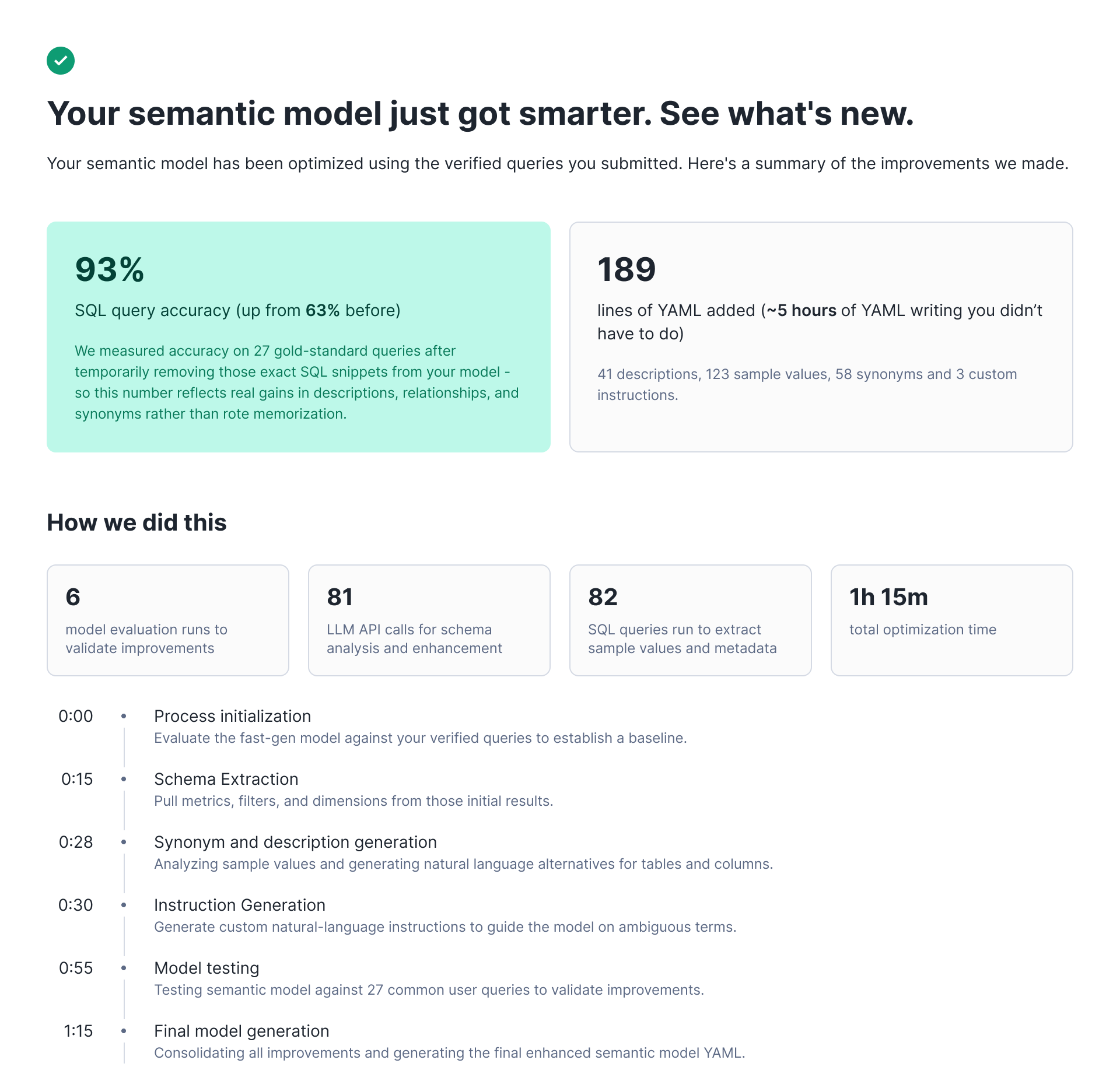
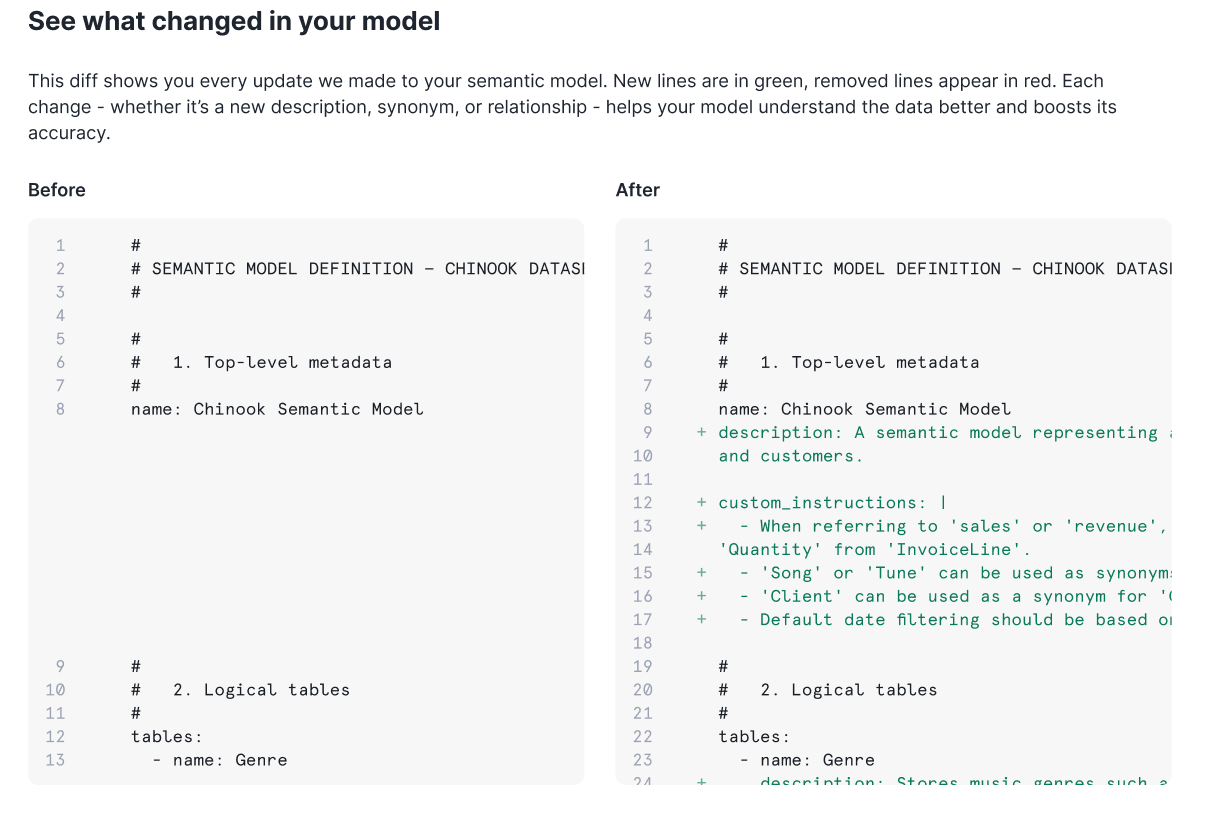
But after testing this UI with early users, we learned that blind acceptance wasn't what our end users wanted. Data analysts preferred to filter through suggestions individually, evaluate changes incrementally and edit proposals before accepting them. Even when the golden evals showed clear improvement, users were reluctant to accept wholesale changes to a live system they didn't fully understand.
After interviewing users, we learned that they were quite happy with the majority of suggestions produced by this process. In fact, data showed that these were some of the most frequently accepted suggestions. The real issue was the interface. Our users needed granular control and the ability to exercise judgment on individual changes.
We created a new UI that broke optimization results into discrete suggestions. We surfaced each proposed change (adding/mutating a description, synonym or custom instruction) as an individual card that users can review, accept or reject.
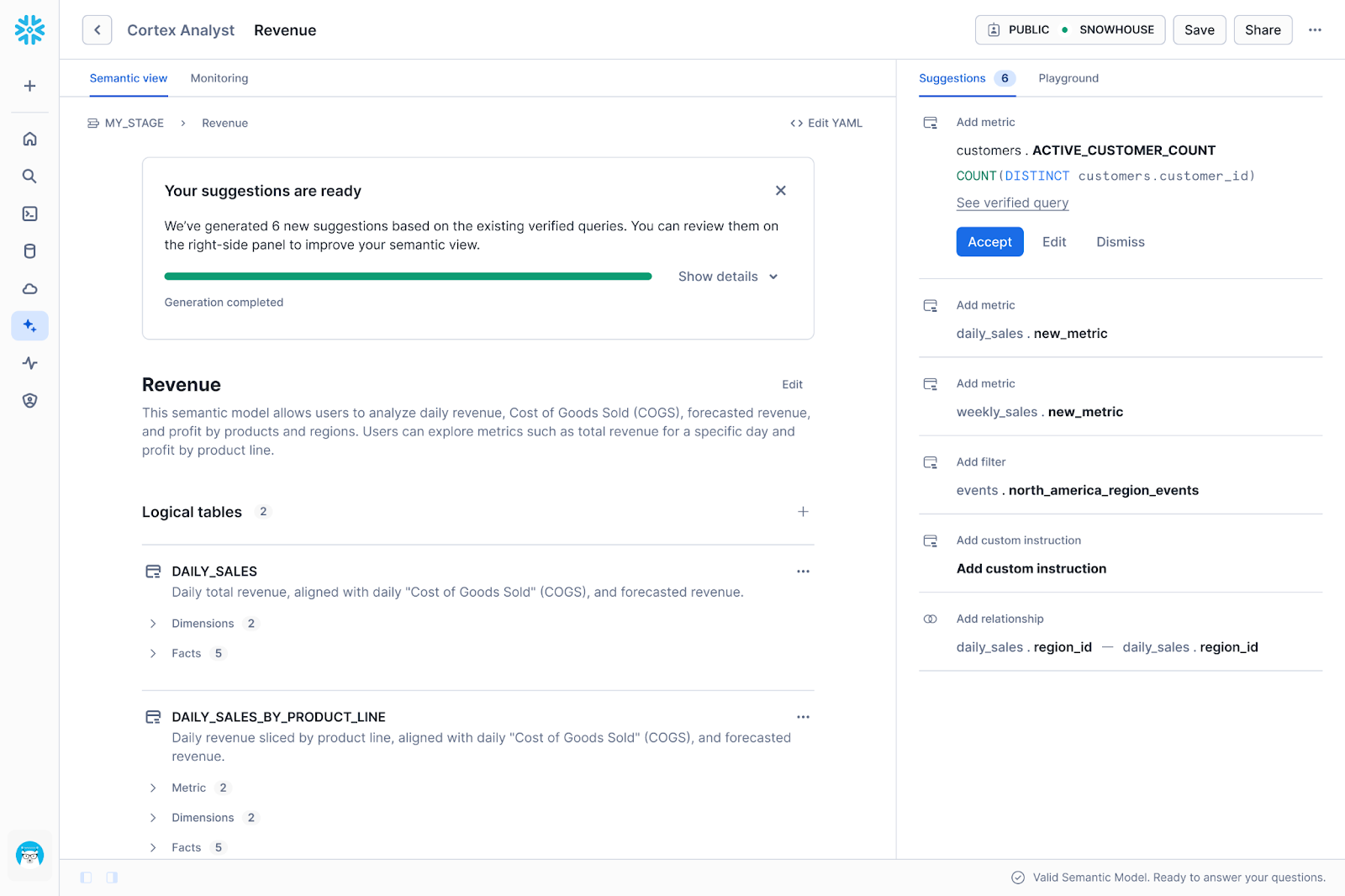
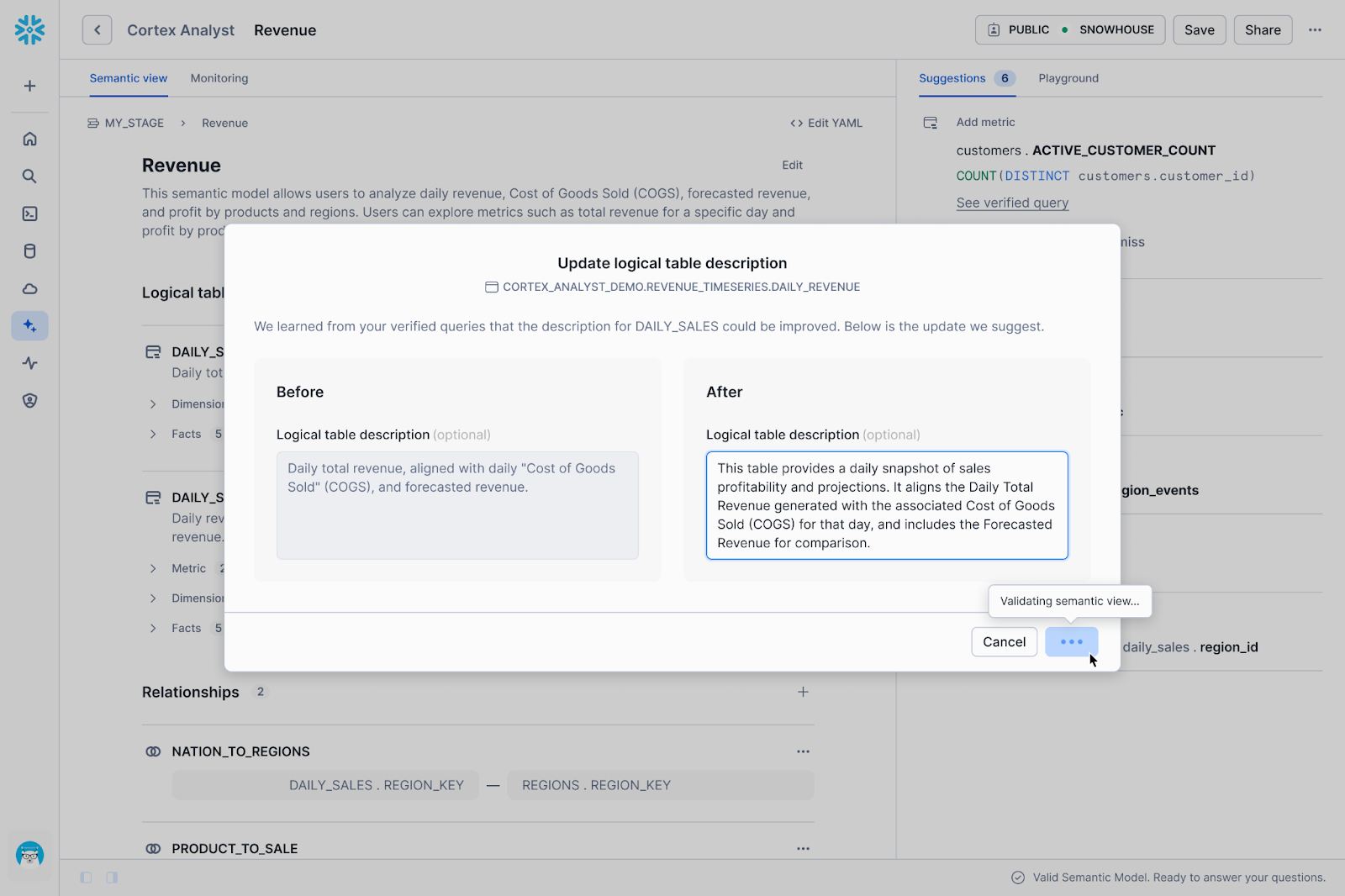
While users appreciated the added control, we quickly realized through usage data and feedback that the new UI introduced significant friction. We prioritized fine-grained control over each suggestion, which shifted the burden of execution back onto the human. We identified three specific areas where this approach wasn't working well:
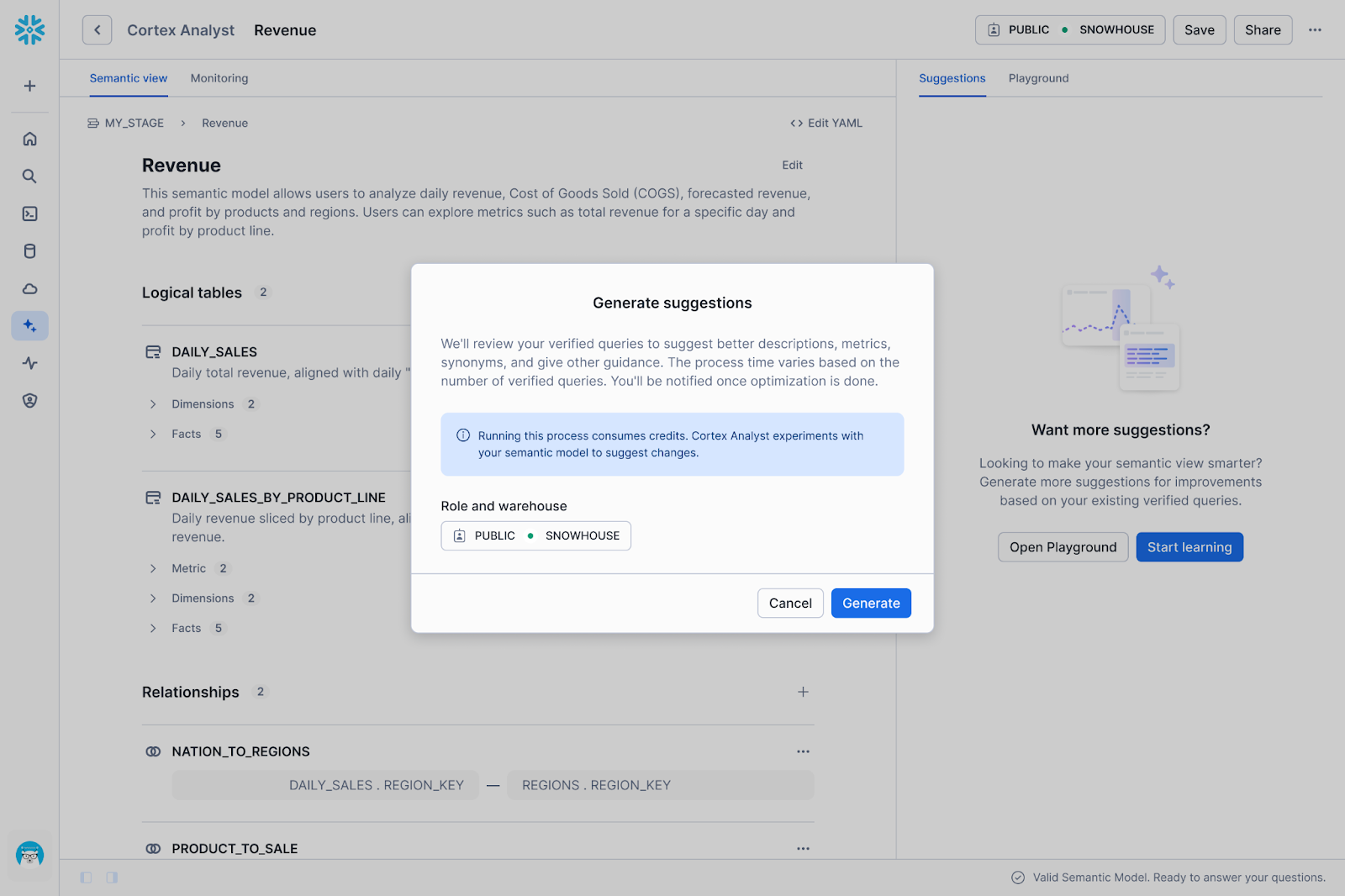
Usage was initially lower than expected because the setup barrier was simply too high. Before a user could even see a single AI suggestion, they had to navigate a list of dependencies: selecting a warehouse, configuring a role, ensuring specific privileges to run and ration credits, and curating verified queries.
A user presented with 50 granular suggestions now faced 50 separate decisions to review. It’s also not obvious which of these suggestions are absolutely required to get the data agent to answer questions correctly.
We learned that verification doesn't happen in a vacuum. To decide if a suggestion is "correct," an analyst often needs to check the underlying data. Take, for instance, the question: Does this new filter definition actually match how the business calculates "active users"? To answer that, the user has to leave the semantic view editor and open a worksheet, run SQL queries or check a dashboard. This constant context switching fragmented the workflow, making the review process slow and disjointed.
The friction described above is something you’ll see in lots of B2B SaaS products. To complete a single workflow, users are often forced to act as the bridge between fragmented UIs. In our case, properly reviewing a suggestion can require a data analyst to bounce between role and warehouse settings, SQL worksheets, dashboards and back to Cortex Analyst to apply the change — reorienting themselves to a new set of knobs with every click.
Our thinking is the next iteration of Agentic Optimize needs to be as easy as prompting a Snowflake Agent: “Our sales team keeps asking about 'qualified pipeline' but the data agent doesn't understand it.”
In this future, the agent would handle the investigation autonomously. Instead of asking you to input definitions, it could read your setup documentation, parse Slack threads for context, and scan existing dashboards to identify how "qualified pipeline" is actually calculated. It would then propose a metric definition, verify that the generated SQL is correct, and monitor the consumption costs of the operation. The analyst can then accept/edit the evidence-backed suggestion.
In this model, the analyst retains authority over how the semantic view becomes optimized while the agent handles the labor.
While we build toward the conversational experience, the current Semantic View Autopilot (SVA) already delivers granular, reviewable suggestions that improve your semantic views. Try SVA in your account and learn best practices for creating semantic views for Cortex Analyst. Your feedback shapes what comes next.