Snowflake Optima Metadata: Smarter Pruning Through Workload Intelligence

At Snowflake, we believe performance should be built-in, not bolted on. Last October, we introduced Snowflake Optima — an autonomous optimization engine designed to act as a "virtual database administrator," silently analyzing and accelerating your workloads behind the scenes. Since its release, features like Optima Indexing have been seamlessly speeding up recurring point-lookup queries, delivering up to 54x faster execution times without a single configuration change from users.
But point lookups are just one part of the puzzle. Earlier this year, we expanded the engine's capabilities with Optima Metadata. Optima Metadata tackles a related, highly common challenge: accelerating queries that rely on column expressions to filter values, for example, string manipulation and pattern matching functions, such as UPPER(), LOWER() and LIKE. By autonomously generating lightweight, custom metadata based on your specific query patterns, Optima Metadata dramatically improves micro-partition pruning. The result? You scan less data, applicable most frequent queries execute significantly faster, and your compute costs drop — all happening entirely transparently.
The pruning opportunity
Snowflake's micro-partition architecture enables highly efficient data pruning. Under the hood, Snowflake evaluates metadata — like MIN and MAX values — to instantly skip micro-partitions that cannot possibly contain matching rows for your query. This native capability is how Snowflake successfully prunes 99.4% of micro-partitions across all customer workloads (as outlined in our 2025 SIGMOD paper).
However, there is still a massive, untapped opportunity for optimization: Of the micro-partitions that Snowflake does scan, 40% do not contribute a single row to the final query result.
Why does this happen? Many real-world queries filter data using complex column expressions that standard, static micro-partition metadata cannot evaluate. Some of the most common "hot" expressions that result in inefficient scanning include:
-- Case-insensitive search
SELECT * FROM customers WHERE UPPER(email_domain) = 'SNOWFLAKE.COM'

-- Pattern matching
SELECT * FROM logs WHERE error_message ILIKE '%connection timeout%'

-- Date conversions
SELECT * FROM events WHERE TO_DATE(timestamp_string) = '2026-01-30'
Enter Optima Metadata: Autonomous workload intelligence
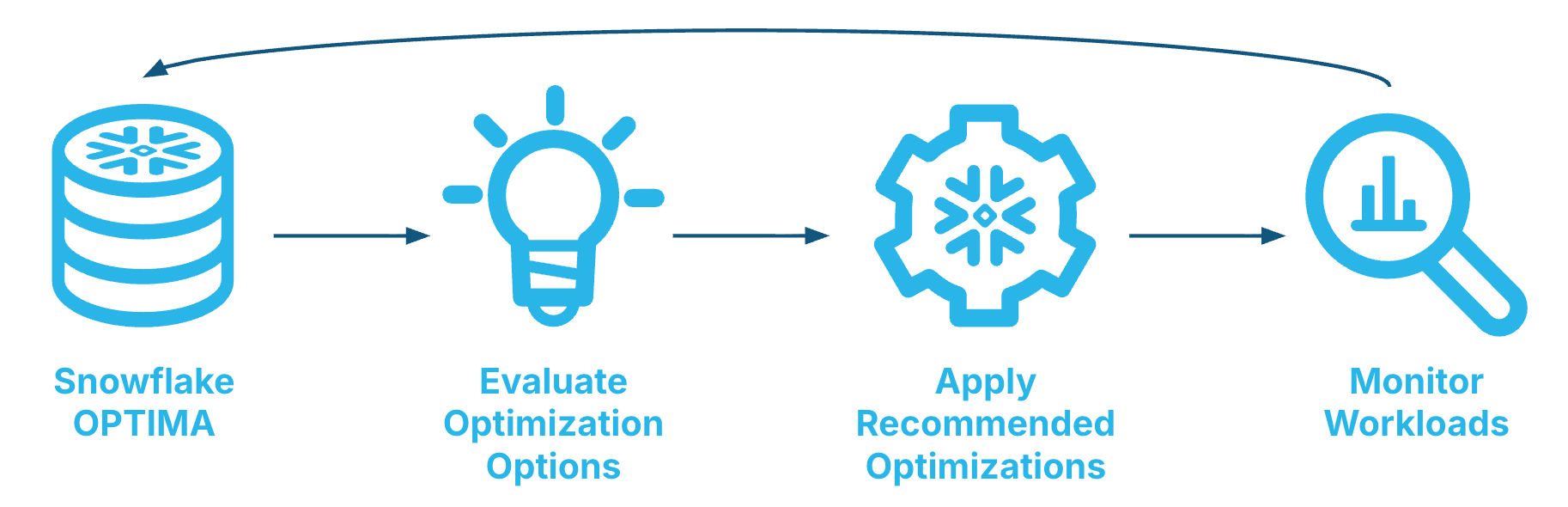
Optima Metadata reduces this inefficiency by automatically creating expression-specific metadata tailored precisely to your workloads.
Instead of asking database administrators to manually identify slow queries and build custom solutions, Snowflake Optima handles the entire lifecycle in the background:
- Workload analysis: Snowflake Optima continuously analyzes your query history, hunting for predicates that have unrealized pruning potential.
- Custom metadata creation: When Snowflake Optima identifies a high-frequency "hot" expression, it dynamically generates additional, lightweight metadata. This metadata tracks the exact statistics needed to evaluate that specific expression for every micro-partition.
- Enhanced pruning: Snowflake immediately begins using this custom metadata — in tandem with regular micro-partition metadata and indexes — to aggressively prune irrelevant partitions.
The best part is that all of this happens autonomously. There is no configuration required and no extra cost. Snowflake Optima even makes sure that previously added metadata is cleaned up if it's not required anymore (e.g., due to a workload change).
Optima Metadata in action: Automatically accelerated cybersecurity workloads
Since its rollout, Optima Metadata has delivered dramatic performance improvements across our customer base and is now pruning billions of micro-partitions per day. One standout example comes from a Fortune 500 healthcare enterprise running a cloud-native security information and event management (SIEM) platform.
The challenge: Expensive threat hunting
This customer executes continuous threat detection queries, relying heavily on pattern matching to hunt for compromise indicators within a massive 22-billion-row cloud event log table. Their detection rules routinely look for specific strings, such as filtering cloud audit events (SOURCE ILIKE '%AWS CloudTrail%'), detecting ransomware indicators (PROCESS_PATH ILIKE '%diskshadow.exe') and hunting for registry tampering (PROCESS ILIKE '%regread%').
The problem with the above is that queries using ILIKE '%pattern%' with leading wildcards historically cannot leverage traditional min/max pruning. This limitation previously forced full table scans across millions of micro-partitions for every query execution.
The solution: Autonomous optimization by Optima Metadata
Without any manual intervention or rewritten rules, Snowflake Optima detected these high-frequency patterns and autonomously created custom micro-partition metadata for the heavily queried columns. Now, when a security rule runs, Snowflake instantly skips micro-partitions where the specific pattern is guaranteed not to exist.
The results
After Optima Metadata was activated for this workload, the enterprise saw immediate, dramatic improvements:
- Faster execution: Security rules executed at least 10% and up to 50% faster.
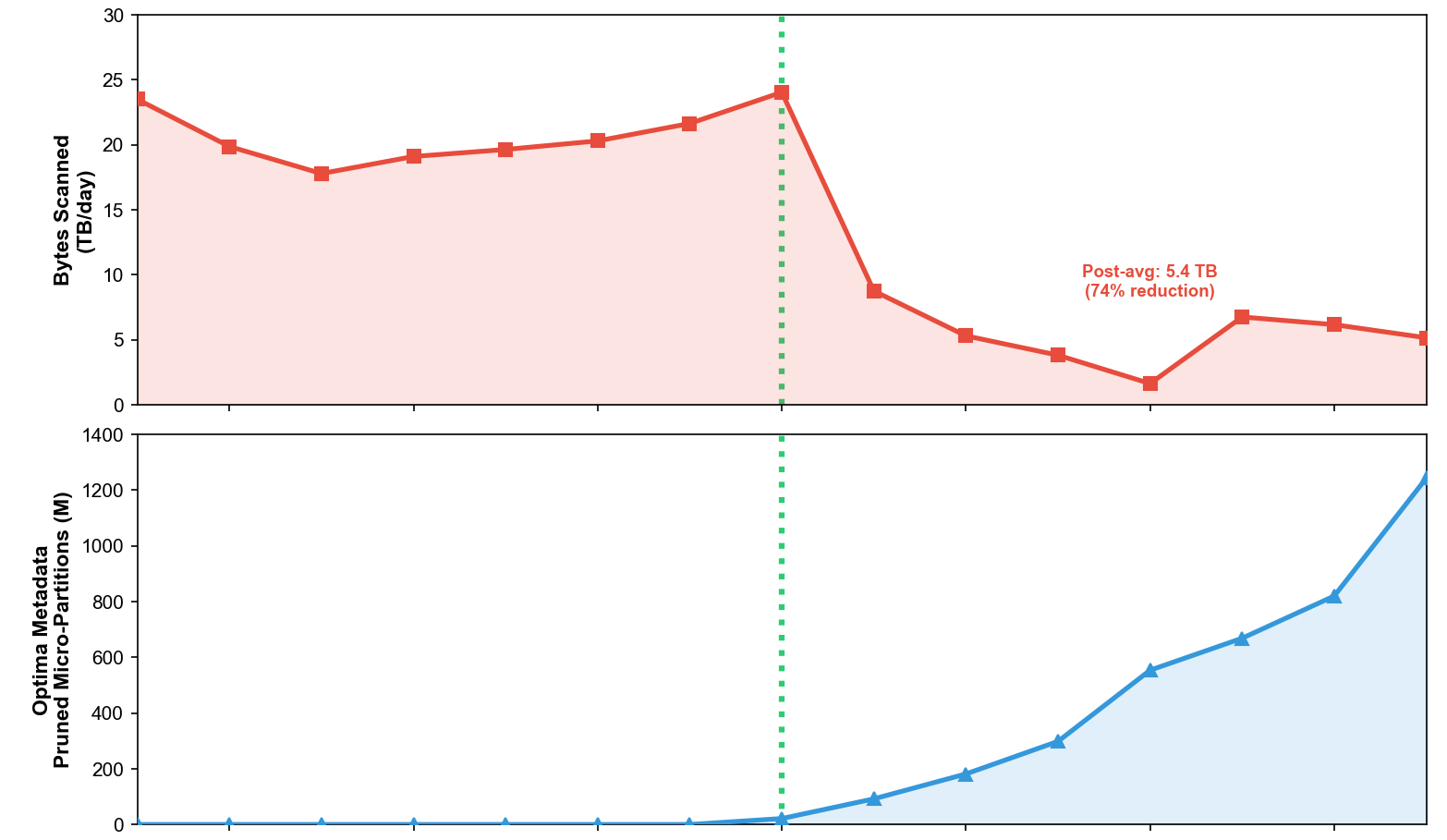
- Massive I/O reduction: Bytes scanned dropped by 74%, falling from 20.73 TB/day to just 5.36 TB/day, which has a direct impact on paid cloud storage requests too.
- Unprecedented pruning: The workload went from zero pruning on these queries to an average of 551 million micro-partitions pruned daily.
Remarkably, these gains occurred transparently while the underlying table grew by 10% (from 19.7 billion to 21.8 billion rows) during the same period. Ultimately, this resulted in faster threat detection and massively reduced I/O, all with zero effort required from the customer's engineering team.
The charts below show the rate of bytes scanned and micropartitions pruned after Optima Metadata kicked in (dotted green line).
What's next for Snowflake Optima?
Optima Indexing and Optima Metadata are just the beginning. Our vision is simple: It should be impossible to run inefficiently on Snowflake.
Our evergreen mission is to eliminate the burden of manual database tuning. Throughout the rest of the year, we will continue expanding Snowflake Optima to support even more complex expression types and introduce new autonomous optimization vectors. The engine will only get smarter, and your queries will only get faster.
Stay tuned for more developments!
Get started today
Optima Metadata is available on all Gen2 and Adaptive warehouses — no action required. If you're already using Gen2, you're already benefiting from Optima Metadata.
Queries benefiting from Snowflake Optima will have a Query Insight associated with them, indicating that they've been accelerated by Snowflake Optima. You can see these insights in the Query Profile console page, where the statistics pane will explicitly show "Partitions pruned by Snowflake Optima" when metadata or index optimizations successfully skipped irrelevant partitions. Alternatively, you can access them programmatically via the QUERY_INSIGHTS account usage view.
To learn more about maximizing performance and how to ensure you are running on Gen2 warehouses, visit the Snowflake Documentation.
Authors