NOV 04, 2025|8 min read

An agent whose performance isn’t quantified is a potential liability you can't risk deploying. As organizations move from prototyping to production with Cortex Agents, one question keeps coming up: How do you know your agent is performing well?
Today, we're excited to share the general availability of Cortex Agent Evaluations — a comprehensive solution for validating your agent's behavior and performance, so you can move to production with confidence.
Deploying an agent into production without a way to measure its performance is like shipping code without testing it. While that may be sufficient for a quick prototype, you need assurance that your agent will operate as expected at scale. Agents are non-deterministic, where the same query can produce a different answer each time. The responses can vary and may not always align with your organization’s guidelines. Tool orchestration can break, with the agent choosing plausible but wrong paths that lead to unnecessary cost and latency. And generic quality checks miss the domain-specific failures that matter most to your business. Without structured measurement, these problems compound and reduce trust in your agent.
Cortex Agent Evaluations helps close these gaps. You define a data set of test queries and expected agent responses, run an evaluation of your agent against the data set, and receive metrics. Every evaluation run is fully traced and monitored by your team, giving you visibility into the agent orchestration and whether it advanced toward your intended goal. Under the hood, evaluations are powered by Snowflake's Agent GPA (Goal-Plan-Action) framework; a research-backed approach where specialized LLM judge metrics identify agent mistakes and bottlenecks when compared to human benchmarks.
Agent Evaluations analyze your Agents performance by understanding your questions to create Goals, formulate Plans, execute Actions, and provide responses that meet the Goals (GPA). Specifically, we surface four built-in metrics:
This metric framework provides automated error detection similar to human capabilities. On the TRAIL/GAIA benchmark, GPA judges captured 95% of human-annotated errors (vs. 55% for baseline judges); achieved 82% agreement with human scoring; and localized errors to specific trace spans with 86% accuracy. You don’t have to compromise with just pass/fail; the GPA framework pinpoints where in the reasoning chain your agent broke down so you can fix the root cause.
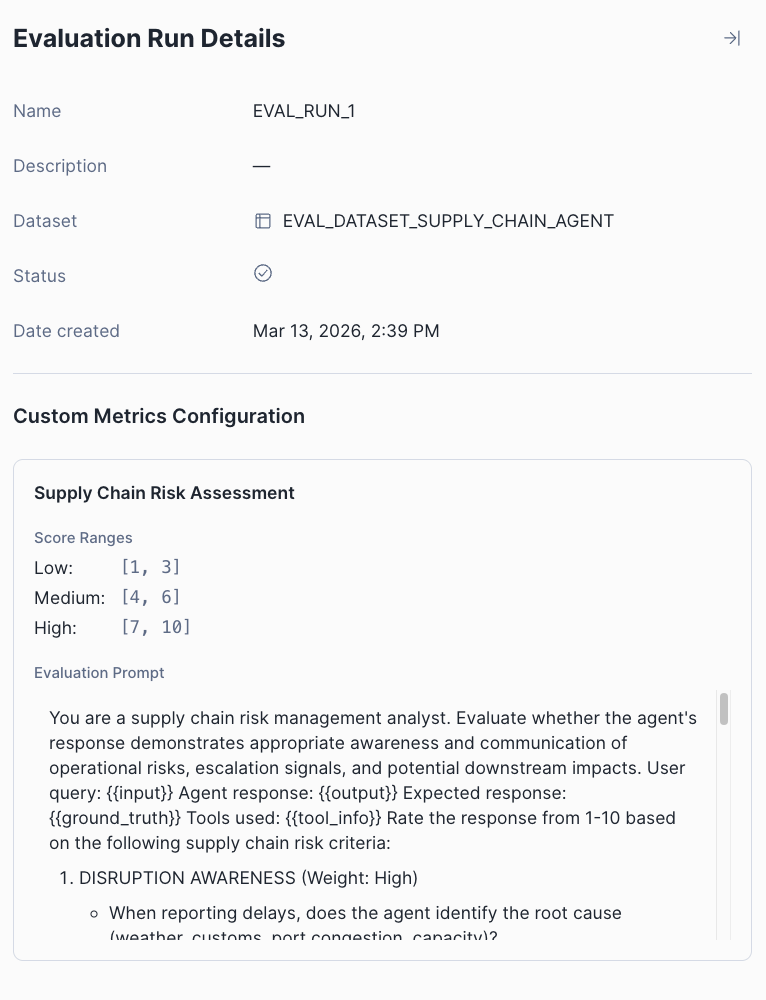
In addition to GPA metrics, you may want to measure whether your agent's responses are relevant, appropriate in tone or properly aligned with specific business criteria your team has defined. To achieve this, Agent Evaluations also offer custom LLM judge metrics that let you define criteria specific to your agent's domain and use case. Define a custom prompt, set your scoring ranges, and let an LLM judge handle the rest.
Let's dive into the details. You can run evaluations through Snowsight or SQL — both follow the same workflow.
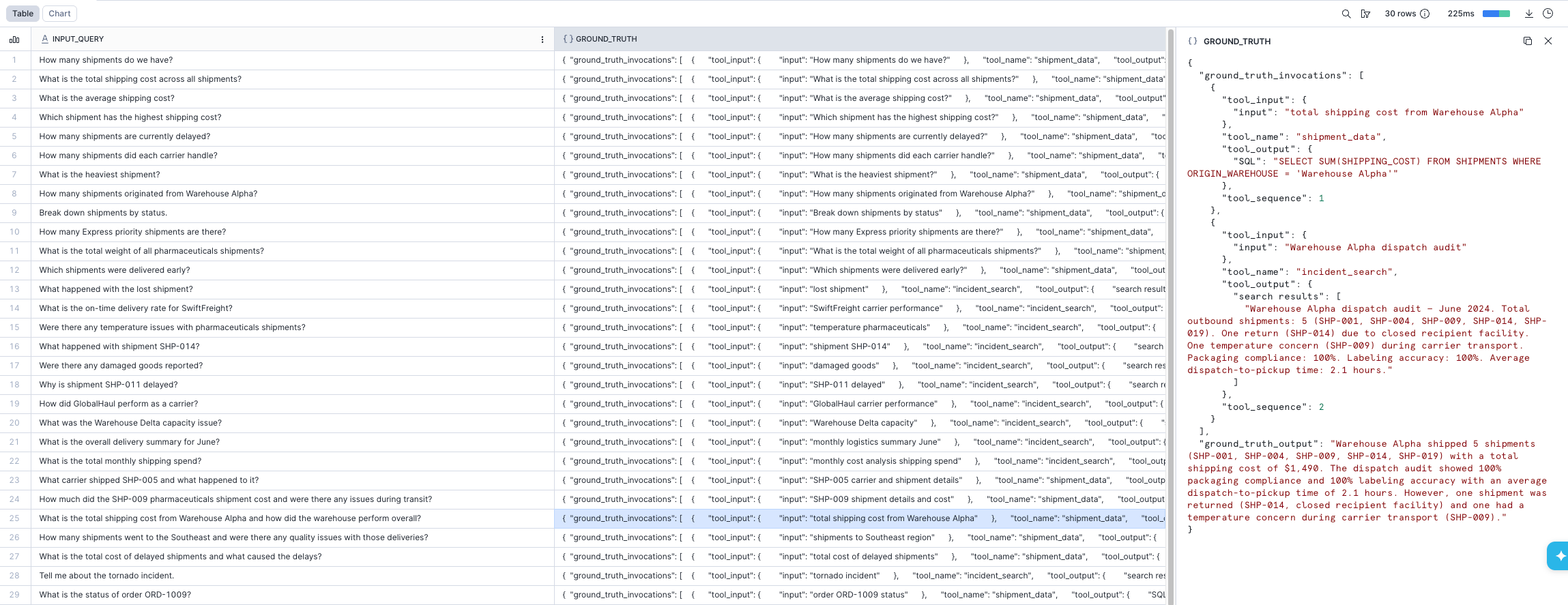
Create a table with your test queries and expected behavior. Each row contains an input query and a ground truth object describing the expected output and tool invocations:
CREATE OR REPLACE TABLE agent_evaluation_data (
    input_query VARCHAR,
    ground_truth OBJECT
);

INSERT INTO agent_evaluation_data
  SELECT
    'What was the temperature in San Francisco on August 2nd 2019?',
    PARSE_JSON('
      {
        "ground_truth_output": "The temperature was 14 degrees Celsius in San Francisco on August 2nd, 2019.",
        "ground_truth_invocations": [
            {
              "tool_name": "get_weather",
              "tool_sequence": 1,
              "tool_input": {"city": "San Francisco", "date": "08/02/2019"},
              "tool_output": {"temp": "14", "units": "C"}
            }
        ]
      }
    ');
In Snowsight, navigate to AI & ML > Agents, select your agent, open the Evaluations tab, and select Create evaluation run. From there, you name your run, select or create a data set, and toggle the metrics you want — including any custom LLM judge metrics defined in a YAML file on a stage.
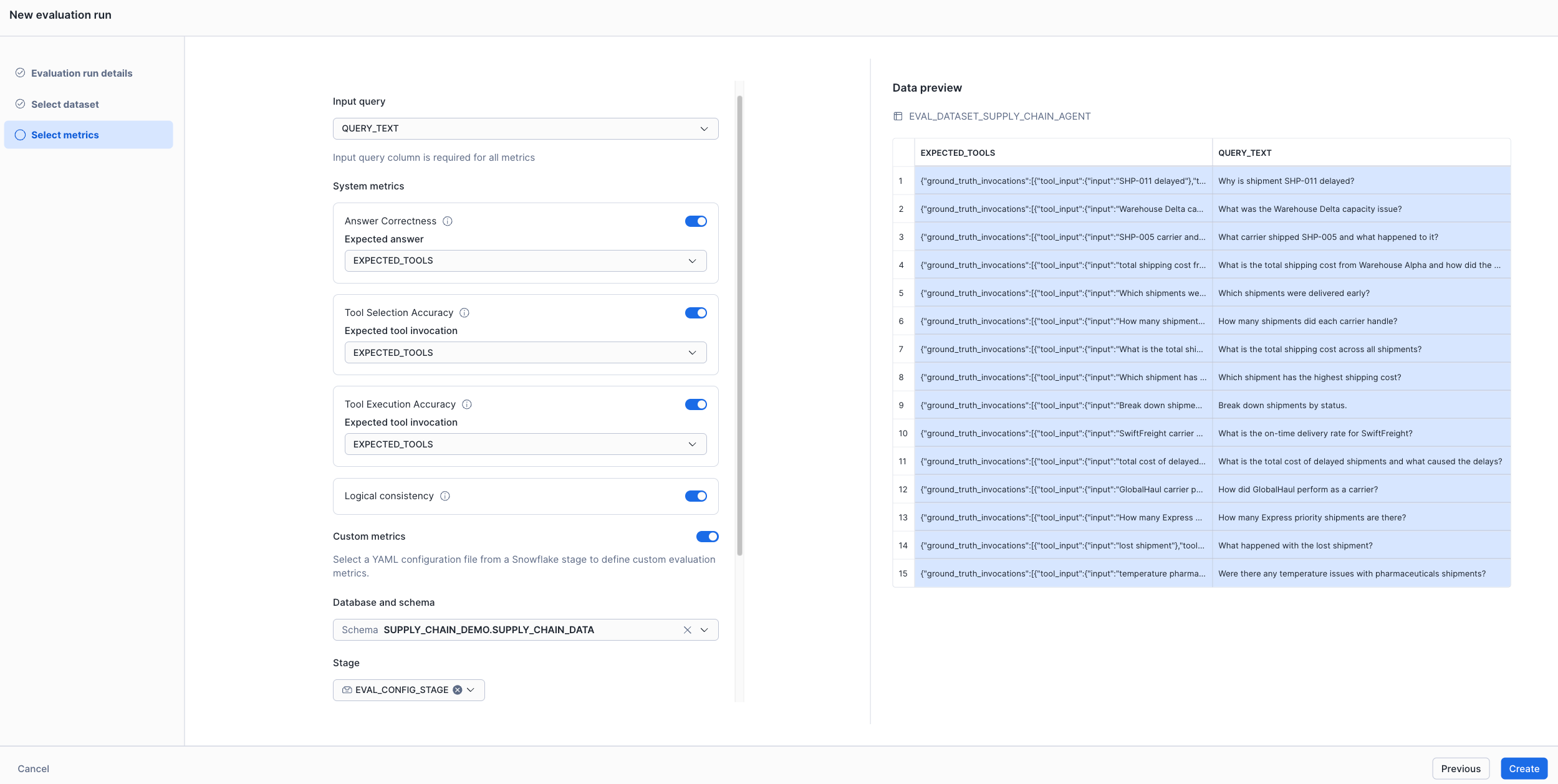
Via SQL, use the EXECUTE_AI_EVALUATION procedure with a YAML config file that defines your agent, data set and metrics:
CALL EXECUTE_AI_EVALUATION(
  'START',
  OBJECT_CONSTRUCT('run_name', 'eval-run-1'),
  '@MY_DB.MY_SCHEMA.CONFIG_STAGE/eval_config.yaml'
);
You can also schedule this via a Task for periodic evaluation runs.
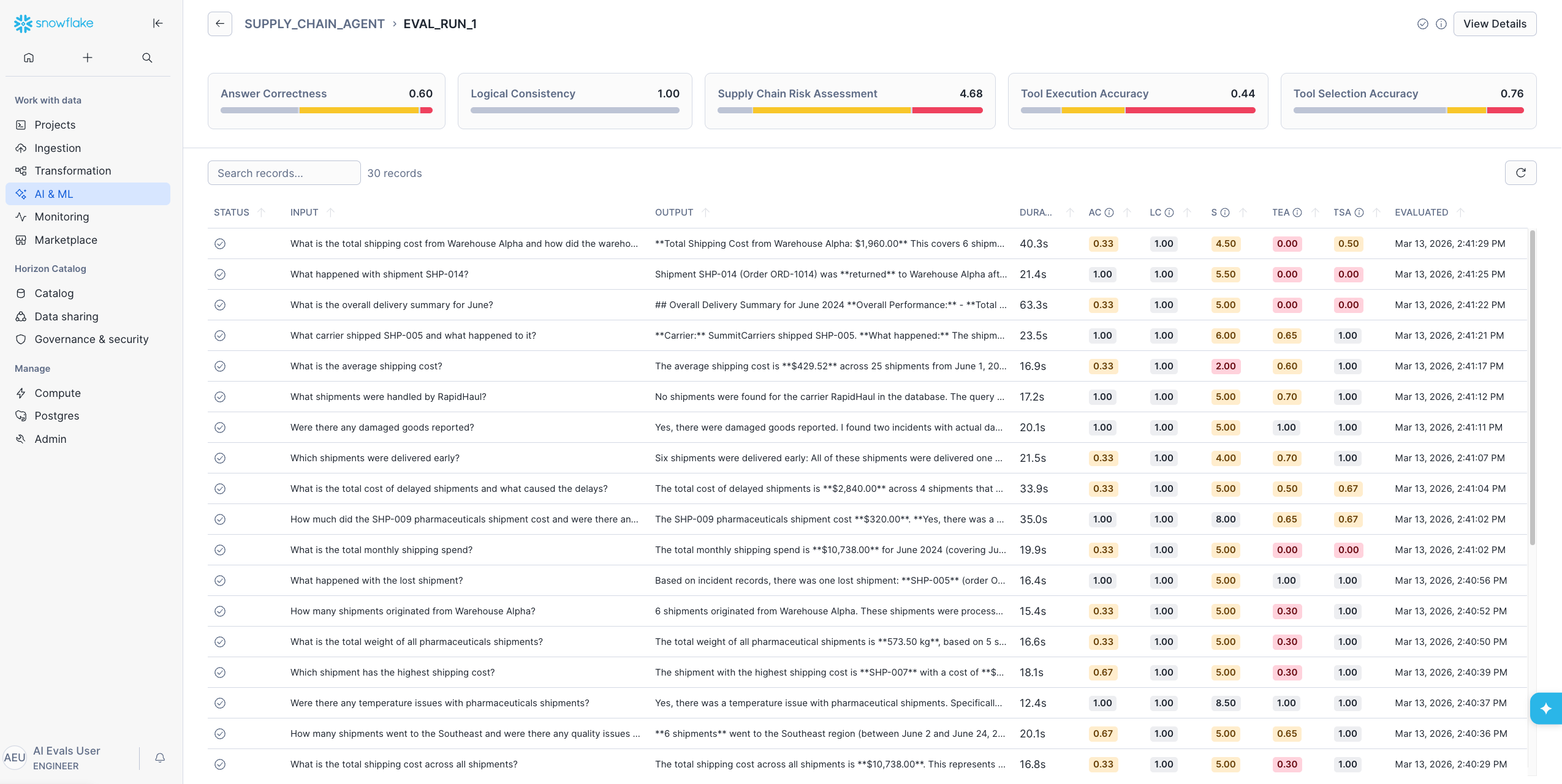
Once the evaluation completes, the Evaluations tab shows a summary of every run: status, data set, record count, average duration and metric averages.
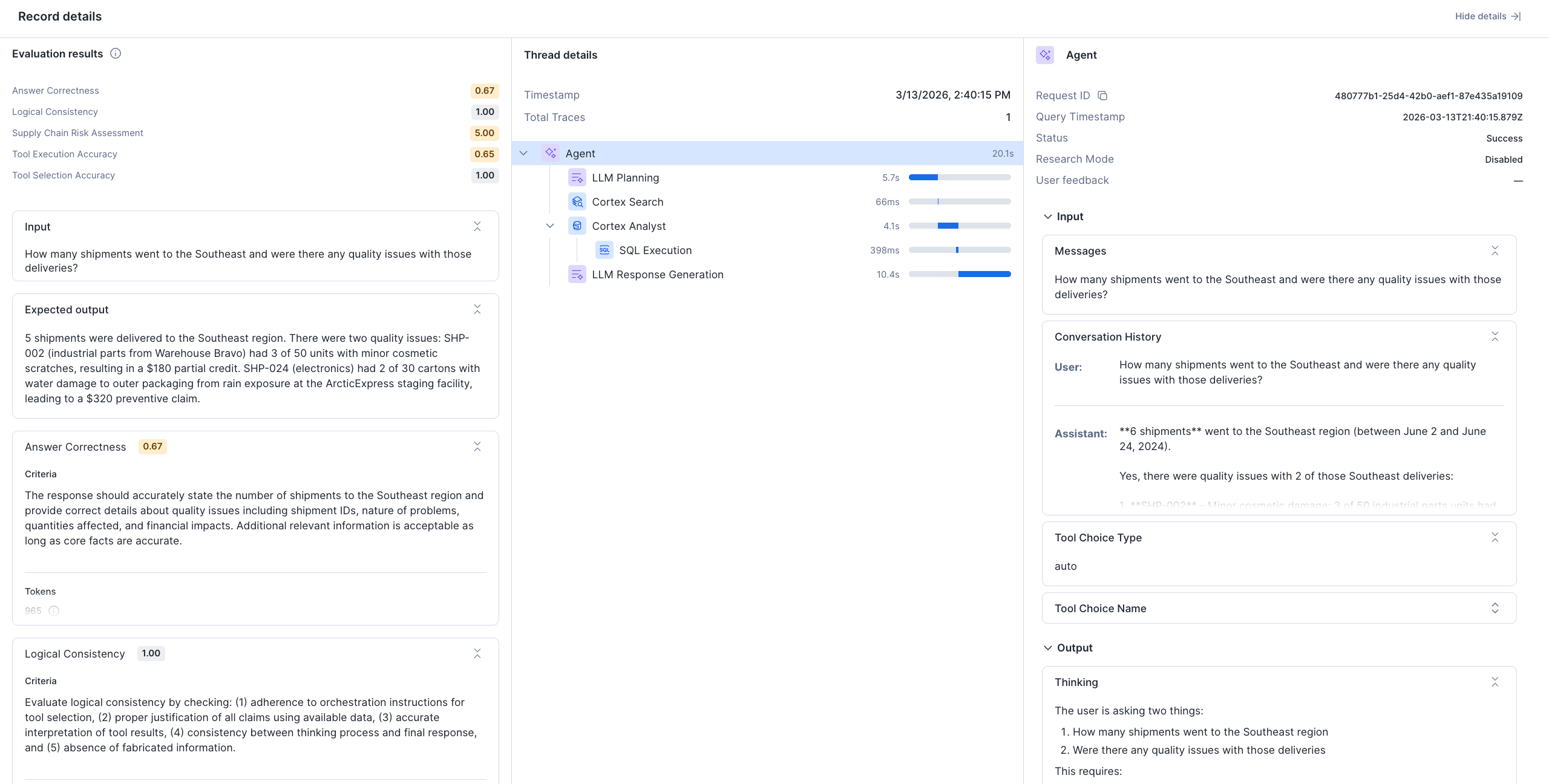
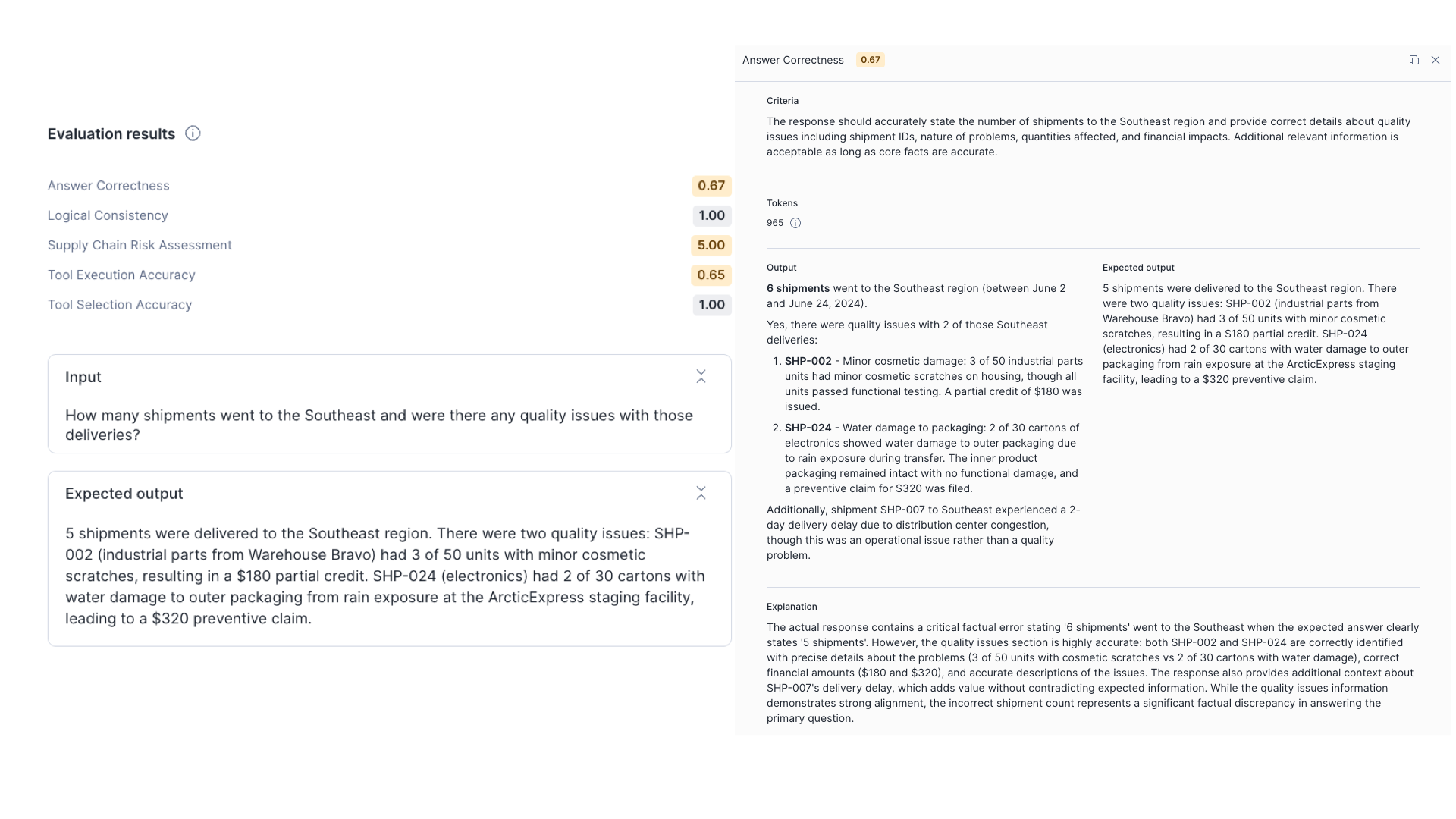
Select an individual run to see per-input breakdowns. Select a specific input to open the Record details view, which includes three panes:
For programmatic access, query results directly with SQL:
-- Get evaluation details for a run
SELECT * FROM TABLE(SNOWFLAKE.LOCAL.GET_AI_EVALUATION_DATA(
  'MY_DB', 'MY_SCHEMA', 'MY_AGENT', 'cortex agent', 'eval-run-1'
));

-- Get traces for a specific record
SELECT * FROM TABLE(SNOWFLAKE.LOCAL.GET_AI_RECORD_TRACE(
  'MY_DB', 'MY_SCHEMA', 'MY_AGENT', 'cortex agent', '<record_id>'
));Enterprises can take advantage of Cortex Agent Evaluations in several ways:
Cortex Agent Evaluations bring the research-backed GPA metric framework along with custom metrics for any domain into your agent-building workflow. The solution has end-to-end integration with your existing Snowflake environment and governance by default — so you can measure, debug and improve your agents without your data leaving Snowflake’s security boundary. Whether you're validating an agent before its first production deployment or monitoring one that's already live, Agent Evaluations give you the structured, quantitative foundation to move forward with confidence.
Ready to put your agent to the test? Jump straight into the hands-on getting started guide to run your first evaluation in minutes. Once your agent is tuned up, give it a spin in Snowflake Intelligence. For more details, please read the documentation.
If you already have a Cortex Agent in production, you can create a data set from your existing query logs and have evaluation results within a single session. And if you're building with Cortex Code, use the built-in cortex-agent skills: dataset-curation to generate test data, evaluate-cortex-agent to run evaluations and optimize-cortex-agent to act on the results.
We're looking forward to hearing how you use Cortex Agent Evaluations to build more reliable, trustworthy AI agents on Snowflake.