


Quickstarts - Developer Guides
Developer Guides: Step-by-Step Exercises
Discover Product Quickstarts, Industry specific Use-cases, Administration best practices and Reference Architectures from Snowflake Experts and Partners.
Get to your first win fast. Start with the essentials, then use templates, Quickstarts and resrouces to go from signup to achieving impactful AI business outcomes in minutes.
START YOUR SNOWFLAKE FREE TRIAL
Get started your way with two Snowflake free trial options—unlock the full AI Data Cloud with $400 in credits, or try Cortex Code CLI with $40, both designed for a 30-day experience.
Empower every user to answer complex questions in natural language with their own personalized enterprise intelligence agent.
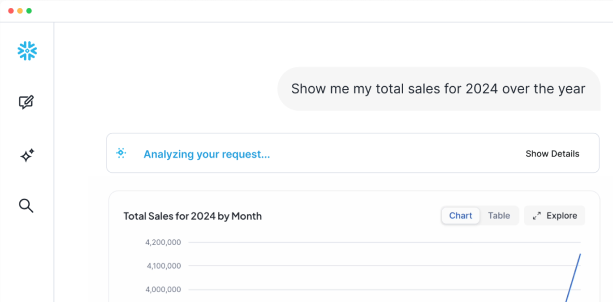
Empower every user to answer complex questions in natural language with their own personalized enterprise intelligence agent.

STEP-BY-STEP GUIDE
TIPS FOR FAST START
Snowflake Platform Training is a free, instructor-led live training designed to help you explore the AI Data Cloud. Through hands-on labs, you’ll learn to unify siloed data and leverage virtually unlimited scale, all while getting real-time support for your free-trial account.
TIPS FOR FAST START
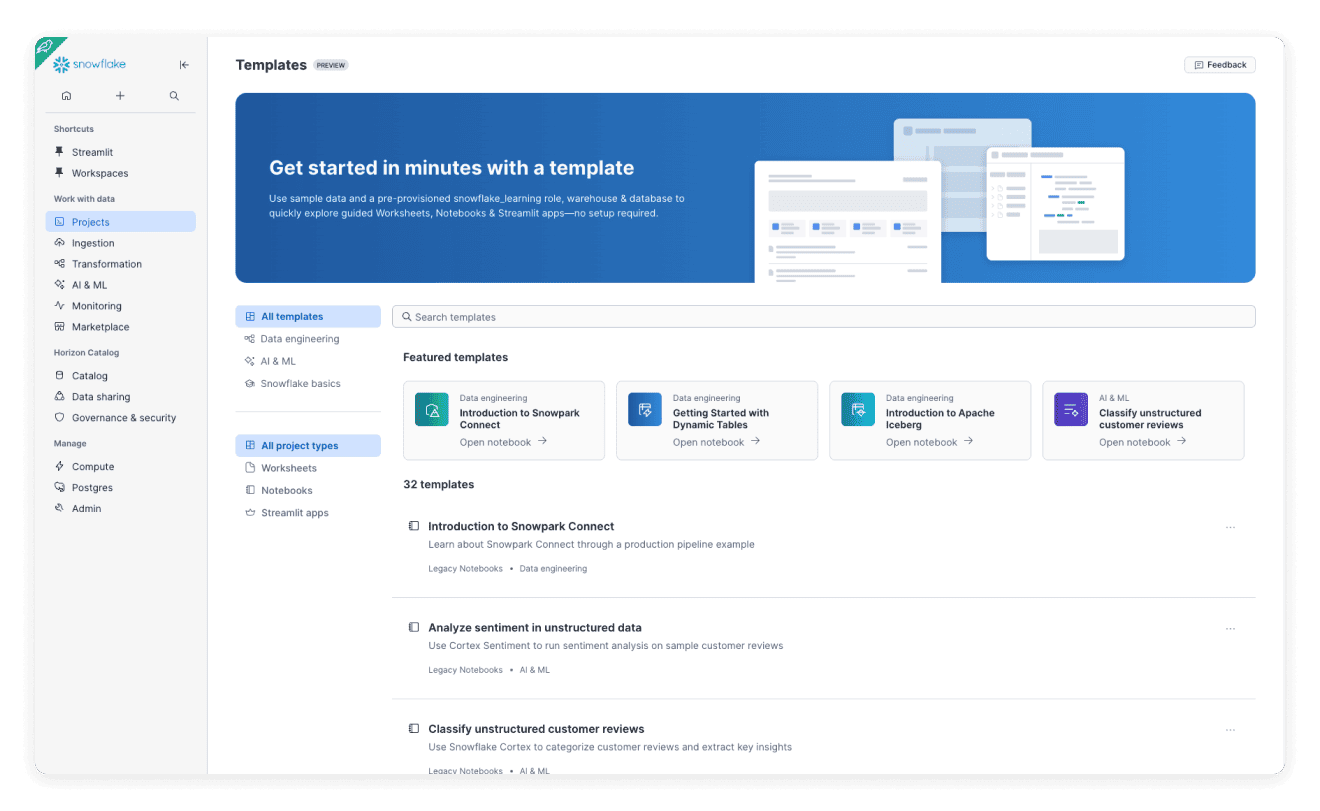
Use sample data and a pre-provisioned snowflake_learning role, warehouse & database to quickly explore guided Worksheets, Notebooks & Streamlit apps—no setup required.
Continue your Snowflake journey with developer guides, hands-on labs, and expert resources.
CONTINUE YOUR LEARNING JOURNEY
Get started with our introduction courses, then continue with our data engineering and AI coursework.
Get an introduction to Snowflake as a platform for building applications, data pipelines, and AI models and workflows. You'll learn how to create user-defined functions, how to use a Snowflake Cortex LLM function, how to edit a Streamlit app, and more.


Get hands-on with Snowflake! Learn to query, model, and manage data in this interactive intro for data engineers, analysts, and BI professionals.

This is a technical, hands-on course that teaches learners how to build modern and continuous data pipelines with Snowflake. It focuses specifically on the most practical Snowflake concepts and tools to get learners up and running quickly with building data pipelines.
This is a technical, hands-on course that teaches learners how to build modern and continuous data pipelines with Snowflake. It focuses specifically on the most practical Snowflake concepts and tools to get learners up and running quickly with building data pipelines.
Build a data engineering career or gain hands-on Snowflake experience for your next project. This program equips students, early career, and experienced professionals with practical skills to enhance job market competitiveness and career growth in data.
Prepare for a high-demand tech role with the Associate Data Engineer in Snowflake track. Learn SQL, data modeling, and database design through hands-on experience with Snowflake’s AI-powered cloud platform. Explore its architecture and features, practice data ingestion and querying, and build scalable data pipelines. Apply your skills in a real-world project creating insights for a sports media agency.
Learn to build AI-powered applications with Snowflake Cortex, combining data management and generative AI. Gain skills in Snowflake architecture, SQL, and Large Language Models (LLMs), including fine-tuning for real-world tasks. Apply AI for text analysis, summarization, and translation while practicing responsible AI. Conclude by building a conversational chatbot using Cortex to generate intelligent, data-driven responses.
Learn to build a data agent using a multi-agent workflow: design a planner, a plan executor, and specialized sub-agents to connect to data sources; trace and evaluate: measure the quality of the agent’s final answer, and the alignment of the agent’s goal, plan, and action; and improve the agent’s performance: update the agent’s prompt, and add inline evaluations that the agent can use during runtime to adjust its plan.
This course introduces learners to generative AI and how to implement common AI use cases using Snowflake. This course is for anyone looking to skill up on AI, but is particularly suited for data scientists, ML/AI engineers and data analytics professionals.
Are you looking to build a career in AI? Or get hands-on experience with Snowflake for your next project? This program will enable you to acquire the practical skills you’ll need to be competitive in the job market to land your next job, or to grow your existing career as a data professional.
Learn to streamline the prototyping workflow, iterate rapidly, and validate product-market fit. Turn a few lines of Python into a shareable Streamlit web app, cut down iteration time from weeks to hours, and improve the performance of your application using Cortex AI. Start with a hello-world chatbot, add prompt engineering and RAG, and publish the result for real-time feedback.
Learn how to build conversational AI applications that let users interact with their data, whether structured in tables or unstructured in documents, using natural language. This course focuses on building practical applications with Snowflake Cortex, including Cortex Search and Cortex Analyst.
Learn to build a data agent using a multi-agent workflow: design a planner, a plan executor, and specialized sub-agents to connect to data sources; trace and evaluate: measure the quality of the agent’s final answer, and the alignment of the agent’s goal, plan, and action; and improve the agent’s performance: update the agent’s prompt, and add inline evaluations that the agent can use during runtime to adjust its plan.

GETTING STARTED WITH SNOWFLAKE
Get quick answers to help you start and succeed with your free trial.
With a Snowflake free trial, you can test the full platform for 30 days or $400 in credits. (For Cortex Code CLI, $40 credits) This includes loading and querying data from cloud storage (S3, Azure, GCS), using pre-loaded Tasty Bytes sample data and tutorials, working with structured and semi-structured data (JSON, Parquet), developing with Snowpark (Python/Java), building Streamlit apps, using Cortex AI/ML functions, accessing the Data Marketplace, connecting BI tools (Tableau, Power BI), and testing features like Time Travel, Zero-Copy Cloning, and Data Sharing. Note that some features have limitations: external network access, hybrid tables, Openflow, and Cortex AI functions are limited to 10 credits daily until you add payment.
Snowflake trial account lasts 30 days or until you use $400 in free credits, whichever comes first. ($40 credit for Cortec Code CLI Free trial). You can check your remaining balance in Snowsight's left navigation bar. If you run out of credits or time, you can contact your sales representative to request an extension, or add a credit card to convert to a paid account and continue using Snowflake immediately.
You must select a cloud platform (AWS, Azure, or GCP), region, and edition during signup, and these cannot be changed later. Choose the same cloud you currently use to reduce data transfer costs, select a region close to your users for better performance, and pick Enterprise edition for most advanced features. If you need different settings, you'll have to create a new trial account.
If you can't receive the activation email, check your spam/junk folder first and verify you entered the correct email address during signup. Wait a few minutes for delivery, then try requesting a new activation email by re-entering your email on the signup or login page. If the issue persists, contact Snowflake Support or ask your IT department to whitelist Snowflake email domains as corporate email filters may be blocking the message.
To convert to a paid account, log into Snowsight, click "Upgrade" or go to Admin > Billing, and add a credit card. All your data, tables, and worksheets will be preserved during conversion. However, if you don't convert before your trial expires, your account will be suspended and you may lose access to your data.
For additional support:
Snowflake Documentation: https://docs.snowflake.com/en/user-guide/admin-trial-account
Snowflake Support: https://support.snowflake.com (create a case after logging in)
Sales Representative: Check the contact information in the email you received during signup
