Application Framework: Getting started with the Data Quality Manager
Hartland Brown
Overview
This application allows you to manage and run different Data Quality checks:
- Run native snowflake DMFs (or a few included custom ones) as a Job that can be triggered manually, or apply DMFs directly to a table
- View the results of these jobs
- Be alerted when a job has not met the expectations you set with a threshold
Solution Architecture: Data Quality Manager App Architecture
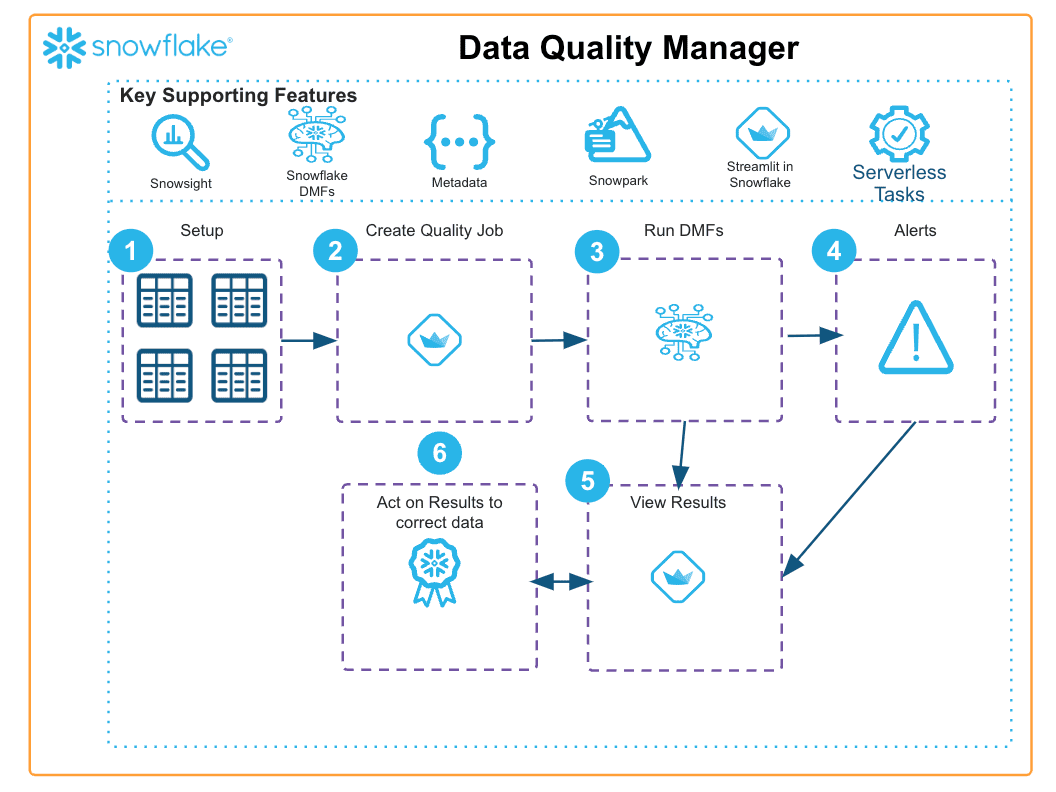
- For this solution, Streamlit is used to present native and local DMF functions to the user, the user can specify the specs of this job
- When the specs have been saved, a serverless task is generated that allows the specs to be retrieved and acted upon, the results are then saved for analysis
- If the user specifies a threshold, this will trigger an alert on the main page that the user can view and comment on
- If the job is scheduled directly on a table with a native DMF, the user can view all results of the event table.
Get Started
Updated 2026-04-28
This content is provided as is, and is not maintained on an ongoing basis. It may be out of date with current Snowflake instances
