Holly - Financial Research Assistant with Snowflake Intelligence
Overview

Holly is an AI-powered financial research assistant built on Snowflake Intelligence. It enables portfolio managers, analysts, and traders to perform comprehensive stock research using natural language across structured and unstructured financial data.
Use Case
You are a financial analyst in a hedge fund looking into AI Native Tech Stocks. You have 4 in mind: GOOGL, MSFT, AMZN, and NVDA.
Because you know NVIDIA makes 90% of the GPUs for AI, you reckon this is worth investigating further. But you want to drill down on the unstructured data — 10-K, 8-K, 10-Q filings, investor call transcripts, and annual reports — to get a holistic view of the security based on all the data available, not just the fundamental data which is all structured.
What You Will Learn
- How to source financial data from Snowflake Marketplace
- How to create Cortex Search services for SEC filings and earnings transcripts
- How to create Semantic Views for Cortex Analyst
- How to build a Cortex Agent that combines multiple tools
- How to use Snowflake Intelligence for natural language financial research
What You Will Build
A Snowflake Intelligence agent called Holly with:
- Cortex Search over SEC EDGAR filings (10-K, 10-Q, 8-K) and public company transcripts
- Cortex Analyst for querying stock price timeseries and S&P 500 company data
- A multi-tool Cortex Agent that routes queries to the right data source
Architecture
Holly is a Cortex Agent running in Snowflake Intelligence that routes queries to:
- Cortex Search — SEC EDGAR filings and earnings transcripts (unstructured text retrieval)
- Cortex Analyst — Stock price timeseries and S&P 500 company data (natural language to SQL)
Prerequisites
- A Snowflake account with ACCOUNTADMIN access (works with Trial Accounts)
- Subscribe to Snowflake Public Data (Paid) from Marketplace (free trial available)
Subscribe to Marketplace Data
Before running the installation, you need to subscribe to the data source that powers Holly.
- In Snowsight, navigate to Data Products > Marketplace
- Search for "Snowflake Public Data (Paid)"
- Click Get to subscribe (free trial available)
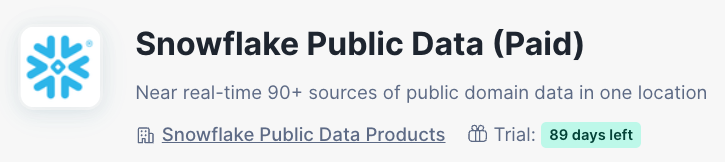
This provides the SNOWFLAKE_PUBLIC_DATA_PAID.PUBLIC_DATA database which contains:
- Stock price timeseries — daily OHLC data for all S&P 500 companies
- SEC EDGAR filings — 10-K, 10-Q, 8-K filings with full text content
- Public company transcripts — earnings calls, investor conferences
This listing has a free trial available, making it compatible with Snowflake trial accounts.
Create Database and Load Data
All of the SQL in this quickstart is contained in the INSTALL.sql script. You can either run the full script end-to-end, or follow along step-by-step below. Open a new SQL Worksheet in Snowsight and paste the contents of INSTALL.sql.
Set Up Context
The install script begins by setting the role, enabling cross-region Cortex AI, and creating the warehouses Holly needs. SMALL_WH is used for data loading and indexing, while SMALL_IW is a smaller warehouse with query acceleration for interactive Cortex Analyst queries.
USE ROLE ACCOUNTADMIN;
ALTER ACCOUNT SET CORTEX_ENABLED_CROSS_REGION = 'ANY_REGION';
CREATE WAREHOUSE IF NOT EXISTS SMALL_WH WITH WAREHOUSE_SIZE = '2X-LARGE' AUTO_SUSPEND = 60;
CREATE WAREHOUSE IF NOT EXISTS SMALL_IW WITH WAREHOUSE_SIZE = 'SMALL' ENABLE_QUERY_ACCELERATION = TRUE AUTO_SUSPEND = 60;
ALTER WAREHOUSE SMALL_IW RESUME IF SUSPENDED;
USE WAREHOUSE SMALL_WH;
Create Database and Schemas
The script creates the HOLLY_DB database with three schemas that organize data by type: STRUCTURED for tabular financial data, SEMI_STRUCTURED for SEC filings, and UNSTRUCTURED for earnings transcripts.
CREATE DATABASE IF NOT EXISTS HOLLY_DB;
CREATE SCHEMA IF NOT EXISTS HOLLY_DB.STRUCTURED;
CREATE SCHEMA IF NOT EXISTS HOLLY_DB.SEMI_STRUCTURED;
CREATE SCHEMA IF NOT EXISTS HOLLY_DB.UNSTRUCTURED;
Create S&P 500 Companies Table
The script creates a reference table of all 503 S&P 500 constituents (as of March 2026) and populates it with a large INSERT statement. This table drives the filtering for all downstream data — only companies in this list will have their stock prices, filings, and transcripts loaded.
CREATE OR REPLACE TABLE HOLLY_DB.STRUCTURED.SP500_COMPANIES (
    SYMBOL VARCHAR,
    COMPANY_NAME VARCHAR,
    SECTOR VARCHAR,
    INDUSTRY VARCHAR,
    HEADQUARTERS VARCHAR,
    DATE_ADDED DATE,
    CIK VARCHAR,
    FOUNDED VARCHAR
);

-- Load S&P 500 companies (full INSERT is in INSTALL.sql)
-- Copy the INSERT INTO statement from INSTALL.sql Step 3
Create Stock Price Data
This step pulls historical daily OHLC (Open, High, Low, Close) stock price data from the Marketplace listing, filtered to only S&P 500 companies. Change tracking is enabled so Cortex Search and Semantic Views can detect updates. Clustering by ticker and date optimizes query performance for time-series analysis.
CREATE OR REPLACE TABLE HOLLY_DB.STRUCTURED.STOCK_PRICE_TIMESERIES
    COMMENT = 'Historical stock price data for Cortex Analyst'
AS
SELECT
    TICKER,
    ASSET_CLASS,
    PRIMARY_EXCHANGE_CODE,
    PRIMARY_EXCHANGE_NAME,
    VARIABLE,
    VARIABLE_NAME,
    DATE,
    VALUE
FROM SNOWFLAKE_PUBLIC_DATA_PAID.PUBLIC_DATA.STOCK_PRICE_TIMESERIES
WHERE TICKER IN (SELECT SYMBOL FROM HOLLY_DB.STRUCTURED.SP500_COMPANIES);

ALTER TABLE HOLLY_DB.STRUCTURED.STOCK_PRICE_TIMESERIES SET CHANGE_TRACKING = TRUE;
ALTER TABLE HOLLY_DB.STRUCTURED.STOCK_PRICE_TIMESERIES CLUSTER BY (TICKER, DATE);
Create SEC EDGAR Filings Data
The script joins SEC filing attributes with the report index from the Marketplace data, filtering to S&P 500 companies and filings from 2025 onward. This captures 10-K annual reports, 10-Q quarterly reports, and 8-K current event disclosures with their full plaintext content. The CIK (Central Index Key) join uses zero-padding to handle formatting differences between data sources.
CREATE OR REPLACE TABLE HOLLY_DB.SEMI_STRUCTURED.EDGAR_FILINGS
    COMMENT = 'SEC filings for Cortex Search'
AS
SELECT
    r.COMPANY_NAME,
    r.FORM_TYPE AS ANNOUNCEMENT_TYPE,
    r.FILED_DATE,
    r.FISCAL_PERIOD,
    r.FISCAL_YEAR,
    a.ITEM_NUMBER,
    a.ITEM_TITLE,
    a.PLAINTEXT_CONTENT AS ANNOUNCEMENT_TEXT
FROM SNOWFLAKE_PUBLIC_DATA_PAID.PUBLIC_DATA.SEC_CORPORATE_REPORT_ITEM_ATTRIBUTES a
INNER JOIN SNOWFLAKE_PUBLIC_DATA_PAID.PUBLIC_DATA.SEC_CORPORATE_REPORT_INDEX r
    ON a.ADSH = r.ADSH
INNER JOIN HOLLY_DB.STRUCTURED.SP500_COMPANIES s
    ON LPAD(r.CIK, 10, '0') = LPAD(s.CIK, 10, '0')
WHERE r.FILED_DATE >= '2025-01-01'
  AND r.FORM_TYPE IN ('8-K', '10-K', '10-Q');

ALTER TABLE HOLLY_DB.SEMI_STRUCTURED.EDGAR_FILINGS SET CHANGE_TRACKING = TRUE;
ALTER TABLE HOLLY_DB.SEMI_STRUCTURED.EDGAR_FILINGS CLUSTER BY (COMPANY_NAME, FILED_DATE);
Create Public Transcripts Data
This loads earnings call and investor conference transcripts for S&P 500 companies. Each transcript is assigned a unique ID and includes the full transcript JSON content, which will be parsed when creating the Cortex Search service in the next step.
CREATE OR REPLACE TABLE HOLLY_DB.UNSTRUCTURED.PUBLIC_TRANSCRIPTS AS
SELECT
    ROW_NUMBER() OVER (ORDER BY t.EVENT_TIMESTAMP DESC) AS TRANSCRIPT_ID,
    t.COMPANY_ID,
    t.CIK,
    t.COMPANY_NAME,
    t.PRIMARY_TICKER,
    t.FISCAL_PERIOD,
    t.FISCAL_YEAR,
    t.EVENT_TYPE,
    t.TRANSCRIPT_TYPE,
    t.TRANSCRIPT,
    t.EVENT_TIMESTAMP,
    t.CREATED_AT,
    t.UPDATED_AT
FROM SNOWFLAKE_PUBLIC_DATA_PAID.PUBLIC_DATA.COMPANY_EVENT_TRANSCRIPT_ATTRIBUTES t
INNER JOIN HOLLY_DB.STRUCTURED.SP500_COMPANIES s ON t.PRIMARY_TICKER = s.SYMBOL;

ALTER TABLE HOLLY_DB.UNSTRUCTURED.PUBLIC_TRANSCRIPTS SET CHANGE_TRACKING = TRUE;
Create Cortex Search Services
Cortex Search indexes your unstructured text data so the agent can retrieve relevant content using natural language. We create two search services: one for SEC filings and one for earnings transcripts.
Scale Up Warehouse
The install script temporarily scales the warehouse to 4X-LARGE for the indexing step. Building Cortex Search indexes requires embedding all text content into vector space, which is compute-intensive. The larger warehouse significantly reduces indexing time.
ALTER WAREHOUSE SMALL_WH SET WAREHOUSE_SIZE = '4X-LARGE';
SEC Filings Search
This creates a Cortex Search service over the SEC filings text. The ON ANNOUNCEMENT_TEXT clause specifies the column to search, while ATTRIBUTES defines the metadata columns returned with each search result. The service automatically builds a hybrid search index (vector + keyword) and refreshes daily.
CREATE OR REPLACE CORTEX SEARCH SERVICE HOLLY_DB.SEMI_STRUCTURED.EDGAR_FILINGS_SEARCH
    ON ANNOUNCEMENT_TEXT
    ATTRIBUTES COMPANY_NAME, ANNOUNCEMENT_TYPE, FILED_DATE, FISCAL_PERIOD, FISCAL_YEAR, ITEM_NUMBER, ITEM_TITLE
    WAREHOUSE = SMALL_WH
    TARGET_LAG = '1 day'
AS (
    SELECT COMPANY_NAME, ANNOUNCEMENT_TYPE, FILED_DATE, FISCAL_PERIOD, FISCAL_YEAR, ITEM_NUMBER, ITEM_TITLE, ANNOUNCEMENT_TEXT
    FROM HOLLY_DB.SEMI_STRUCTURED.EDGAR_FILINGS
);
Public Transcripts Search
The second search service indexes earnings call transcripts. It parses the JSON transcript field TRANSCRIPT:text into plain text and uses the snowflake-arctic-embed-l-v2.0 multilingual embedding model for higher quality semantic search across financial language.
CREATE OR REPLACE CORTEX SEARCH SERVICE HOLLY_DB.UNSTRUCTURED.PUBLIC_TRANSCRIPTS_SEARCH
    ON TRANSCRIPT_TEXT
    ATTRIBUTES COMPANY_NAME, PRIMARY_TICKER, EVENT_TYPE, FISCAL_PERIOD, FISCAL_YEAR
    WAREHOUSE = 'SMALL_WH'
    TARGET_LAG = '1 day'
    EMBEDDING_MODEL = 'snowflake-arctic-embed-l-v2.0'
AS (
    SELECT TRANSCRIPT_ID, COMPANY_ID, CIK, COMPANY_NAME, PRIMARY_TICKER, FISCAL_PERIOD, FISCAL_YEAR, EVENT_TYPE, EVENT_TIMESTAMP,
           TRANSCRIPT:text::VARCHAR AS TRANSCRIPT_TEXT
    FROM HOLLY_DB.UNSTRUCTURED.PUBLIC_TRANSCRIPTS
    WHERE TRANSCRIPT:text IS NOT NULL
);
Scale Down Warehouse
After indexing completes, the script scales the warehouse back down to SMALL to minimize credit consumption for the remainder of the setup.
ALTER WAREHOUSE SMALL_WH SET WAREHOUSE_SIZE = 'SMALL' AUTO_SUSPEND = 60;
Create Semantic Views
Semantic Views provide the business-level data model that Cortex Analyst uses to convert natural language questions into SQL queries. We create three semantic views for stock prices, company data, and filing analytics.
Stock Price Timeseries Semantic View
This semantic view exposes the stock price table to Cortex Analyst. It defines VALUE as a fact (numeric measure) and the remaining columns as dimensions, allowing the agent to generate SQL for questions like "plot NVDA closing price over the last 6 months."
CREATE OR REPLACE SEMANTIC VIEW HOLLY_DB.STRUCTURED.STOCK_PRICE_TIMESERIES_SV
    TABLES (HOLLY_DB.STRUCTURED.STOCK_PRICE_TIMESERIES)
    FACTS (STOCK_PRICE_TIMESERIES.VALUE AS VALUE)
    DIMENSIONS (
        STOCK_PRICE_TIMESERIES.TICKER AS TICKER,
        STOCK_PRICE_TIMESERIES.ASSET_CLASS AS ASSET_CLASS,
        STOCK_PRICE_TIMESERIES.PRIMARY_EXCHANGE_CODE AS PRIMARY_EXCHANGE_CODE,
        STOCK_PRICE_TIMESERIES.PRIMARY_EXCHANGE_NAME AS PRIMARY_EXCHANGE_NAME,
        STOCK_PRICE_TIMESERIES.VARIABLE AS VARIABLE,
        STOCK_PRICE_TIMESERIES.VARIABLE_NAME AS VARIABLE_NAME,
        STOCK_PRICE_TIMESERIES.DATE AS DATE
    );
S&P 500 Companies Semantic View
This semantic view gives the agent access to S&P 500 company metadata — sector, industry, headquarters, and founding date. All columns are dimensions since this is a reference table with no numeric measures.
CREATE OR REPLACE SEMANTIC VIEW HOLLY_DB.STRUCTURED.SP500
    TABLES (HOLLY_DB.STRUCTURED.SP500_COMPANIES)
    DIMENSIONS (
        SP500_COMPANIES.SYMBOL AS SYMBOL,
        SP500_COMPANIES.COMPANY_NAME AS COMPANY_NAME,
        SP500_COMPANIES.SECTOR AS SECTOR,
        SP500_COMPANIES.INDUSTRY AS INDUSTRY,
        SP500_COMPANIES.HEADQUARTERS AS HEADQUARTERS,
        SP500_COMPANIES.DATE_ADDED AS DATE_ADDED,
        SP500_COMPANIES.CIK AS CIK,
        SP500_COMPANIES.FOUNDED AS FOUNDED
    );
SEC EDGAR Filings Semantic View
This semantic view uses the YAML-based creation method, which allows richer metadata including column descriptions, sample values, and verified queries. Verified queries are pre-validated SQL examples that improve Cortex Analyst accuracy for common question patterns like "how many filings by type" or "which companies file the most."
CALL SYSTEM$CREATE_SEMANTIC_VIEW_FROM_YAML(
  'HOLLY_DB.SEMI_STRUCTURED',
  'name: EDGAR_FILINGS_SV
description: SEC EDGAR filings for S&P 500 companies including 10-K annual reports, 10-Q quarterly reports, and 8-K current event disclosures.

tables:
  - name: EDGAR_FILINGS
    description: SEC filings containing company announcements, financial reports, and regulatory disclosures for S&P 500 companies.
    base_table:
      database: HOLLY_DB
      schema: SEMI_STRUCTURED
      table: EDGAR_FILINGS

    dimensions:
      - name: COMPANY_NAME
        description: Name of the company that filed the SEC report
        expr: COMPANY_NAME
        data_type: TEXT
        sample_values:
          - Apple Inc.
          - Microsoft Corporation
          - Amazon.com, Inc.

      - name: ANNOUNCEMENT_TYPE
        description: Type of SEC filing - 10-K (annual report), 10-Q (quarterly report), or 8-K (current event disclosure)
        expr: ANNOUNCEMENT_TYPE
        data_type: TEXT
        sample_values:
          - 10-K
          - 10-Q
          - 8-K

      - name: FISCAL_PERIOD
        description: Fiscal period of the filing (Q1, Q2, Q3, Q4, FY)
        expr: FISCAL_PERIOD
        data_type: TEXT
        sample_values:
          - Q1
          - Q2
          - FY

      - name: FISCAL_YEAR
        description: Fiscal year of the filing
        expr: FISCAL_YEAR
        data_type: NUMBER

      - name: ITEM_NUMBER
        description: SEC form item number identifying the specific section of the filing
        expr: ITEM_NUMBER
        data_type: TEXT

      - name: ITEM_TITLE
        description: Title of the SEC form item/section
        expr: ITEM_TITLE
        data_type: TEXT

      - name: ANNOUNCEMENT_TEXT
        description: Full text content of the SEC filing section
        expr: ANNOUNCEMENT_TEXT
        data_type: TEXT

    time_dimensions:
      - name: FILED_DATE
        description: Date the SEC filing was submitted
        expr: FILED_DATE
        data_type: DATE

verified_queries:
  - name: vqr_0
    question: How many SEC filings are there by filing type?
    sql: |
      SELECT
        ANNOUNCEMENT_TYPE,
        COUNT(*) AS FILING_COUNT
      FROM HOLLY_DB.SEMI_STRUCTURED.EDGAR_FILINGS
      GROUP BY ANNOUNCEMENT_TYPE
      ORDER BY FILING_COUNT DESC

  - name: vqr_1
    question: Which companies have the most SEC filings?
    sql: |
      SELECT
        COMPANY_NAME,
        COUNT(*) AS FILING_COUNT
      FROM HOLLY_DB.SEMI_STRUCTURED.EDGAR_FILINGS
      GROUP BY COMPANY_NAME
      ORDER BY FILING_COUNT DESC
      LIMIT 10

  - name: vqr_2
    question: How many filings were submitted each month?
    sql: |
      SELECT
        DATE_TRUNC(''MONTH'', FILED_DATE) AS FILING_MONTH,
        COUNT(*) AS FILING_COUNT
      FROM HOLLY_DB.SEMI_STRUCTURED.EDGAR_FILINGS
      GROUP BY FILING_MONTH
      ORDER BY FILING_MONTH',
  FALSE
);
Create the Holly Agent
The final step of the install script creates the Holly Cortex Agent, which ties together all the Cortex Search services and Semantic Views into a single conversational interface.
Create Agent Database
The script creates a dedicated database and schema for the agent. This follows the Snowflake Intelligence convention of placing agents in a SNOWFLAKE_INTELLIGENCE.AGENTS schema.
CREATE DATABASE IF NOT EXISTS SNOWFLAKE_INTELLIGENCE;
CREATE SCHEMA IF NOT EXISTS SNOWFLAKE_INTELLIGENCE.AGENTS;
Create the Agent
This is the core of the install script — the CREATE AGENT statement defines Holly's orchestration model, routing instructions, tool definitions, and tool resources. The agent uses claude-4-sonnet for orchestration and is configured with five tools: two Cortex Search services for unstructured retrieval and three Cortex Analyst semantic views for structured SQL generation. The script also grants PUBLIC access and sets the agent avatar.
CREATE OR REPLACE AGENT SNOWFLAKE_INTELLIGENCE.AGENTS.HOLLY
  COMMENT = 'Financial research assistant for SEC filings, transcripts, stock prices, and company data'
  FROM SPECIFICATION $$
models:
  orchestration: claude-4-sonnet

instructions:
  orchestration: |
    You are Holly the FS Financial Agent. When a user first greets you or says hello, respond with: "Good afternoon, I am Holly the FS Financial Agent. How can I help you?"

    Route each query to the appropriate tool:

    **TRANSCRIPTS**: For earnings calls, investor conferences, or company event transcripts from S&P 500 companies, use TRANSCRIPTS_SEARCH.

    **HISTORICAL PRICES**: For historical stock price analysis, OHLC data, or price trends, use STOCK_PRICES.

    **COMPANY FUNDAMENTALS**: For S&P 500 company data (market cap, revenue growth, EBITDA, sector), use SP500_COMPANIES.

    **SEC FILINGS SEARCH**: For searching SEC filing content (8-K, 10-K, 10-Q) or regulatory disclosures, use SEC_FILINGS_SEARCH.

    **SEC FILINGS ANALYTICS**: For counting or aggregating SEC filings by company, type, date, or fiscal period, use SEC_FILINGS_ANALYST.

    Combine multiple tools for comprehensive research.
  response: "Provide clear, data-driven responses with source attribution. Use tables for financial data. Specify dates for stock prices. Cite filing type and date for SEC filings. Be accurate with numbers."
  sample_questions:
    - question: "Plot the share price of Microsoft, Amazon, Google and Nvidia starting 20th Feb 2025 to 20th Feb 2026"
    - question: "Are Nvidia, Microsoft, Amazon, Google in the SP500"
    - question: "What are the latest public transcripts for NVIDIA"
    - question: "Compare Nvidia's annual growth rate and Microsoft annual growth rate using the latest Annual reports using a table format for all the key metrics"
    - question: "What is the latest 10-K for Nvidia from the EDGAR Filings"
    - question: "Would you recommend buying Nvidia Stock at 195"

tools:
  - tool_spec:
      type: cortex_search
      name: TRANSCRIPTS_SEARCH
      description: "Search public company event transcripts (earnings calls, investor conferences) from S&P 500 companies."
  - tool_spec:
      type: cortex_search
      name: SEC_FILINGS_SEARCH
      description: "Search SEC EDGAR filings (10-K, 10-Q, 8-K) for company announcements and regulatory disclosures."
  - tool_spec:
      type: cortex_analyst_text_to_sql
      name: STOCK_PRICES
      description: "Query historical stock price data with daily OHLC values for price trends and analysis."
  - tool_spec:
      type: cortex_analyst_text_to_sql
      name: SP500_COMPANIES
      description: "Query S&P 500 company fundamentals: market cap, revenue growth, EBITDA, sector, industry."
  - tool_spec:
      type: cortex_analyst_text_to_sql
      name: SEC_FILINGS_ANALYST
      description: "Query SEC filing metadata and counts by company, filing type, date, or fiscal period."

tool_resources:
  TRANSCRIPTS_SEARCH:
    search_service: "HOLLY_DB.UNSTRUCTURED.PUBLIC_TRANSCRIPTS_SEARCH"
    max_results: 10
    columns:
      - COMPANY_NAME
      - PRIMARY_TICKER
      - EVENT_TYPE
      - FISCAL_PERIOD
      - FISCAL_YEAR
      - EVENT_TIMESTAMP
      - TRANSCRIPT_TEXT
  SEC_FILINGS_SEARCH:
    search_service: "HOLLY_DB.SEMI_STRUCTURED.EDGAR_FILINGS_SEARCH"
    max_results: 10
    columns:
      - COMPANY_NAME
      - ANNOUNCEMENT_TYPE
      - FILED_DATE
      - FISCAL_PERIOD
      - FISCAL_YEAR
      - ITEM_NUMBER
      - ITEM_TITLE
      - ANNOUNCEMENT_TEXT
  STOCK_PRICES:
    semantic_view: "HOLLY_DB.STRUCTURED.STOCK_PRICE_TIMESERIES_SV"
    execution_environment:
      type: warehouse
      warehouse: SMALL_IW
    query_timeout: 120
  SP500_COMPANIES:
    semantic_view: "HOLLY_DB.STRUCTURED.SP500"
    execution_environment:
      type: warehouse
      warehouse: SMALL_WH
    query_timeout: 60
  SEC_FILINGS_ANALYST:
    semantic_view: "HOLLY_DB.SEMI_STRUCTURED.EDGAR_FILINGS_SV"
    execution_environment:
      type: warehouse
      warehouse: SMALL_WH
    query_timeout: 60
$$;

GRANT USAGE ON AGENT SNOWFLAKE_INTELLIGENCE.AGENTS.HOLLY TO ROLE PUBLIC;
ALTER AGENT SNOWFLAKE_INTELLIGENCE.AGENTS.HOLLY SET PROFILE = '{"avatar": "robot"}';
Verify Installation
Once the install script completes, run the following queries to verify everything was created successfully:
SELECT 'SP500_COMPANIES' AS table_name, COUNT(*) AS row_count FROM HOLLY_DB.STRUCTURED.SP500_COMPANIES
UNION ALL SELECT 'STOCK_PRICE_TIMESERIES', COUNT(*) FROM HOLLY_DB.STRUCTURED.STOCK_PRICE_TIMESERIES
UNION ALL SELECT 'EDGAR_FILINGS', COUNT(*) FROM HOLLY_DB.SEMI_STRUCTURED.EDGAR_FILINGS
UNION ALL SELECT 'PUBLIC_TRANSCRIPTS', COUNT(*) FROM HOLLY_DB.UNSTRUCTURED.PUBLIC_TRANSCRIPTS;

SHOW CORTEX SEARCH SERVICES IN DATABASE HOLLY_DB;
SHOW SEMANTIC VIEWS IN DATABASE HOLLY_DB;
DESC AGENT SNOWFLAKE_INTELLIGENCE.AGENTS.HOLLY;
You should see:
- SP500_COMPANIES: ~503 rows
- STOCK_PRICE_TIMESERIES: varies based on date range
- EDGAR_FILINGS: varies based on filings available
- PUBLIC_TRANSCRIPTS: varies based on available transcripts
- Two Cortex Search services
- Three Semantic Views
- The Holly agent description
Try Holly in Snowflake Intelligence
Navigate to AI & ML > Snowflake Intelligence in Snowsight and select Holly.
Q1: Plot Share Prices
"Plot the share price of Microsoft, Amazon, Google and Nvidia starting 20th Feb 2025 to 20th Feb 2026"
Holly uses the STOCK_PRICES tool (Cortex Analyst) to generate SQL and return a chart of historical prices across multiple tickers.
Q2: S&P 500 Membership Check
"Are Nvidia, Microsoft, Amazon, Google in the SP500"
Holly queries the SP500_COMPANIES tool to check membership. It automatically generates SQL from natural language.
Q3: Latest Earnings Transcripts
"What are the latest public transcripts for NVIDIA"
Holly uses TRANSCRIPTS_SEARCH (Cortex Search) to retrieve and summarize the most recent earnings call transcripts.
Q4: SEC Filing Lookup
"What is the latest 10-K for Nvidia from the EDGAR Filings"
Holly searches SEC_FILINGS_SEARCH to find and return the most recent annual report filing.
Q5: Company Comparison
"Compare Nvidia's annual growth rate and Microsoft annual growth rate using the latest Annual reports using a table format for all the key metrics"
Holly combines SEC_FILINGS_SEARCH across multiple companies to extract and compare key financial metrics in a table.
Q6: Investment Research
"Would you recommend buying Nvidia Stock at 195"
Holly uses multiple tools — pulling current price data, recent filings, and transcripts — to provide a comprehensive research summary. Note that Holly correctly avoids giving direct investment advice.
Cleanup
To remove all Holly components, run the following cleanup statements. These are also included at the end of the install script as comments:
USE ROLE ACCOUNTADMIN;
USE WAREHOUSE SMALL_WH;

DROP AGENT IF EXISTS SNOWFLAKE_INTELLIGENCE.AGENTS.HOLLY;
DROP CORTEX SEARCH SERVICE IF EXISTS HOLLY_DB.SEMI_STRUCTURED.EDGAR_FILINGS_SEARCH;
DROP CORTEX SEARCH SERVICE IF EXISTS HOLLY_DB.UNSTRUCTURED.PUBLIC_TRANSCRIPTS_SEARCH;
DROP SEMANTIC VIEW IF EXISTS HOLLY_DB.STRUCTURED.STOCK_PRICE_TIMESERIES_SV;
DROP SEMANTIC VIEW IF EXISTS HOLLY_DB.STRUCTURED.SP500;
DROP TABLE IF EXISTS HOLLY_DB.STRUCTURED.SP500_COMPANIES;
DROP TABLE IF EXISTS HOLLY_DB.STRUCTURED.STOCK_PRICE_TIMESERIES;
DROP TABLE IF EXISTS HOLLY_DB.SEMI_STRUCTURED.EDGAR_FILINGS;
DROP TABLE IF EXISTS HOLLY_DB.UNSTRUCTURED.PUBLIC_TRANSCRIPTS;
DROP SCHEMA IF EXISTS HOLLY_DB.STRUCTURED;
DROP SCHEMA IF EXISTS HOLLY_DB.SEMI_STRUCTURED;
DROP SCHEMA IF EXISTS HOLLY_DB.UNSTRUCTURED;
DROP DATABASE IF EXISTS HOLLY_DB;
Conclusion and Resources
Congratulations! You have successfully built Holly, an AI-powered financial research assistant using Snowflake Intelligence.
What You Learned
- How to source financial data from Snowflake Marketplace (Cybersyn)
- How to create Cortex Search services for unstructured text retrieval over SEC filings and earnings transcripts
- How to create Semantic Views that enable natural language to SQL conversion
- How to build a multi-tool Cortex Agent that intelligently routes queries
- How to use Snowflake Intelligence for comprehensive financial research
Related Resources
This content is provided as is, and is not maintained on an ongoing basis. It may be out of date with current Snowflake instances
