


AI Automation for Business: How It Works and What It Requires
AI automation introduces interpretation and decision-making into automated processes, expanding automation beyond what fixed rules can handle. Learn how different approaches work, where they fit and what businesses need to support them at scale.
AI AUTOMATION DEFINED
AI automation uses AI within software workflows to interpret information, make decisions and take actions as part of a business process, including situations where inputs or next steps vary from case to case.
Traditional automation works well when rules can be set in advance: if this happens, do that. As long as an input appears in the expected format and meets a certain condition, the software will perform a specified action. It works well when the process being automated is stable and predictable.
AI automation can handle work where the inputs, context or next step vary from case to case. The system can interpret the information available, identify what’s relevant and determine how the workflow should proceed — which opens more processes to automation where human judgment was previously required.
As AI takes on more of this variable work, it depends more heavily on the quality of the underlying data. This raises a practical question: What data is the AI acting on, and how much should the business trust it?

What is AI automation?
AI automation combines artificial intelligence with software workflows so systems can interpret information, make decisions and take action across a process. Depending on the task, those technologies might include large language models (LLMs), machine learning (ML), computer vision and AI-enhanced robotic process automation (RPA).
A model can interpret an email, document, image or transcript, identify the information within those sources that’s relevant to the task and help determine what should happen next. It can then use that result to move the workflow forward, which might involve routing an item, updating a record, preparing a response or sending an exception to a person for review. Agentic AI provides even more capabilities by allowing AI systems to dynamically choose which steps to take in a multi-step process, select the right tools for the job, and adapt their path in real time as new information comes in.
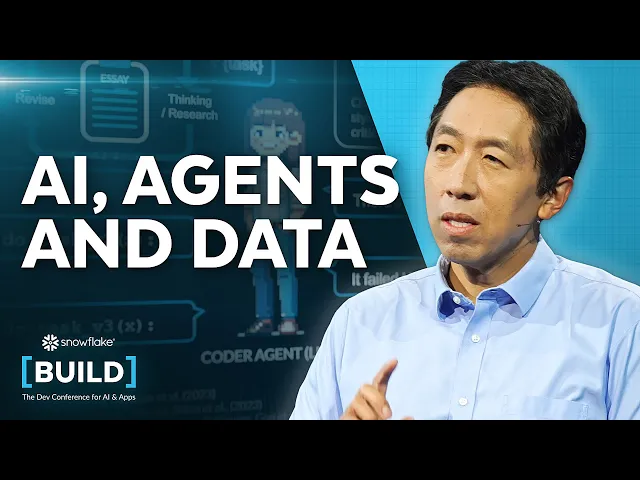
Watch Andrew Ng discuss the rise of AI agents, agentic reasoning and how growing access to structured and unstructured data is changing the way organizations build AI-powered applications and automation:
How AI automation works
AI automation systems vary, but most include three basic elements: a trigger starts the workflow, AI interprets the information and connected software performs an action.
A trigger starts the workflow
Every automated process needs a starting condition. A new support request might enter a queue, a supplier might submit an invoice, inventory might fall below a threshold or a scheduled process might begin. Some triggers start a workflow automatically, while others require a person to initiate or approve the next stage.
AI interprets the information
Once the workflow begins, a model processes the information relevant to the task. It might interpret text, recognize a pattern or initiate an appropriate downstream action.
The model’s work often depends on business data stored elsewhere — customer records, transaction history, product usage, inventory status and policy information — called context. The more consequential the action, the more important it is that this data is current, complete and governed.
If information is missing or two systems contain conflicting values, the workflow also needs rules for what happens next. Depending on the process, it might continue with available information, request more data or send the item to a person for review.
Because AI models don’t always give the exact same response to similar inputs, this interpretation step should be paired with confidence scores and guardrails: if the model isn’t confident in how it categorized an item or extracted a detail, the workflow can automatically pass the item to a human reviewer rather than making a best guess.
Connected tools take action
After the system decides what needs to happen next, connected applications carry out the appropriate steps. This might involve updating a database, routing a ticket, changing a status, preparing a message or generating a report.
Application programming interfaces (APIs) often connect these systems, giving an application a defined way to request information or ask another application to perform an action.
At this point, the AI output starts affecting the business process itself. A wrong classification might route a request incorrectly, or an incorrect extracted value could be written into a financial or customer system. Approval steps, permissions and activity logs help determine which actions can proceed automatically and which require review.
Connected systems also need to be designed so that if a step retries during a momentary connection delay, it won't trigger duplicate actions, such as charging a customer twice or creating duplicate support tickets.

AI automation vs. traditional automation
Most business processes contain a mix of predictable and variable work. Rules-based automation is well suited to the steps where the conditions are known in advance, while AI is useful where the workflow has to interpret information or respond to changing context. The two approaches often work together within the same process.
| Traditional automation | AI automation | |
|---|---|---|
| Decision logic | Follows predefined rules | Uses AI models to interpret information and determine next steps |
| Inputs | Works best with predictable, structured inputs | Handles more variable and unstructured information |
| How it responds | Reacts to explicitly defined conditions | Responds to patterns, intent and context |
| Workflow scope | Often automates a specific task or process | Can coordinate work across multiple systems and steps |
| Behavior | Produces predictable results when rules and inputs stay stable | Results depend on the model, context and underlying data |
| Data requirements | Often uses information supplied directly to the workflow | Frequently draws on broader business data for context |
Types of AI automation
AI automation covers several patterns, ranging from AI embedded in conventional workflows to agents coordinating longer sequences of work.
Workflow automation
Workflow automation connects a predefined series of steps. AI assists at individual points by extracting information, classifying inputs or summarizing content. The overall process follows an established route, which makes this approach useful when most of the work is predictable but one or two stages involve variable inputs.
Robotic process automation
RPA performs repetitive actions through software interfaces. Conventional RPA works best when screens, fields and formats are consistent. AI-enhanced RPA can handle more variation by interpreting information before the robotic portion performs the procedural work.
Decision automation
Decision automation uses AI to classify, score, prioritize or approve an item as part of a business process. Because the model’s output directly influences what happens next, teams often need a record of the information used, the result produced and whether a person reviewed or overrode it. Lower-risk decisions may proceed automatically, while higher-risk or unusual cases can be routed for review.
Agentic AI automation
With an AI agent, the model itself decides the path forward. Given an open goal, such as resolving a customer dispute, the agent assesses the situation, decides which systems to query, selects and runs the right tools, and adjusts its plan based on what it finds out along the way.
As these workflows extend across multi-step business processes, the surrounding system tracks the ongoing state of the task and feeds updated context back to the AI at each step. This allows specialized agents to collaborate, hand off work and adapt their approach as the situation evolves — all within defined boundaries.
AI agents are becoming one of the most common ways of applying AI automation. A 2025 MIT Sloan Management Review–BCG study found that 35% of organizations had begun using agentic AI, while another 44% planned to deploy it soon.
Where AI automation adds the most value
The biggest gains are typically found in processes where routine work is already automated but many steps are still being manually addressed. AI can keep much of the work moving, enabling teams to reserve human review for the cases that genuinely need it.
Interpreting documents, messages and other unstructured information
Many business processes begin with information that doesn’t arrive in neat database fields. Emails, contracts, invoices, images, call transcripts and support requests all require some degree of interpretation before software knows what to do with them.
AI can extract the relevant information, classify the request or determine what the content means in the context of the workflow. This allows automation to start earlier in the process, before a person has manually translated the input into structured fields.
Supporting decisions
Some workflows need to consider several signals before choosing the next step. AI can help classify, prioritize, score or recommend actions based on the information available. A low-risk item might continue automatically, while an unusual or consequential decision can be routed to a person.
Connecting information with action
AI automation can also bridge the gap between understanding something and acting on it. Once a system identifies what a request means or what condition exists, it can carry the result into the applications where work happens. That might mean updating a CRM, creating a case, triggering a replenishment process or preparing a response for approval. The value comes from keeping the information and the resulting action connected within the workflow.
Monitoring changing conditions
Some processes depend on information that changes over time rather than on a single incoming request. AI automation can evaluate new signals as they appear and determine when a condition deserves attention. This capability is useful in areas such as operations, risk monitoring and customer management, where the relevant action depends on several changing factors.
AI automation use cases and examples
Business use cases vary widely, but the following examples show how AI automation can be used in day-to-day work.
Customer support
A support workflow can read an incoming message, determine what the customer is asking and route the request to the appropriate team. It might also retrieve relevant account information and prepare a response for review. The system works best when it has access to the broader customer context.
Finance
AI automation can identify information in invoices and receipts, compare it with existing financial records and flag discrepancies. The workflow can then use that information to validate the transaction, identify exceptions and move approved items to the next step automatically.
Operations and supply chain
Operations workflows often depend on continually changing information about orders, inventory, suppliers and shipments. AI can help evaluate multiple signals together and determine when a process needs attention. Because these decisions depend on current conditions, the data needs to be sufficiently fresh for the action being taken.
Marketing
Generative AI extends marketing automation into work involving language and content. A workflow might use an approved long-form asset to prepare email copy, social content or summaries for other channels. The source material and review process remain important, particularly when the output will be published externally.
Sales
AI sales automation can extract relevant information from calls and emails, update CRM records, summarize interactions and identify accounts that need attention.
The value comes from connecting new information with the existing account record rather than treating each interaction separately.
Compliance and audit
AI can assist with organizing records, extracting relevant information and comparing documents against requirements or checklists. For these workflows, traceability is especially important. Teams need to know which information the system used, what it did with that information and when the action occurred.
Learn more about AI in business and how organizations apply it across functions.
The data foundation for AI automation at scale
A 2025 Dun & Bradstreet survey found that 54% of organizations implementing AI were concerned about the trustworthiness and quality of the data they were using. Across any automated process, from isolated tasks to broad end-to-end workflows, that data quality becomes the ultimate ceiling for performance. A unified, governed data foundation shapes what the system sees, how accurately it interprets context, and how much trust the business can place in the result.
Current data
AI automation often relies on information that changes while the workflow is running, such as account status, inventory levels or transaction state. If the system reads an older copy, the model can make a reasonable decision based on information that’s no longer true. The appropriate level of freshness depends on the process — a monthly planning workflow has different requirements from an inventory or fraud decision.
Data quality
Missing fields, duplicate records, inconsistent identifiers and incorrect values affect the context available to the model. Unless the surrounding workflow detects those conditions, the system may continue using whatever information it has. Data quality controls help determine whether a record is fit for the task and whether the workflow should proceed, request more information or stop for review.
The relationship is especially important for agentic workflows. As Snowflake’s Harshal Pimpalkhute writes, “Agentic outputs are only as good as the quality of the underlying data and the accuracy of the retrieval systems that help ground them.”
Unified context
The information needed for one decision often spans several business systems. An AI workflow therefore needs a way to bring the relevant records together without relying on separate, partial copies for every application. A unified system can also reduce inconsistencies between duplicate records. Exposing every available field isn’t necessary. Permissions can restrict the workflow’s access to only the data it needs for the task.
Auditability
Once an automated workflow starts making decisions or taking actions, teams need a record of what happened — including the data the system used, the output it produced, the resulting action and when each step occurred. These records support troubleshooting, compliance and review.
Access controls
AI systems should have access only to the information and actions required for their role. An agent might need permission to read certain customer records without having permission to modify financial data or access unrelated information. Consistent access controls help maintain those boundaries as automation spans more systems. A shared, governed data layer can reduce reliance on disconnected exports and copies that can drift out of sync.
COMMON PITFALL
A common mistake is testing the model without testing the data path around it. A model may perform well with curated inputs while the production workflow depends on incomplete, outdated or conflicting records from several systems.
How to get started with AI automation in your business
Successful AI automation starts with a well-defined process, reliable data and clear operating boundaries. Before expanding the scope, teams need to understand what the workflow is expected to do, what information it depends on and where human oversight is required.
Identify a suitable process
Look for work that occurs frequently enough to justify automation and has a reasonably clear definition of success. AI is typically most useful when part of the process involves interpretation or variation, while the overall objective is well understood.
Examine the data the process depends on
Identify the information a person currently uses to complete the task. Where does it live? How current is it? Do employees routinely correct missing records, reconcile conflicting values or look outside the primary system for context? The answers to these questions will reveal data quality issues and dependencies the automated workflow will inherit.
Define where human review is required
Decide which actions the system can take automatically and which should require approval. Human review usually depends on the consequence of an error and whether the action is easy to reverse. The workflow should also define what happens when the model lacks enough information to proceed.
Decide what needs to be logged
Determine which parts of the process need to be recorded for troubleshooting, oversight or compliance. A simple workflow might require only the input and final result, while a more consequential process may need records of intermediate outputs, approvals and exceptions.
Expand gradually
Once a bounded task performs reliably, adjacent steps provide a logical place to extend the automation. As the scope grows, teams can assess whether the supporting data, controls and monitoring are keeping pace with the workflow.
QUICK TIP
Map the information employees actually use to complete the process, including the data they look up outside the primary system. Those manual workarounds often reveal missing context the automated workflow will need.
How Snowflake supports AI automation
The Snowflake platform brings enterprise data and AI together in a governed environment, giving organizations a shared foundation for AI-powered workflows across functions. Teams can work with structured and unstructured data across the business while applying consistent security, access and governance policies.
Snowflake Horizon Context is designed to centralize definitions, metrics and relationships so AI agents, BI tools and applications can work from shared, governed logic rather than recreating those definitions in each workflow.
From there, organizations can use Snowflake’s AI capabilities to analyze unstructured information, build AI applications and create agents grounded in enterprise data. Cortex AI helps teams analyze documents and multimodal data and build data agents, while Snowflake CoWork helps users reason over enterprise data and act through connected tools.
Together, those capabilities support automation that operates with current business data, shared context and governed access rather than relying on disconnected copies of information. That foundation applies across customer service, finance, operations, sales, marketing and other workflows where AI needs both reliable context and permission to act.
Building reliable AI automation
AI extends automation into work that previously depended on people to interpret information and decide what should happen next, opening up processes that involve interpretation, changing context or decisions across multiple systems. The quality of the result depends increasingly on the data, permissions and controls surrounding the AI. This shifts the implementation focus. The goal isn’t simply to automate more steps, but to build workflows that can act with enough context, within clear boundaries and with a record of what happened along the way. Organizations that get the foundations right are in a better position to expand AI automation without losing visibility or control.
KEY TAKEAWAY
AI automation expands the range of work organizations can automate, but every decision still depends on the data, context and permissions available to the system. As workflows take on more responsibility, those foundations play a larger role in whether the automation produces reliable results.
Stop piloting AI. Start driving revenue.
See the AI blueprint Snowflake used across its sales and marketing teams to increase win rates, shorten sales cycles and make better decisions across sales and marketing. Learn more >
Frequently Asked Questions
Your common questions about AI automation, answered by Snowflake experts.
What is the difference between AI and automation?
Automation uses software to perform tasks according to a defined process. AI provides capabilities such as language interpretation, classification, pattern recognition and prediction. Together, they allow automated workflows to handle some situations that are too variable to express entirely through fixed rules.
Why do AI automation projects fail to scale?
A pilot can work with a narrow set of data and permissions, while production workflows often need information from several systems and access to a broader set of actions. Inconsistent records, stale copies of data, unclear permissions and limited auditability become more consequential as the automation spans more of the business.
Explore AI Resources
Explore AI Topics
Deep dives into every aspect of Artificial Intelligence
