Build Streamlit in Snowflake Apps with CoCo: Tips and Best Practices
If you already build Streamlit apps, you know the routine: put credentials in secrets.toml, pip install what you need, streamlit run, then deploy to a server. Streamlit in Snowflake keeps the library and drops most of that routine. There's no secrets file and no server to run, but packages, files, and caching work a little differently.
If you don't build Streamlit apps yet, Streamlit is an open-source Python library for turning data into an interactive app: charts, filters, and dashboards your team can open in a browser. Streamlit in Snowflake runs those apps next to your data, so there are no credentials to manage and sharing one is a grant to a role. Getting one built still means layout, state, caching, data access, and deployment, and that's where Snowflake CoCo helps. Describe the app you want, and CoCo writes it, runs it, and deploys it.
You can start with a one-line prompt, and none of the tips below are required. They're what I'd add to get a better first version and fewer surprises when it's deployed. And since CoCo is coachable, you don't need to get them all right up front. Build a first version, then iterate with follow-ups like "add a location filter" or "make the revenue chart weekly".
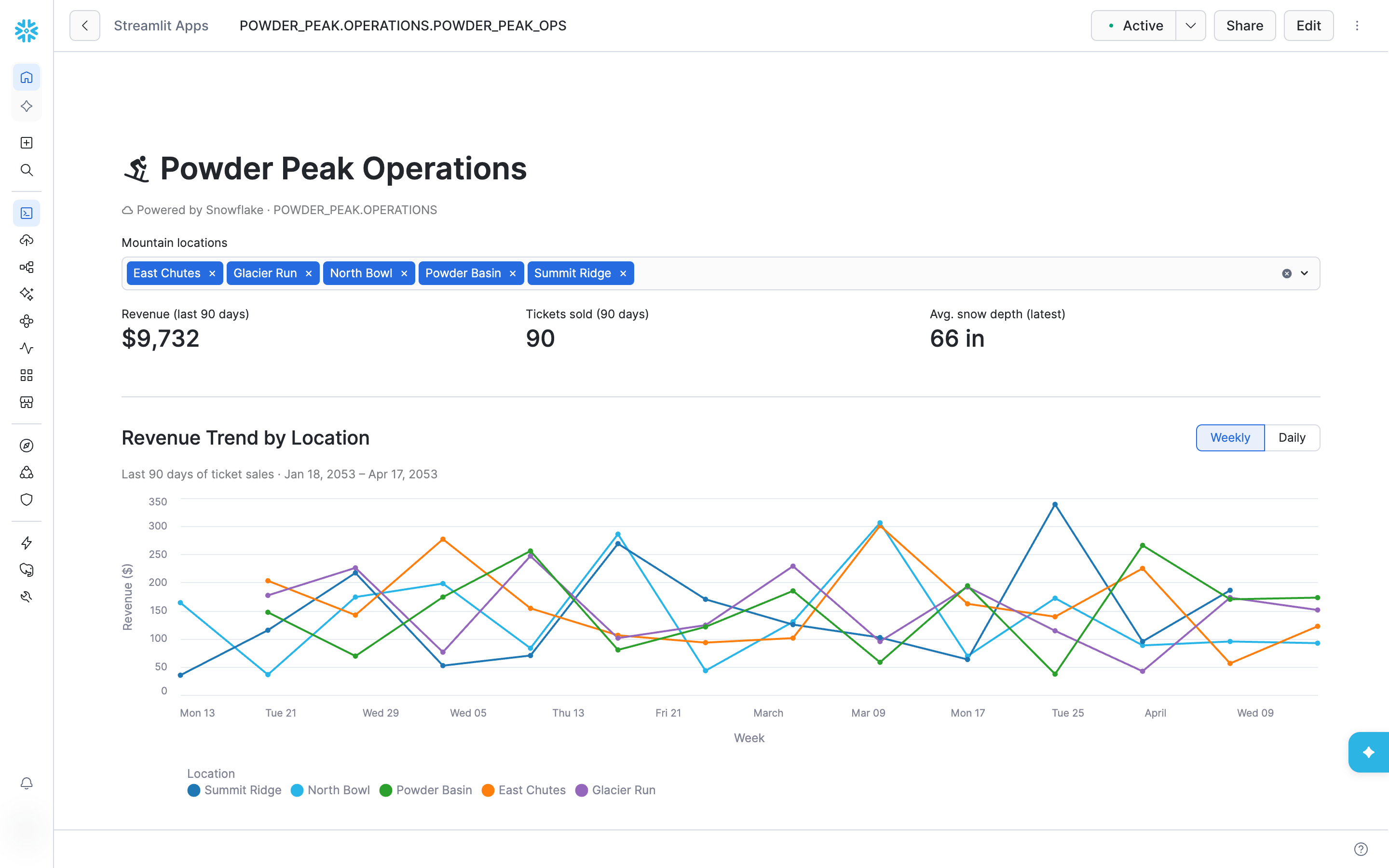
The examples come from Powder Peak, a demo ski resort app on synthetic data.
Why build Streamlit in Snowflake apps with CoCo
Streamlit is only the last step of building an app on your data. Before it, someone has to find the right tables, read their schemas, and write the queries. After it comes deployment and keeping the thing running. CoCo can cover the whole path, in your account, with your data:
- It reads your data first. Point it at a database you've never opened and it reads the schemas, analyzes the data, and builds the dashboard on the live tables.
- It knows the account. It looks up your compute pool and network integrations instead of asking you for them.
- It tests before it ships. It runs the app locally, deploys it with the Snowflake CLI, and confirms the app exists afterward.
- It iterates. Change a chart, add a filter, or fix a bug with a follow-up prompt, and CoCo edits the code and redeploys.
- It reviews. Ask CoCo in Snowsight to check a deployed app against Streamlit in Snowflake best practices.
What you end up with is a normal Streamlit project that you can commit and redeploy without CoCo.
Name the app, the tables, and where it lives in the first prompt
Build a Streamlit in Snowflake app called POWDER_PEAK_OPS in POWDER_PEAK.OPERATIONS.
It reads LIFT_TICKET_SALES, SNOW_CONDITIONS, and VISITOR_COUNTS and shows revenue,
tickets sold, and snow depth as KPIs, plus a weekly revenue trend by location.
Use the container runtime and COMPUTE_WH. Run it locally first, then deploy it.
You could just say "build me a dashboard on my ticket sales" and CoCo would get you somewhere. Naming the app, the tables, and where it lives helps to prevent it from having to search for this information and means the first version is much closer to the one you want. CoCo then looks up your compute pool and network integrations in your account, runs the app locally, and deploys it with the Snowflake CLI. As long as "Streamlit" and "Snowflake" are in the prompt, it brings in its Streamlit in Snowflake knowledge on its own.
The project is a normal one: streamlit_app.py, snowflake.yml, and a dependency file if needed.
Skip secrets.toml and use st.connection("snowflake")
In Snowflake the app already has a session, so there are no credentials to store. Ask CoCo for the short form:
conn = st.connection("snowflake")
CoCo's scaffold sometimes passes connection_name= as well, which raises got multiple values for keyword argument 'connection_name' on Streamlit 1.58. If you see that, drop the argument. Locally, pick a connection from your connections.toml with an environment variable:
SNOWFLAKE_DEFAULT_CONNECTION_NAME=my_dev_connection streamlit run streamlit_app.py
Use the container runtime
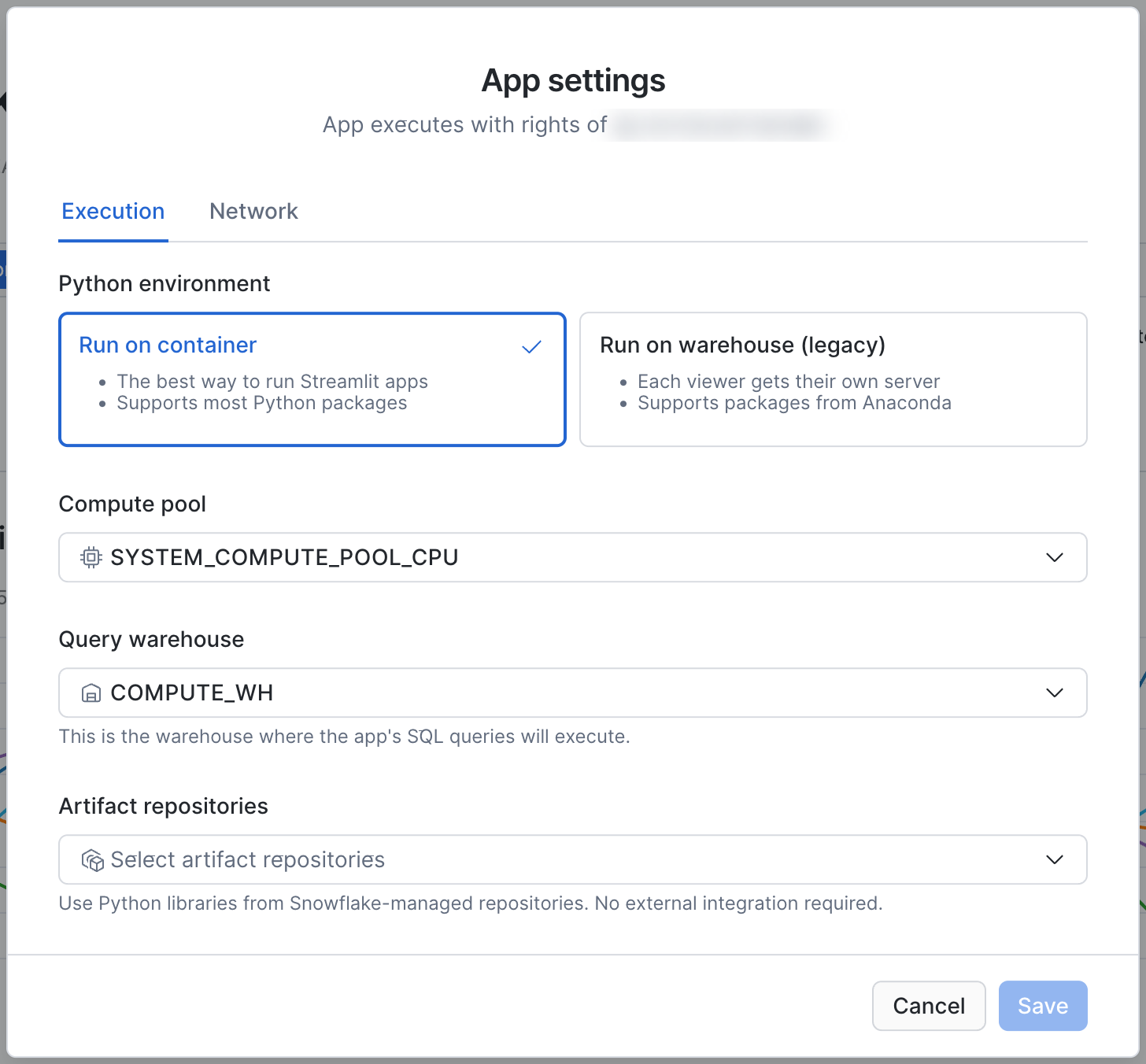
The container runtime is the closest thing to the server you'd deploy to: one long-running copy of the app on a compute pool, shared by every viewer. The older warehouse runtime starts a separate copy for each viewer, which is slower to load and doesn't share a cache. CoCo defaults to containers, and Snowsight now labels the warehouse runtime "legacy".
Remember the cache is shared by every viewer
Because every viewer hits the same copy of the app, st.cache_data is shared too. The first viewer pays for the query and everyone else gets the cached result:
@st.cache_data(ttl=3600)
def load_data():
    conn = st.connection("snowflake")
    return conn.query(REVENUE_QUERY)
That's what you want for a team dashboard. If different viewers should see different rows, tell CoCo, and check that it caches those functions with scope="session".
Test as the app's owner role, not as yourself
Locally, your app connects as you, with every role you hold. Deployed, it runs with owner's rights: queries use the role that owns the app, with no secondary roles. A page can pass locally and fail for everyone else because the owner role is missing a grant.
Give each app its own owner role, and ask CoCo to run the local test as that role:
USE ROLE powder_peak_app_owner;
USE SECONDARY ROLES NONE;
Tell CoCo where packages come from
The container runtime ships with Streamlit, Snowpark, pandas, and Altair. If that covers your imports, skip the dependency file. If you add one, the app needs a way to reach a package index, or it won't load:
Failed to retrieve packages from the package server. Have you enabled External Access Integration (EAI)?
CoCo checks your account for an external access integration, but it doesn't know your team's policy. Tell it whether to use one, or the shared PyPI artifact repository, snowflake.snowpark.pypi_shared_repository.
Deploy every file the app opens, and prune the rest
Only deployed files exist at runtime. A helper module or a pages/ folder that isn't listed in artifacts in snowflake.yml becomes a FileNotFoundError. When you add files in a later session, ask CoCo to check artifacts against what the app imports before it redeploys.
Files you delete locally stay on the app's stage until you prune them:
snow streamlit deploy --replace --prune
Review the deployed app with CoCo in Snowsight
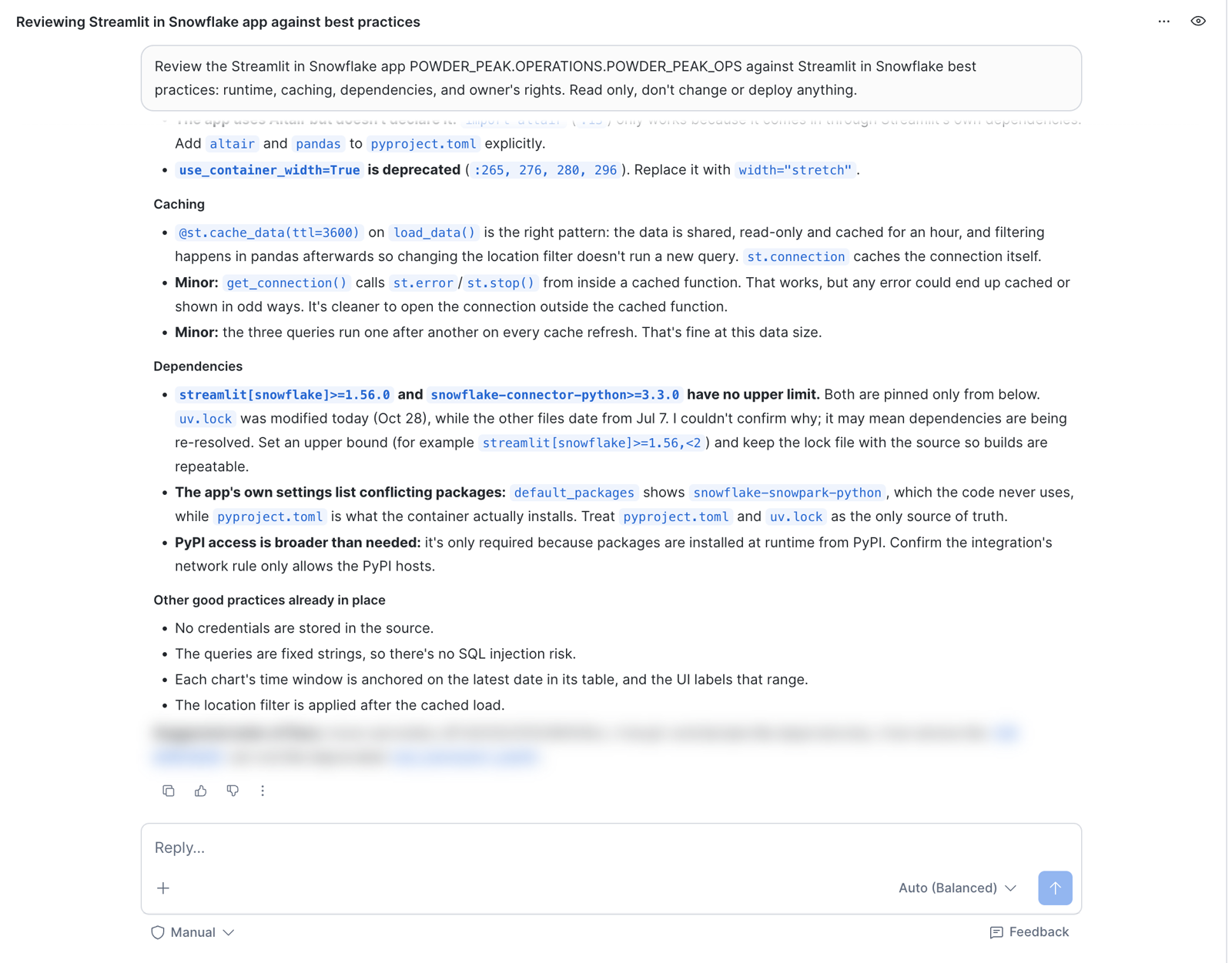
CoCo in Snowsight has the same skills, so you can review an app without a local project. With approvals set to Manual, it asks before it runs anything.
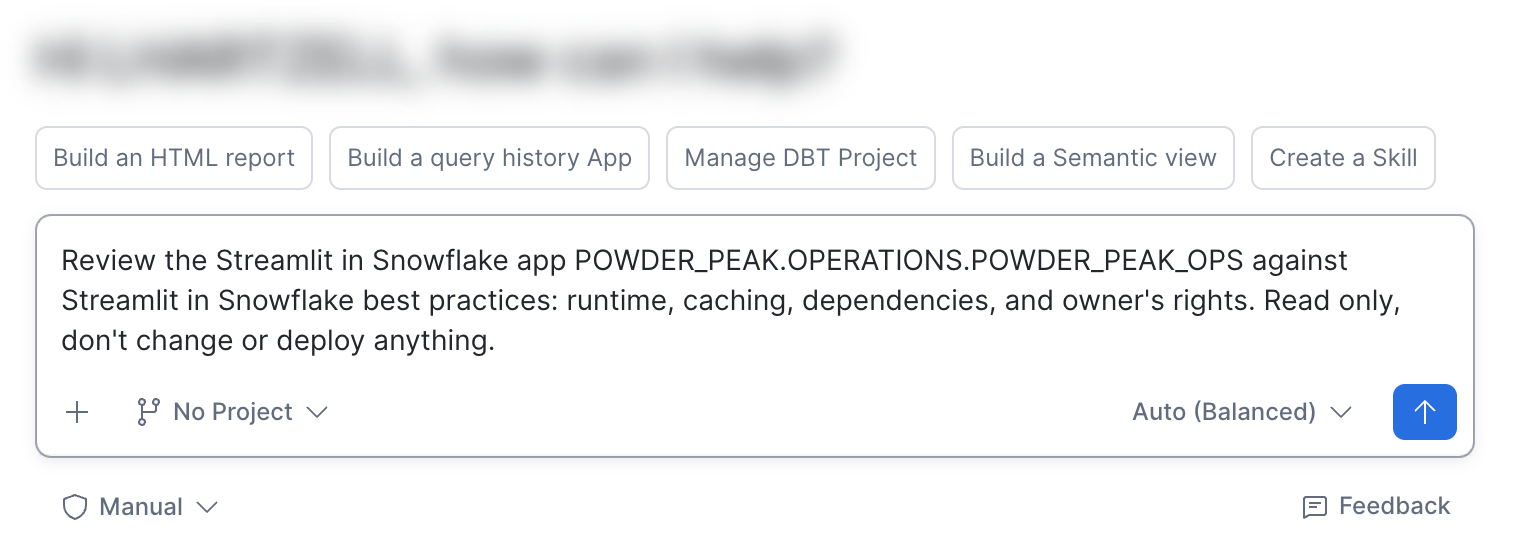
It downloaded the app's source, confirmed the caching and queries were fine, and flagged dependency pins with no upper bound and a deprecated use_container_width argument.
Build your next Streamlit app in Snowflake with CoCo
Pick a Streamlit app you'd normally deploy to a server. Give CoCo the app name, the tables, and the runtime in one prompt, test as the owner role, and deploy with --prune. Then have CoCo in Snowsight review it.
For more on building with CoCo and everything else it can do, watch the walkthroughs for building Streamlit apps with CoCo Desktop and with CoCo in Snowsight.
Related resources
This content is provided as is, and is not maintained on an ongoing basis. It may be out of date with current Snowflake instances
