Generative UI: Risk-Reduction Patterns for Running AI-Generated Interfaces in Your App

Instead of answering with a wall of text, AI can now answer with the interface itself: a chart, a dashboard, a form, a widget, a whole mini app.
Here's the part nobody demos: running it without putting your app at risk.
Getting a model to generate an interface is easy. Running that code inside your app is not. Whether it's a chart from a question, a report from a prompt, a UI prototype, an email template, or a SQL query, the model hands you code, and your app runs it.
That's when the real questions show up. Does it even run? Is it safe to run? What happens when it pulls a script from a CDN you've never heard of, calls an API that doesn't exist, or crashes before rendering a thing?
I hit every one of these building a small side project: an arcade where you describe a game in one sentence and a model writes a playable 3D game. And yes, every game stars me, snowboard included. Games are a great stress test. They're big, interactive, full of JavaScript, and they break in very visible ways.
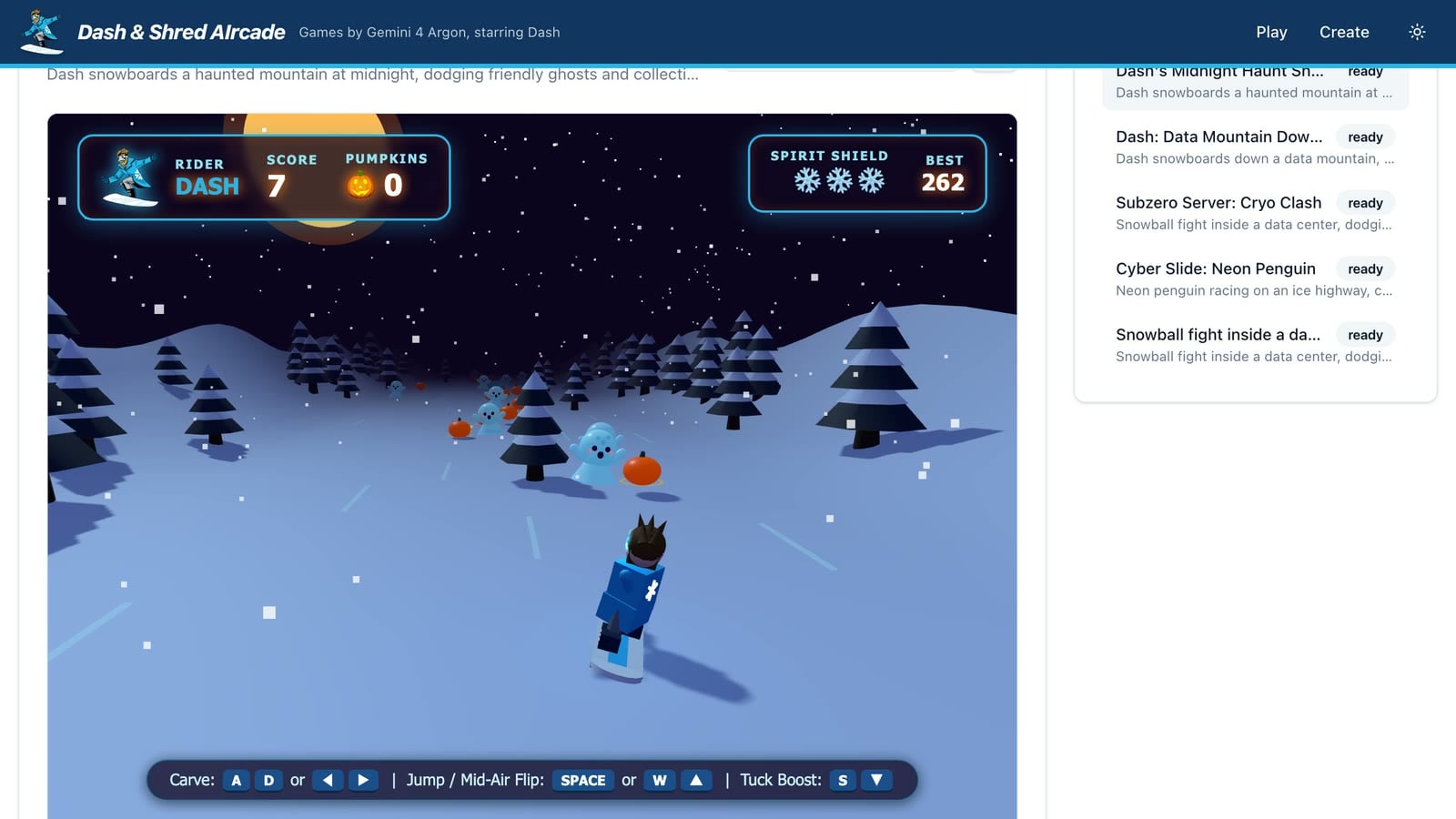
But none of the lessons were about games. They apply to any app that turns AI output into something people run or click on. Here's what broke, why it broke, and the patterns that fixed it.
Why runtime AI output needs guardrails
First, a distinction. When you use a coding agent, you're in the loop. You see the diffs, approve the actions, and run the tests before anything ships. That review step is the guardrail, and good agents build it in.
Runtime generation is different. Your app asks a model for code and runs it immediately, for an end user, with no human in between. That's the case this post is about. Review at dev time, sandbox at runtime.
Here's the mental model I use. Code generated at runtime is a pull request that merges itself. Great when it's right. But nobody reviewed it.
The model isn't malicious. And it's often great. But without a reviewer, it can be:
- Confidently wrong. It calls APIs that don't exist in your library version, or uses a variable it never declared.
- Eager to fetch things. It adds a
<script src>to a CDN, an import map, a web font, or a package it remembers from training data. - Unaware of your runtime. It assumes a normal browser page with cookies, storage, and network access. Or a server with every library installed.
- Steered by its input. If any part of the prompt comes from a user, that user is writing code through the model.
So you have two separate problems to solve:
- Quality: make the generated code more likely to work.
- Containment: when it doesn't work, or does something unexpected, nothing outside the box should get hurt.
Most tutorials stop at the first one. Let's do both.
Improve output quality with a generate-then-review prompt pattern
One prompt can produce code that looks right. A second review pass can catch some of what's wrong with it, but the result still needs testing and runtime containment.
The trick? Ask the same model to review its own output, with a different persona and a narrower job. In my example app, the review pass caught bugs such as undefined variables, wrong library APIs, missing restart logic, and objects rendering off screen. It doesn't catch everything, so the output still needs the containment below.
| Pass | Persona | Output |
|---|---|---|
| Draft | "Expert developer" for your domain | Raw code |
| Review | "Senior engineer doing a code review" | JSON: title, critique, html |
The separation is what matters: the draft prompt is free to be creative, and the review prompt only checks and fixes against a fixed list of APIs, returning structured output. Swap the personas for your use case: "data viz engineer" for charts, "SQL performance reviewer" for queries, "accessibility reviewer" for UI.
Note: You might expect a higher temperature on the draft and a lower one on the review. That's a reasonable split for models that honor sampling parameters, but Google's documentation says Gemini 4 Argon ignores custom
temperature,top_p, andtop_kvalues, so the examples below leave them out. Check your model's documentation before relying on them.
Run the AI pipeline where the data lives
In my example, each generated artifact is a row in a table. Each pass is a single UPDATE that calls the model with AI_COMPLETE.
Here's why I like this shape: in my example, the prompt, the model output, and the status all live in one row, so I didn't need a separate job queue. The same pattern should fit a chart spec or a generated report, but check queueing and concurrency against your own app's needs.
My example uses gemini-4-argon, announced in public preview for Snowflake Cortex AI Functions via cross-region inference. Public preview features aren't suitable for production workloads, and availability and limits can vary, so check Models and regional availability (or run SHOW CORTEX BASE MODELS) for what your account can use, and set max_tokens within that model's limit.
The draft pass:
UPDATE ARGON_DEMO.ARCADE.GAMES
   SET DRAFT_HTML = AI_COMPLETE('gemini-4-argon', ?, {'max_tokens': 32000}),
       STATUS     = 'REVIEWING',
       UPDATED_AT = CURRENT_TIMESTAMP()
 WHERE GAME_ID = ?;
The review pass reads DRAFT_HTML straight from the row and asks for structured output with a JSON schema. That means no regex parsing on the way out:
UPDATE ARGON_DEMO.ARCADE.GAMES g
   SET HTML = r.j:html::STRING, TITLE = r.j:title::STRING, CRITIQUE = r.j:critique::STRING
  FROM (
    SELECT GAME_ID, AI_COMPLETE(
      model            => 'gemini-4-argon',
      prompt           => ? || '\n\nCode to review:\n' || DRAFT_HTML,
      model_parameters => {'max_tokens': 32768},
      response_format  => {'type': 'json', 'schema': {'type': 'object',
        'properties': {'title': {'type': 'string'}, 'critique': {'type': 'string'}, 'html': {'type': 'string'}},
        'required': ['title', 'critique', 'html']}}
    ) AS j
    FROM ARGON_DEMO.ARCADE.GAMES WHERE GAME_ID = ?
  ) r
 WHERE g.GAME_ID = r.GAME_ID;
Four details that matter for any use case:
- Bind the user's text. Never concatenate it into SQL. The user's request goes in as a
?bind parameter, after the fixed system prompt. - Make the review pass best-effort. If it fails, keep the draft and record why. A slightly rough result beats an error page.
- Store the critique. Showing people what the reviewer found and fixed builds trust. In my app, toggling between draft and final turned out to be one of the coolest features.
- Keep the model name a parameter. It's just a string argument, so comparing models on the same prompts is a query, not a migration.
Handle long-running generation: return early and poll
In my example, generation can take long enough that I don't want to hold an HTTP request open.
So the POST handler inserts a row with STATUS = 'DRAFTING', returns 202 Accepted with the ID, and schedules the pipeline to run after the response is sent. In Next.js, that's after(). That work is still bound by the route's maximum duration on your platform, and serverless deployments may cut it off, so check your runtime's execution limits. My app runs on a long-lived container, where that's fine. For longer or durable work, use a job queue or background-work service instead:
const id = crypto.randomUUID()
await querySnowflake(
  `INSERT INTO ARGON_DEMO.ARCADE.GAMES (GAME_ID, THEME, STATUS) VALUES (?, ?, 'DRAFTING')`,
  { binds: [id, theme] },
)
after(() => runPipeline(id, theme))
return Response.json({ id, status: "DRAFTING" }, { status: 202 })
The client polls the row every few seconds while the status is DRAFTING or REVIEWING, and stops at READY or FAILED. The status column doubles as your progress bar. Same pattern for report generation, batch summaries, or anything else that outlives a request.
Note: One of my generations failed right after the draft finished, with an empty error message. The identical retry worked. Long AI calls fail transiently. Record the error on the row, mark it
FAILED, and make retrying cheap.
Contain generative UI with a sandboxed iframe and a Content Security Policy
Now the containment half.
If your app renders AI-generated HTML or JavaScript, whether that's a chart, a widget, a report, or a full app, you want to limit what it can reach: the host app, the user's session, and the network. No single control does that, so I use three layers, as defense in depth.
Layer 1: a sandboxed iframe with an opaque origin
Serve the generated content from its own route and always load it in an iframe with sandbox="allow-scripts", and without allow-same-origin:
<iframe src="/api/games/{id}/play" sandbox="allow-scripts"></iframe>
That combination is the main layer. Scripts can run, but without allow-same-origin the frame gets an opaque origin, which restricts same-origin access to the parent, such as its cookies, its DOM, and its storage. Leaving out allow-top-navigation keeps it from navigating the top window. It's a strong layer, not a replacement for authorization on your own APIs. Your endpoints should still check who's calling.
Note: Never combine
allow-scriptswithallow-same-originfor generated content served from your own origin. Together they let the framed script remove its own sandbox.
Layer 2: a strict CSP on the response
Send the sandbox and a restrictive policy as an HTTP header too. That way the sandbox still applies when someone opens the URL directly instead of through the iframe, as long as your deployment actually serves the header (check the real response, not just your code):
Content-Security-Policy: sandbox allow-scripts; default-src 'none';
  script-src 'unsafe-inline' data: blob:; style-src 'unsafe-inline';
  img-src data: blob:; media-src data: blob:; font-src data:;
  worker-src blob:; connect-src data: blob:;
  form-action 'none'; base-uri 'none'
Yes, 'unsafe-inline' looks scary. But that's the point. The generated code is inline script, and the sandbox is what contains it.
The real win is default-src 'none' with no https: anywhere. The only sources allowed are inline code and data:/blob: URLs, so the policy restricts the resource types it lists, including script-initiated connections, to nothing remote.
Watch out: default-src doesn't cover every directive. form-action and base-uri don't fall back to it, so set them explicitly, as above. (Leaving allow-forms out of the sandbox blocks form submission too, but it's worth having both.) And no CSP directive stops a script from navigating its own frame to an outside URL, which can carry data in the query string. So treat CSP as one containment layer, not a complete data-exfiltration control. Validate the deployed policy in the browsers you support, and separately secure your endpoints and any channels like postMessage.
Layer 3: rewrite the document before serving it
Models love adding things you didn't ask for. So before serving, strip anything that tries to pull in outside code, then inject what the code is allowed to use:
html = html
  .replace(/<script[^>]*type=["']importmap["'][^>]*>[\s\S]*?<\/script>/gi, "")
  .replace(/<script[^>]*\bsrc=["'][^"']*["'][^>]*>\s*<\/script>/gi, "")
  .replace(/<link[^>]*rel=["']stylesheet["'][^>]*>/gi, "")
  .replace(/<meta[^>]*http-equiv=["']Content-Security-Policy["'][^>]*>/gi, "")
Regex isn't a security boundary. Treat this step as a compatibility measure, not a security control: it removes common external dependency tags, so the code is more likely to use the library you provide instead of silently failing to load one from a CDN. The sandbox and CSP are separate layers, and both still need testing in your deployment.
Pin your dependencies instead of letting the model choose
Tell the model exactly which libraries it can import, and nothing else. In my example, the prompt says to write import * as THREE from 'three'. The server injects an import map that resolves three to a vendored copy of Three.js, inlined as a data: URL:
const inject =
  `<meta http-equiv="Content-Security-Policy" content="${csp}">` +
  `<script type="importmap">${JSON.stringify({ imports: { three: getThreeDataUrl() } })}</script>`
The same trick works for a charting library, a UI kit, or anything else your generated code needs. You get a known version, so the review prompt can say "check against these APIs". You also get no network dependency and no CSP exception for a CDN.
Fix the localStorage SecurityError in sandboxed iframes
This one cost me the most time. By far.
Generated code loves localStorage. Saved settings, cached state, high scores. In an opaque-origin sandbox, just touching window.localStorage throws a SecurityError. The code dies before it renders a single thing.
Telling the model "don't use localStorage" helps. It doesn't fix it. So the host injects a tiny in-memory shim before the generated scripts run.
My first attempt redefined localStorage as a value on window. It didn't work. The browser's own accessor lives on the prototype chain, and it kept winning.
What worked in my testing: defining a getter on window, on its prototype, and on Window.prototype. Browser behavior here varies, so test it in the browsers and runtime you target. And it's session-only by design. If your generated code genuinely needs persistence, pick an explicit storage strategy (like passing state back to the host with postMessage) instead:
(function () {
  function mk() {
    var d = {};
    return {
      getItem: function (k) { return k in d ? d[k] : null },
      setItem: function (k, v) { d[k] = String(v) },
      removeItem: function (k) { delete d[k] },
      clear: function () { d = {} },
      key: function (i) { return Object.keys(d)[i] || null },
      get length() { return Object.keys(d).length },
    };
  }
  ["localStorage", "sessionStorage"].forEach(function (n) {
    try { window[n].length } catch (e) {
      var v = mk();
      [window, Object.getPrototypeOf(window), Window.prototype].forEach(function (o) {
        try { Object.defineProperty(o, n, { get: function () { return v }, configurable: true }) } catch (_) {}
      });
    }
  });
})();
Like the rewrite step, this is a compatibility measure, not a security control. State only lasts for the session, which was a fine trade in my app for code that actually starts.
Other ways to run AI-generated code, and their tradeoffs
The iframe-plus-CSP approach fit my use case. It's not the only option:
- Serve generated content from a separate origin, like a dedicated sandbox subdomain. That's how many code playgrounds work. Stronger isolation, but now you're running another domain and handling CORS.
- Run code in a Web Worker. No DOM access, so it's a no-go for rendering UI. Great for running generated logic or data transforms.
- Execute server-side in a container or VM. This is the right answer for generated backend code like Python or shell, at the cost of real infrastructure.
- Run static analysis before execution. Lint or parse the code and reject known-bad patterns. Useful as an extra layer, but you can't analyze your way to safety with arbitrary JavaScript.
- For generated SQL, lean on the database. Run it with a least-privilege role scoped to exactly what the feature should read.
Whatever you pick, the principle doesn't change. Assume the code will do something you didn't expect, and decide up front what it's allowed to reach.
Curate AI-generated results before showing them to users
Once people can generate freely, your gallery, history, or results list fills up fast. Near-duplicates. Failed runs. The same idea, generated over and over.
So separate making from browsing. In my example app:
/describeis for creating, watching progress, and seeing every build, failures included./is for browsing, showing only finished results with one entry per title.
The dedupe is intentionally simple. The API returns results newest first, and the browse page keeps the first READY entry for each normalized title:
function uniqueReady(list: GameSummary[]) {
  const seen = new Set<string>()
  return list.filter((g) => {
    if (g.status !== "READY") return false
    const key = (g.title || g.theme).trim().toLowerCase().replace(/\s+/g, " ")
    if (seen.has(key)) return false
    seen.add(key)
    return true
  })
}
Conclusion And Resources
The model writing the code gets the headline. The real work is everything around it:
- A review pass to raise quality.
- Structured output so results are parseable.
- An async status column so long calls don't block requests.
- Layers of containment to limit what bad output can reach.
The biggest insight for me? None of these problems were about the model. They're the same guardrails you'd want for any code that ships without review: validate it, contain it, and plan for failure. Coding agents give you that review step at dev time. At runtime, your app has to provide it.
Shipping generative UI, or rendering AI-generated code anywhere in your app? Plan the containment layers first, then test them in your own deployment. Better prompts make the code better. Containment limits the damage when it isn't.
What generative UI are you shipping? And how are you keeping it in the box?
Let's learn together!
Related Resources
This content is provided as is, and is not maintained on an ongoing basis. It may be out of date with current Snowflake instances
