Nov 3, 2026/8 min readAI & ML
Snowflake CoWork: From Governed Insight to Proactive Work

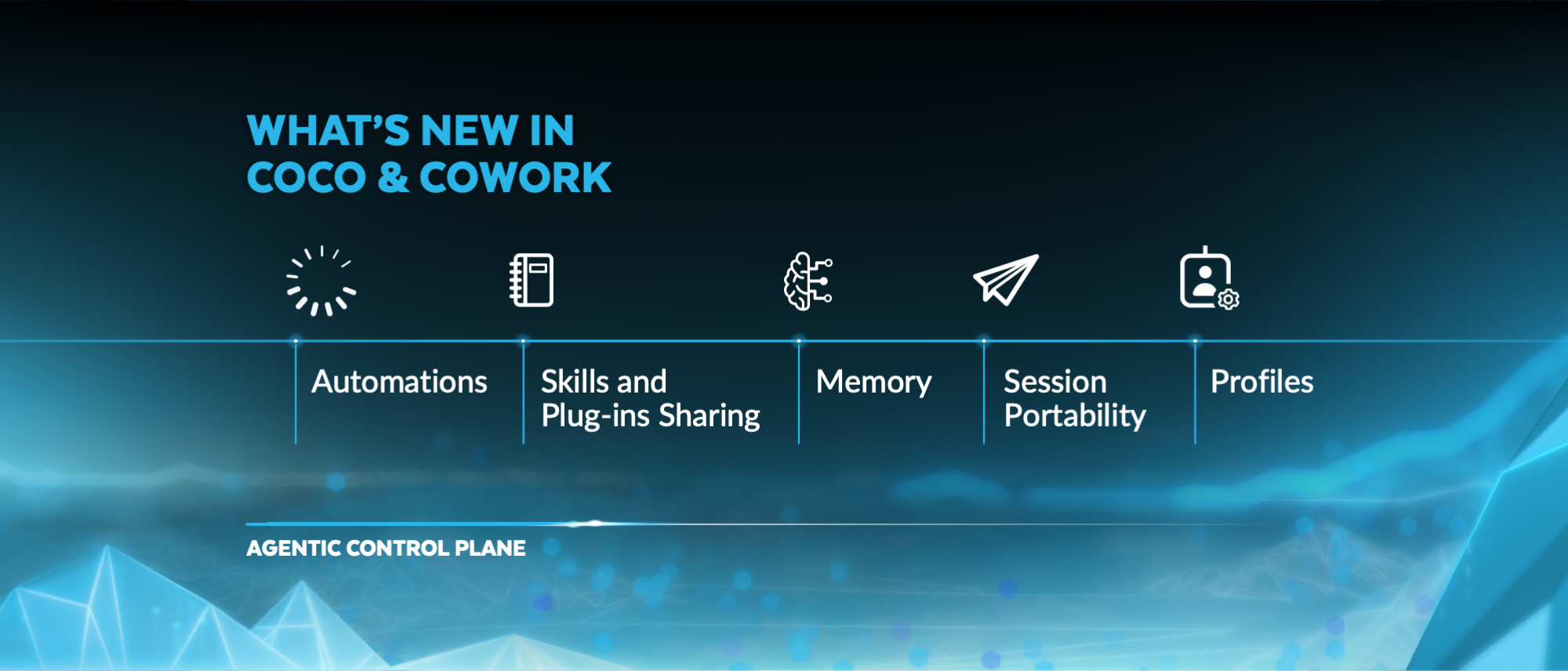
Today at Snowflake Expedition 2026, we're announcing two new Snowflake CoWork capabilities: Profiles and Dashboards. Together with Automations, they take a business team from a shared report to finished, recurring work. Nobody has to pick an agent first or move data into another tool for business intelligence.
Here's what that looks like for a sales operations leader on a Monday morning:
Before she logs in, her Monday Automation has reviewed last week's sales pipeline and flagged a drop in one region. She opens the regional Dashboard her analyst shared, notices some concerning trends and asks CoWork why bookings fell in EMEA. Her Profile sends the question to the sales agent, which finds two large deals pushed to next quarter. She asks CoWork to turn the finding into a short PowerPoint deck for her staff meeting, in the format it remembers she prefers, and shares it with her team. Then she saves the analysis as a skill, so she can run it again next week.
Every step ran on her own permissions, against governed data in Snowflake.
All of the above are built on the personal work agent: an agent that understands your business, works across your tools and does real work inside the governance your organization already trusts. Automations run recurring work on a schedule. Memory, skills, connectors, code execution and document generation turn answers into finished work you can share.
Profiles: The right configuration for every team
As companies build more agents, users face new problems. A sales rep, a finance analyst and a store manager each need different data and different tools. Show them a list of agents and ask them to pick one; many will unknowingly pick the wrong one, get a weak answer and give up.
A Profile removes that step. An admin configures a Profile for a group of people that includes which agents it can reach, how it routes questions and which instructions, skills and connectors come with it. Users simply ask. The Profile sends each question to the agent best suited to answer it. Users who already know which agent they want can mention it by name.
The same words can mean different things to different teams. When someone in a product team asks what is happening with a customer account, their Profile can send the question to a product usage agent. When someone in a sales team asks the same question, their Profile can send it to the sales agent.
Profiles never widen access. CoWork runs with each user's own privileges, and a Profile will not route a question to an agent that user is not allowed to use.
Admins also control the rollout. Grant a new Profile to a small test role, confirm that routing works as expected, then extend it to more people.
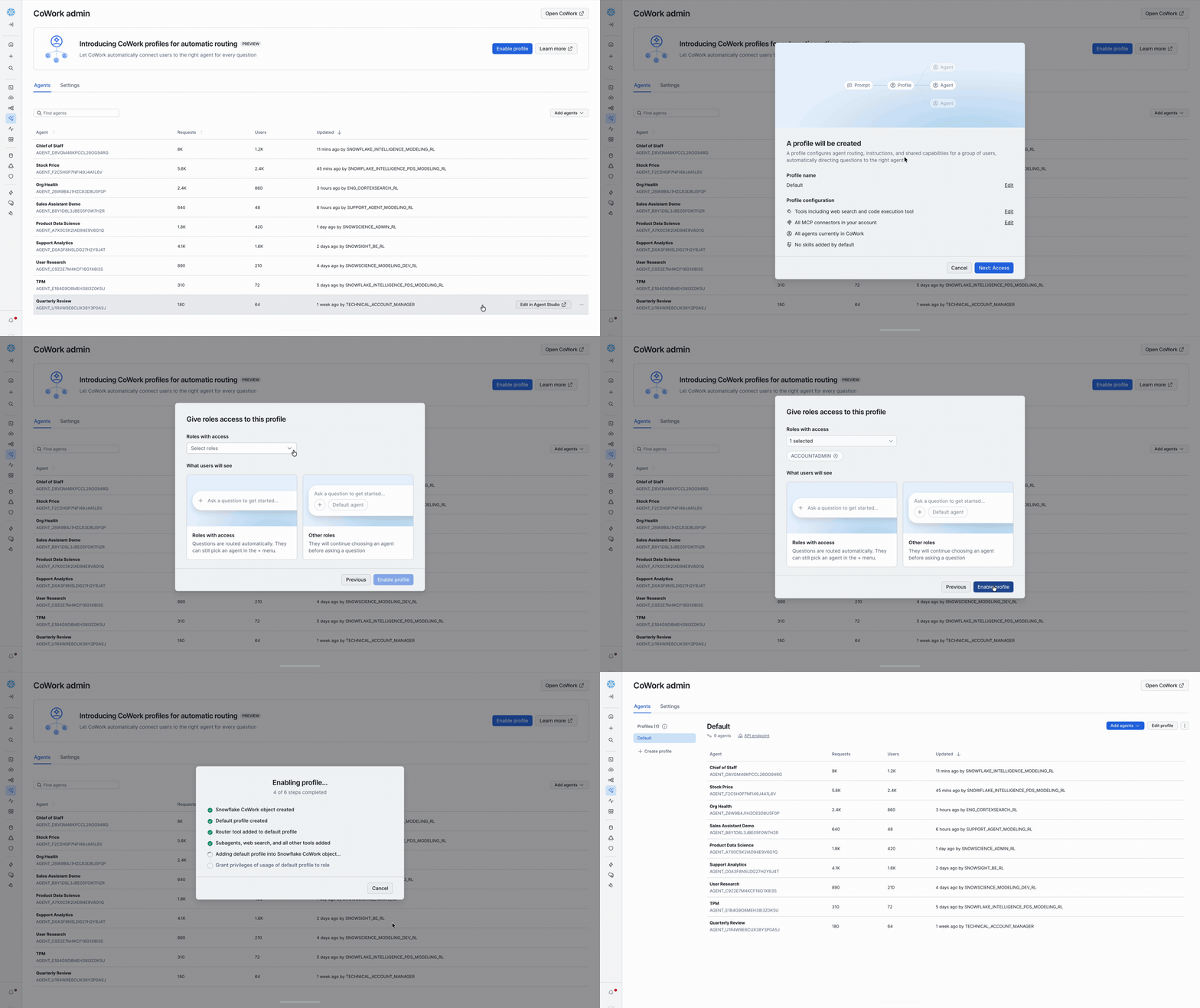
Fig 1: Admins enable a Profile in CoWork admin. CoWork then routes each question to the right agent.
Snowflake Dashboards (public preview): An AI-first approach to business intelligence
An analyst builds a Dashboard in the Snowsight interface by describing it to Snowflake CoCo, then shares it with the right roles so business users can access it. Business users open it in CoWork or optionally access it in Snowsight.
In CoWork, the Dashboard is something you can talk to. Ask CoWork to summarize it, to explain which region drove a metric drop or to forecast whether adoption growth will continue next quarter. The agent starts from the Dashboard as you see it, then queries the data behind it to answer.
That changes what a Dashboard is for. A Dashboard used to be where the analysis stopped and a ticket to the data team began. Now it's a shared starting point: The team looks at the same numbers, and anyone can ask the next question against the same governed Snowflake data, without exporting it to another tool.
Agents can expand to query the data behind the Dashboards, but admins have easy options to limit this if desired. Row access and masking policies still limit what each viewer sees. If analysts want to share findings in a more narrative visual format, they can use HTML reports.
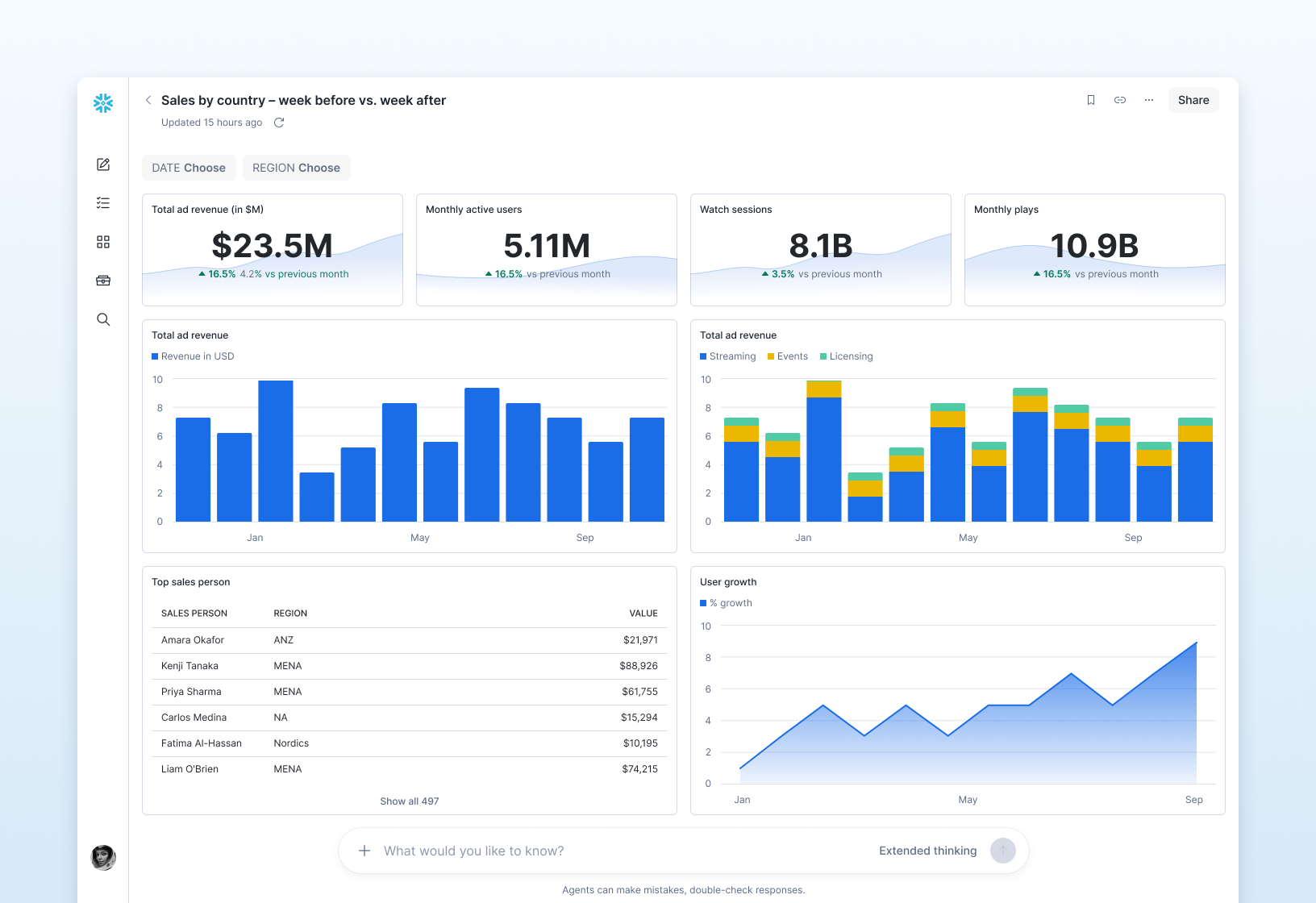
Fig 2: Ask a follow-up right from the Dashboard. CoWork starts from what you see, then queries the governed data behind it.
Automations: Work that runs even when you're away
Automations let CoWork run recurring work on a schedule you set, then bring you the result.
A user can describe the task once, in plain language: "Every Monday at 7 a.m., review last week's sales pipeline, flag any deal that slipped, and summarize the three accounts I should call first." CoWork will run that request on schedule and send the result. Open it, and you are back in the full conversation, ready to ask a follow-up.
A scheduled run uses the same agent, the same scope and the same permissions as a question you ask yourself, so scheduling widens nothing. Automations run on Snowflake tasks, a primitive your data teams already operate.
Some Automations act as well as report, such as by creating a Jira ticket or sending a Slack message to a teammate. For those, CoWork lists the operations each Automation is allowed to perform, so you can check its reach at a glance.
The rest of the personal work agent
Each capability below works on its own, and each makes the others more useful. All of them are generally available, except analytical search, which is in preview.
- User memory: CoWork keeps the facts and preferences you share, such as your role, your team or how you like a report formatted. You can review and delete what it remembers in settings.
- User skills: Save a multistep task as a skill from the chat, then run it again whenever you need it with a slash command. Your weekly recap becomes one command.
- Connectors: Through MCP connectors your organization approves, CoWork brings in context from tools such as Gmail and Google Drive and can act in them, always within your existing permissions.
- Code execution: For questions that need more than a query, CoWork writes and runs code in a sandbox to analyze data, prepare files and more.
- Document generation: CoWork produces documents in the formats your organization already uses, such as PDF, PPTX, DOCX and HTML.
- Analytical search: CoWork can answer questions that span thousands of documents, such as which customer issues came up most last month. It narrows the set with Cortex Search, then uses AI functions and SQL to count and compare and shows you its plan before it runs.
One Monday, start to finish
Look back at that Monday morning and every piece of CoWork played a part:
- An Automation reviewed the pipeline before she logged in and flagged the drop.
- A Dashboard gave her and her analyst the same starting point.
- Her Profile routed the question to the sales agent without her having to pick one.
- Memory shaped the deck in the format she prefers.
- A Skill turned a one-time analysis into a weekly command.
No exports, no tickets to the data team and no switching tools. Every step ran on her own permissions, against governed data in Snowflake.
Personal for every employee, governed by admins
Profiles remove the friction to get the right answer without having the user pick an agent. Dashboards bring AI to how teams build and read their reports. Automations, memory, skills, connectors, code and documents turn answers into work that gets done.
Each person sees only what they are allowed to see, in tables and now documents, because Cortex Search helps you enforce the row access and masking policies on your source tables. Admins decide what each agent can reach with monitoring and evaluation tools, and Cortex AI Gateway, now in public preview, gives them one place to govern model access and spend. That holds whether a question comes from a person in the chat, a Dashboard or a scheduled Automation.
Automations are the first step toward agents that work longer and more independently. Next, we are building agents that notice what changed, follow up without being asked and reach people wherever they work. We will keep moving in that direction, release by release.
Get started
- Try Snowflake CoWork with the business context and tools you already have.
- Create your first Automation, and let CoWork bring a recurring report to you.
- Publish a Snowflake Dashboard, and ask CoWork your next question about it.
- Create a Profile, and roll it out to a small test group first.
Forward-looking statements: This article may contain forward-looking statements, including about future product offerings, and is not a commitment to deliver any product offerings. Actual results and offerings may differ. See our latest 10-Q for more information.

