

Interactive Analytics: How to Enable Sub-Second Queries at Scale
Interactive analytics has to stay fast in production. Learn how concurrency, query fan-out, cache state and workload design affect low-latency analytical performance — and how to design for the request patterns users, applications and AI agents generate.
INTERACTIVE ANALYTICS DEFINED
Interactive analytics is the execution of analytical queries with low and predictable enough latency to support successive, request-driven interactions from people, applications or AI agents.
Half a second can change how people analyze data. In a University of Washington experiment of exploratory visual analysis, adding just 500 milliseconds of latency per interaction reduced how much of a data set participants explored and how many hypotheses they generated.
For interactive analytics, that sensitivity to delay extends beyond the analyst experience. When a query is part of a product flow, API call or agent workflow, latency affects the next interaction in the sequence. A customer might filter a dashboard embedded in a product, or an application might call an API for the latest metric. An AI agent might issue several queries while working through a task. In each case, the result has to return quickly enough for the interaction to continue.
The queries themselves are often small and selective, but they now run amid concurrent application traffic, dashboard query fan-out and programmatic request bursts. As usage grows, queue time, cache state, compute capacity and workload isolation all contribute to the response time the user sees.
Supporting interactive analytics at scale means designing for those production conditions, starting with a latency target defined at the percentile, concurrency and data volume the workload requires.
What is interactive analytics?
Interactive analytics is the practice of serving analytical queries fast enough to support concurrent iterative interaction with the data. The workload is usually online analytical processing (OLAP), but with a specific shape: highly selective queries that filter down to a small slice of a large data set before joining or aggregating, often repeatedly as the user or application refines the request.
A dashboard filtered to one customer, a single region or the last hour is typical. The data can be streamed in or batch loaded. Data freshness requirements are dependent on the use case. The common denominator for interactive workloads is that queries need to return results fast.
Interactive analytics is distinct from interactive visualization. Filters, drill-downs and other interface controls determine how someone explores the data, while interactive analytics describes the query-serving behavior underneath real-time analytics interactions.
It’s also distinct from streaming analytics, which continuously ingests data and optionally processes it in flight so it lands in the serving layer quickly. The two often work together: a streaming data pipeline can keep the underlying data current while interactive analytics provides the serving path for exploring it.
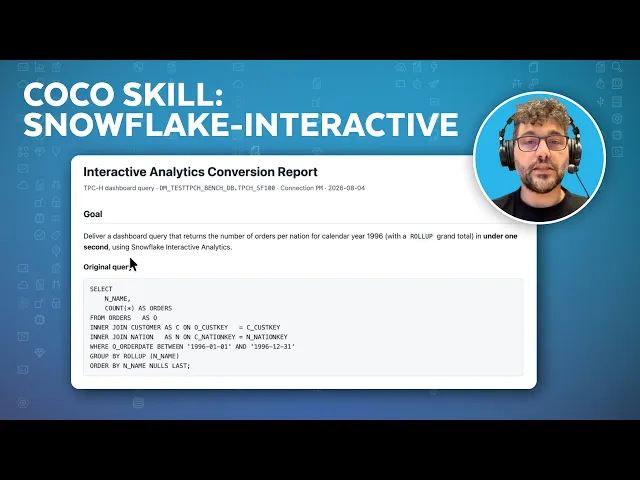
Watch Snowflake’s Vino Duraisamy and Will Xu discuss how Snowflake Interactive Analytics is designed for low-latency, high-concurrency analytics.

Where interactive analytics gets used
An interactive analytics workload can vary depending on who or what is asking the questions. A dashboard user generates one pattern of requests, and an application calling an API generates another, whereas an AI agent can create a burst of analytical queries in rapid succession. These differences affect concurrency, fan-out and latency targets, even when the underlying data and query engine are the same.
- Customer-facing and embedded analytics: When analytics is part of a product, query latency is part of the product experience. Concurrency also tends to grow with product usage, so a dashboard that performs well for a few dozen simultaneous users may behave very differently when hundreds or thousands are active at once.
- Data applications and analytical APIs: Programmatic consumers reveal latency variance quickly. An API caller usually has a timeout, and a delayed response can block whatever application operation is waiting on the analytical result.
- Internal dashboards during peak periods: A reporting environment might sit mostly idle overnight and then receive a concentrated burst at the start of the workday. If capacity is sized around average utilization, that burst is where queueing starts to show up.
- AI agents and conversational analytics: An AI agent might inspect a schema, issue several candidate queries, compare the results and query again before returning an answer. Those requests can land within a short interval, so a relatively small number of agent sessions can generate substantially more concurrent query traffic than the same number of human analysts.
Across these use cases, the number of end users doesn’t tell you much about the load the serving layer has to absorb. Dashboards fan out into multiple queries, applications generate programmatic traffic and agents can compress many analytical requests into a short period. As Snowflake Product Marketing Manager Jennifer Wu puts it, “Human users have physical bandwidth limits but AI agents don’t, and they can fire continuous, machine-speed bursts around the clock. Handling load is no longer just about serving more logged-in users — it’s about sustaining peak queries-per-second.”

Human users have physical bandwidth limits but AI agents don’t, and they can fire continuous, machine-speed bursts around the clock. Handling load is no longer just about serving more logged-in users — it’s about sustaining peak queries-per-second.
Jennifer Wu
Product Marketing Manager, Snowflake
Those request patterns are why interactive performance needs to be specified under an expected workload, rather than measured from an isolated query.

“Real time” is too vague to use as a performance target. For an interactive workload, you need a target that reflects the conditions the system will see in production: how quickly requests should return, how many are running concurrently, how much data they’re querying and how fresh the data being queried is.
Those variables also need to be measured together. A query that meets the target at low concurrency may miss it once requests begin queueing, while an average response time can look healthy even when the slowest requests are well outside the experience you intended to deliver.
Define the latency budget
A latency budget should be explicit enough to test. For example: p95 below 800 milliseconds at 500 concurrent queries against a 2 TB table.
A precise budget specifies the portion of requests expected to meet the target, the concurrency under which the target applies and the approximate data volume involved. Without those qualifiers, performance numbers are easy to misread. A query that runs in 300 milliseconds with one user says little about how it will behave when hundreds of requests arrive together.
Watch the tail, not just the average
Naming a percentile is important because median or average latency can look healthy while a meaningful share of requests is much slower. If p50 is 300 milliseconds and p99 reaches 12 seconds, for example, the median tells you nothing about the latency experienced by requests in the tail. On a dashboard that issues several queries per page load, the probability that at least one component encounters that slower tail rises further.
Human-response research helps explain why those delays are noticeable. Nielsen Norman Group has long used roughly 0.1 second as the point where a response feels instantaneous, around one second as the range where a user’s train of thought remains largely uninterrupted and about 10 seconds as the outer limit of sustained attention.
There’s also evidence that smaller delays affect analytical behavior itself. The University of Washington study cited earlier found that even an additional 500 milliseconds of interaction latency changed how participants explored data, reinforcing why tail latency deserves attention in interactive workloads.
Set the target for the workload
The research doesn’t imply one universal target, however. An executive report refreshed hourly and a customer-facing analytics API operate under very different service expectations. A latency target has to hold under the traffic conditions the workload is expected to see. As Snowflake Principal Product Manager Rudi Leibbrandt puts it, “It’s not just about one fast query — it’s about every query completing faster, even during peak windows.”
Set separate targets for each type of consumer. A customer-facing API and an internal dashboard rarely need the same percentile, latency or concurrency assumptions.
Once those targets are explicit, you have a much better basis for evaluating the serving architecture — and for diagnosing whether a missed target is coming from query execution, queueing, cache state or insufficient parallel capacity.
QUICK TIP
Define the latency target before tuning the architecture. Include a percentile, expected concurrency and representative data volume so you can tell whether a change actually improves the production workload.
Why analytics stops feeling interactive at scale
A dashboard can slow down even when the execution time of individual queries changes very little. The delay often comes from waiting for compute rather than from the query itself.
Resource contention
When more queries arrive than the available compute can run at once, some requests wait in a queue. A query might still execute in 250 milliseconds once it starts, while the user waits two seconds end to end because most of that time was spent waiting.
That pattern is easier to spot when queue time and execution time are measured separately. If execution time stays relatively stable while p95 latency rises with concurrency, contention is a more likely cause than a change in the query plan or scan volume.
Dashboard query fan-out
A dashboard with eight independently populated tiles could issue eight separate queries because each tile requests its own metric, aggregation or filtered result. At 100 simultaneous users, that single page view can generate roughly 800 query requests before refreshes, retries or follow-up interactions are counted. That multiplication of requests from a single user action is called query fan-out.
Fan-out also increases the impact of tail latency. If each tile has some probability of landing in the slower end of the latency distribution, a page containing several independently queried components has more opportunities for one delayed result to hold up the full page.
Refresh storms
Scheduled refreshes, auto-refresh intervals and user logins can all concentrate query traffic into the same short window. Each workload may look modest on its own, but when they overlap, the combined request volume can push interactive queries into queues.
Depending on the workload, teams might stagger refresh schedules, reduce unnecessary polling, cache or reuse results, isolate refresh work from interactive traffic or provision additional capacity ahead of a known surge.
Cold starts
If compute has suspended during an idle period, it has to resume before serving new work. Cached data may also need to warm again. Those costs are paid by the first requests after idle, which is why the same dashboard can show very different latency depending on when the user arrives.
Steady-state query latency and first-request latency should be measured separately. They reflect different operating conditions and often require different tuning decisions.
All of the patterns described above compound. Fan-out increases the request count, a refresh window concentrates those requests, queueing grows as available compute fills and a cold start adds latency at the beginning of the burst.
COMMON PITFALL
Looking only at query execution time can’t provide a full picture of latency. If requests are spending most of their time waiting for compute, the individual queries can remain fast while the experience gets progressively slower. Track queue time and end-to-end latency separately.
Design approaches that keep queries interactive
There isn’t a universal design change that will make every workload interactive. Most latency problems come from one of three places: the amount of work each query performs, query queueing, or cold starts. The first step is to separate where the latency budget is being spent.
Precompute work that repeats
If every interactive request recomputes the same expensive aggregation from raw data, the serving layer pays that cost on every interaction.
Pre-aggregation and materialized views move some of that computation ahead of the request. The interactive query reads a prepared result rather than scanning and aggregating the full underlying data set each time.
The trade-off is freshness and maintenance. Precomputed structures have to be refreshed, and their refresh interval has to match the application’s tolerance for lag. Where the same aggregation is requested repeatedly between refreshes, precomputing it once is almost always cheaper than recomputing it on every request.
Reduce how much data each query reads
Interactive queries are usually highly selective, so the real question is how quickly the engine can find the small slice of data a request needs. For very selective point lookups, indexing structures can help further. Broad scans across large volumes of history are a different workload, and they’re usually better kept on standard compute.
The physical layout should follow the access pattern. If interactive requests repeatedly filter by customer, time range or another high-selectivity attribute, organizing data around those predicates gives the query engine a better chance of eliminating irrelevant data before execution.
Highly selective point lookups may need a different access structure from large analytical scans. The important question is how the workload finds the small subset of data it needs without repeatedly searching the full data set.
Use caching deliberately
Caches can remove work from repeated requests, but different caches solve different problems. A result cache can return the output of an identical query without executing it again, while data caching keeps frequently accessed data closer to compute so subsequent queries can read it faster.
Data caches live with compute, so they’re lost when compute shuts down, and the first requests after a restart pay the warm-up cost. For workloads that need consistent latency, keep compute running. For traffic with a predictable shape, such as the start of the business day or a scheduled reporting run, resume or scale up compute ahead of time so the cache is warm before users arrive.
Manage heterogeneous workloads with different performance requirements
Customer-facing queries, AI agents and exploratory analyst work often have different latency expectations. When sharing the same compute, a large and complex ad hoc query can consume capacity needed by an SLA-bound workloads.
Separating those workloads gives each one its own capacity and scaling behavior to balance performance and cost. The same principle applies to scheduled refreshes, batch processing and other background work that can overlap with interactive traffic.
Workload separation also protects the latency budget from queries with very different resource profiles. As Snowflake Principal Product Manager Will Xu explains, “Mixing heavy workloads — like complex searches or multi-year scans — into low-latency query paths causes fast lookups to queue up and time out.” Routing those workloads to separate compute ensures interactive requests completes with low latency, while complex workloads still be fulfilled efficiently.
Reduce unnecessary query fan-out
If one user action generates several independent queries, concurrency grows faster than the number of users. Some of that fan-out is unavoidable, but repeated requests for the same result can often be shared or cached rather than recomputed separately for every component or user.
This is especially important for dashboards, application endpoints and AI agents, where a single interaction or reasoning step can trigger several analytical requests. Reducing the number of queries per interaction lowers both compute demand and the chance that one slow request holds up the overall response.
Scale for the bottleneck you actually have
More compute for an individual query (scaling up) helps when execution itself is constrained by CPU or memory. More parallel capacity (scaling out) helps when many otherwise fast queries are waiting to run.
That distinction shows up in the measurements. If execution time remains relatively stable while queue time rises with concurrency, the workload needs more capacity to run requests in parallel. If individual query execution is slow even without queueing, increasing parallelism alone won’t solve the underlying problem.
The specialized-system tax: more architecture and data to manage
Some teams meet interactive-query requirements by adding a dedicated analytical serving engine alongside the primary data platform. Systems such as ClickHouse, Apache Druid, Apache Pinot and similar real-time OLAP engines are designed for low-latency analytical serving and can be a good fit for workloads with demanding concurrency, ingest or query-pattern requirements.
But this architecture creates another system to operate. Data now has to be loaded or replicated into this separate system. The second copy has to stay synchronized with the source. Access controls, masking policies, row-level restrictions and lineage need equivalent treatment in both environments, and the operations team inherits another scaling model, another cache model and another set of failure modes.
For some workloads, those trade-offs might be justified. The question is whether the latency and concurrency requirements actually require a separate serving system. If the governed data platform can meet the workload’s performance target directly, keeping the analytical serving path close to the existing data avoids a second pipeline to maintain and a second set of governance controls to keep in sync.
How Snowflake supports interactive analytics
Snowflake supports interactive workloads with Snowflake Interactive Analytics, powered by a specialized compute engine called Interactive Warehouses, designed for short-running, highly concurrent analytical queries. With Zero-Copy Interactive (generally available as of September 2026), Interactive Warehouses can query existing standard, dynamic, Iceberg and hybrid tables directly, so teams don’t have to copy data into a separate serving table or system before bringing low-latency compute to the workload.
For workloads that benefit from additional preparation, teams can also attach frequently queried tables to an Interactive Warehouse so their data is warmed into cache proactively; attaching is an optimization, not a requirement.
Interactive Warehouses also addresses the bottlenecks described above:
- Concurrency: Multi-cluster scaling adds capacity as concurrent requests grow, and can be scheduled ahead of predictable peaks.
- Heavy queries: A five-second query limit keeps the serving path focused on short-running work. Queries that exceed the limit are transparently re-routed to a configured fallback warehouse to protect your P99.
- Cold starts: Interactive workload traffic is not always constant, and a short lull shouldn’t cost the next user waiting on a cold cache. Interactive Warehouses won’t auto-suspend during brief gaps in traffic, so the cache stays warm and the next request runs at full speed. They auto-suspend only after 24 hours of inactivity, though teams can still suspend and resume on their own schedule.
The result is a serving layer that runs on the same governed data the rest of the business already uses, with no second copy to keep in sync.
Design interactive analytics for production traffic
As analytical interfaces move into products, APIs and agent workflows, query performance is becoming part of the application experience itself. The serving layer is now judged by response time when many requests arrive at once.
This shifts the engineering question from “How fast is this query?” to “How does this workload behave when users, applications and agents all query at once?”
KEY TAKEAWAY
Measure interactive performance under the workload you expect to serve. A useful target combines percentile latency with concurrency and data volume, so a fast isolated query doesn’t mask queueing or tail-latency problems under production load.
Frequently Asked Questions
Your common questions about interactive analytics, answered by Snowflake experts.
What is the difference between interactive analytics and real-time analytics?
Interactive analytics focuses on how quickly an analytical request returns after a user, application or agent issues it. Real-time analytics is broader and usually includes how quickly new data becomes available for analysis as well as how quickly queries return results. A workload can therefore have fresh data without interactive query performance, or fast queries against data that is updated less frequently.
What is a good latency target for interactive analytics?
There isn’t one universal threshold, but interactive workloads typically target sub-second to low single-digit-second response times. A useful target specifies a percentile, concurrency level and data volume, such as p95 latency under a defined load. That gives teams a way to measure whether performance stays consistent under the conditions the workload is expected to see in production.
Does interactive analytics require a separate OLAP database?
Not necessarily. Some teams add a dedicated analytical serving engine when they need specialized low-latency behavior, but that architecture also introduces another data pipeline, governance surface and operational system. If the primary data platform, like Snowflake, can meet the workload’s latency and concurrency requirements directly, a separate serving database is not necessary.
Explore Analytics Resources
Explore Analytics Topics
Deep dives into every aspect of analytics
