Oct 19, 2026/5 min readData Engineering
The Path to Autonomous Data Engineering: Fixing Data Pipeline Failures with AI


For years, a pipeline failure at Snowflake followed the same script: Someone got paged. They dug through logs, traced the root cause, wrote a fix, tested it and opened a pull request (PR). Then they did it all again the next night.
Today, an agent runs that script for us. It investigates every monitored pipeline failure we have and goes from incident detection to a ready-to-review PR in under 16 minutes on average. Here's how we built it and what it changed for our team.
The problem that kept getting worse
I'm a data scientist on Snowflake's internal data team, and I've watched our pipeline count grow from something one person could reason about to something genuinely overwhelming.
More pipelines sounds like a good problem: more data, more value. But every new pipeline is a new place to fail, and every new dependency is one more thing that can break at 2 a.m. Our failure volume wasn't rising because our pipelines got worse. It was rising because we had more of them, and our team wasn't growing at the same rate.
What we actually wanted to build
Most tooling stops at the alert: Something broke. Go look. We wanted an agent that could explain the problem and help solve it. That meant it had to own the full cycle:
- Scan pipelines continuously for code smells and performance issues.
- Catch failures proactively, before they escalate.
- Dig into logs and the codebase to identify the likely actual root cause.
- Test proposed fixes before anything touches production.
- Open a clean PR with full context so the human can quickly review and merge.
That last requirement matters most. The agent proposes the repair. A person still decides what ships.
How we built it
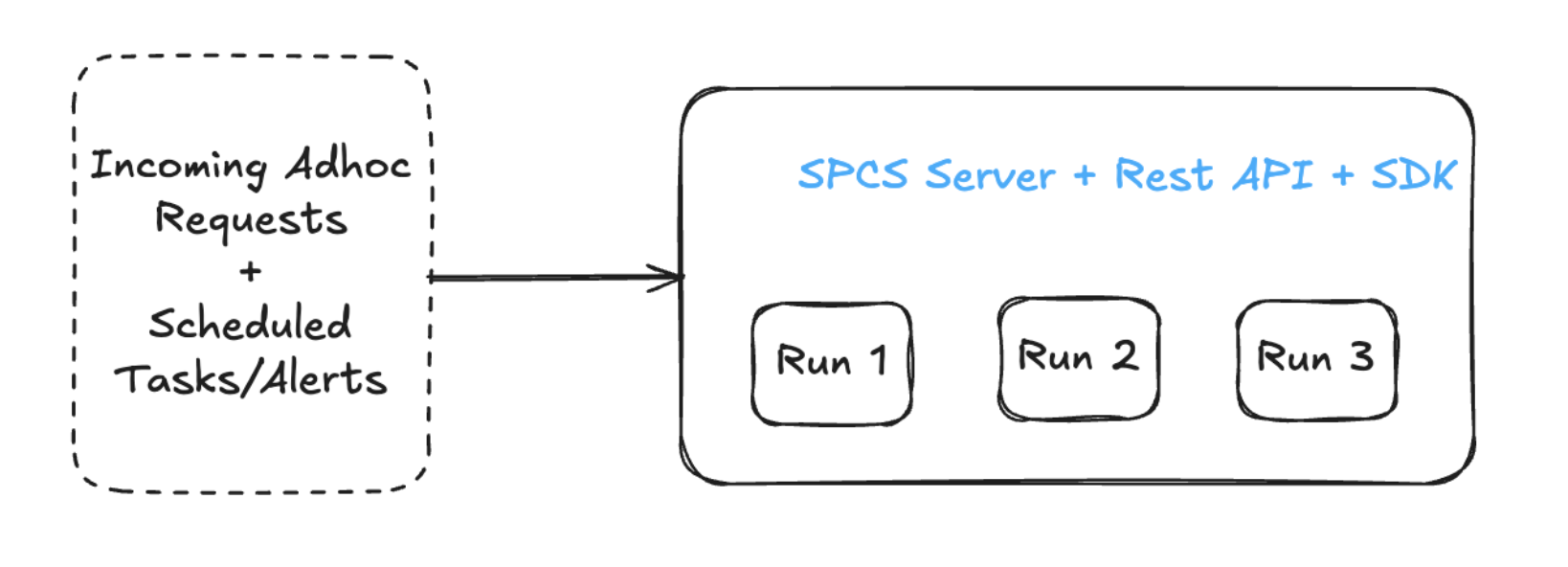
We looked at a few architectures before landing on the right one. Our first instinct was a Snowpark Container Services server running a REST API: self-contained, with everything in one place. But it meant we would be limited by how many runs a single server could handle.
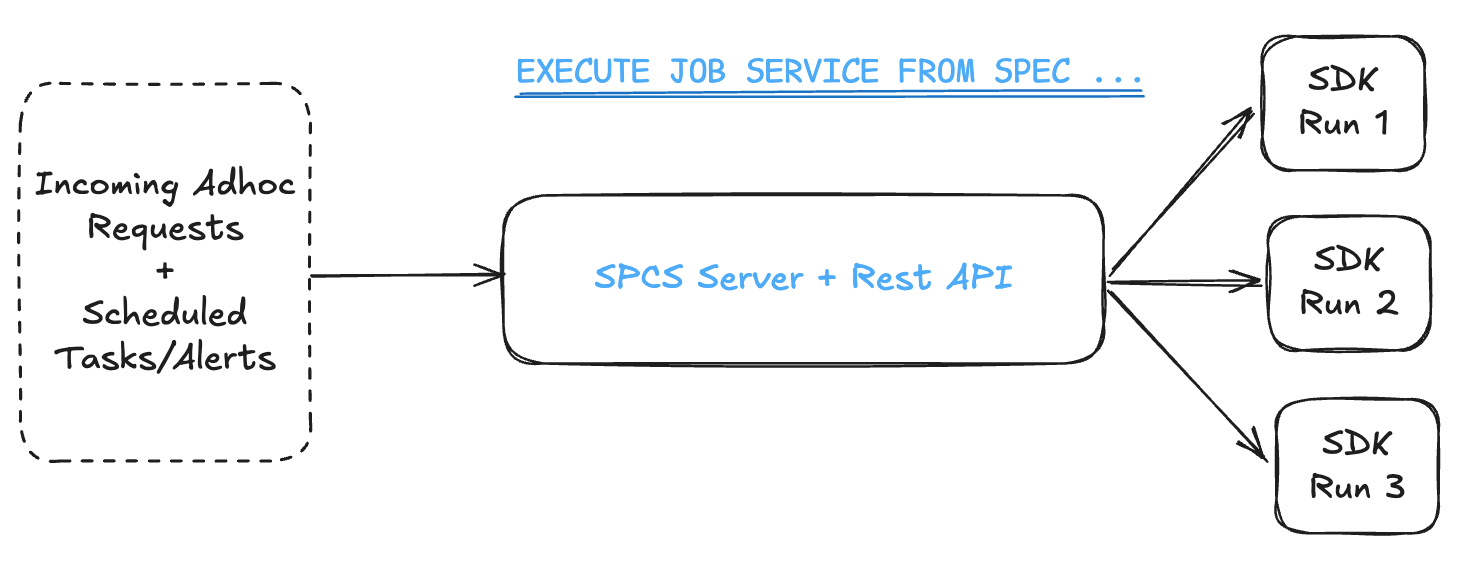
This allowed us to scale up to many different agents running in parallel without being bottlenecked by a single server.
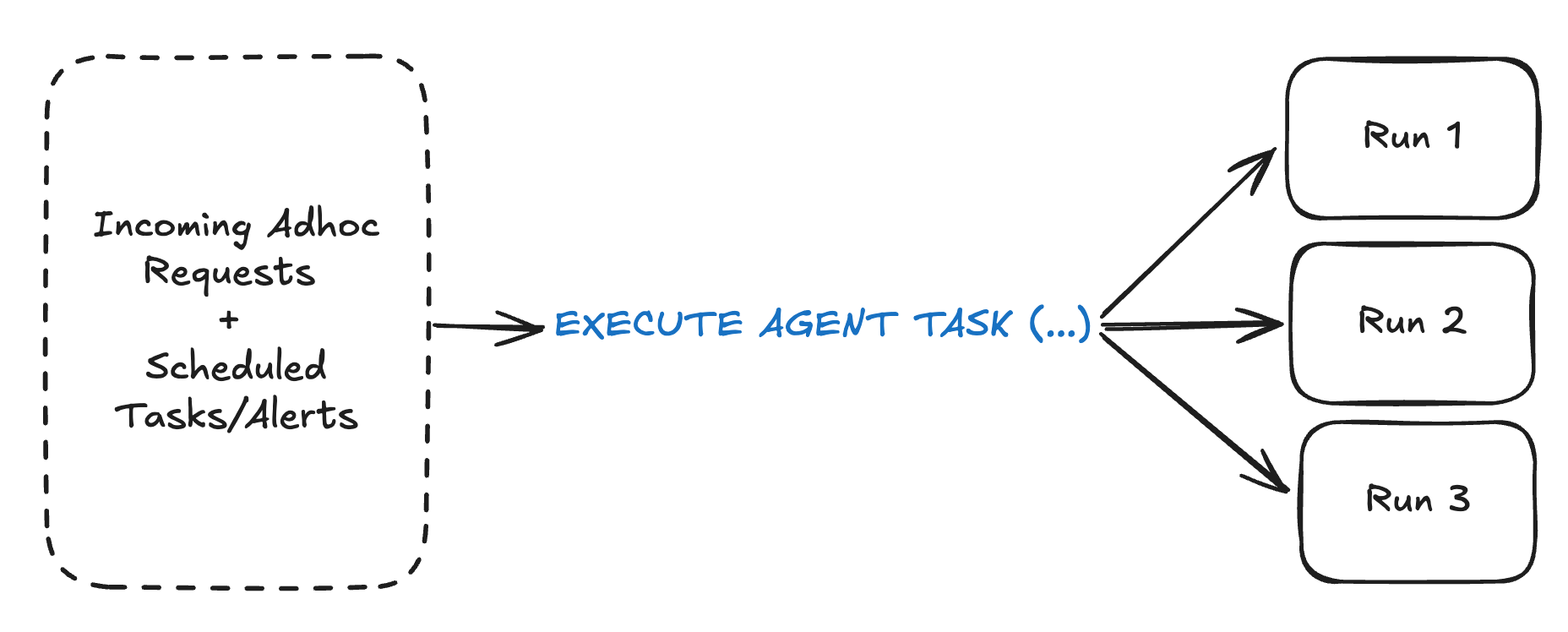
Eventually, we plan to go beyond this and use the new EXECUTE AGENT TASK from CoCo automations (now in public preview) to simplify and scale our runs even further.
No server to manage. No shared compute pool. One SQL call triggers an agent run. Snowflake handles the rest.
We needed a flexible way to define a workflow with templated instructions. So workflows are defined in JSON. You specify the instructions file, which repos the agent can access, a turn budget, which model to run and where to send notifications when the work is done.
{
  "name": "fix-broken-pipeline",
  "owner": "your.name@snowflake.com",
  "agent": {
    "turns": [{"file": "org/repo:path/to/instructions.md"}],
    "model": "opus",
    "max_turns": 50
  },
  "repos": [{"repo": "org/repo", "branch": "main"}],
  "timeout_minutes": 30,
  "notifications": {
    "slack_channel": "#data-eng-alerts",
    "emails": ["your.name@snowflake.com"]
  }
}
Running it is just SQL:
CALL RUN_WORKFLOW('fix-broken-pipeline', '{"pipeline_id": "12345"}')

CREATE TASK SCHEDULE = '12 hours' AS
  CALL RUN_WORKFLOW('code-smells')
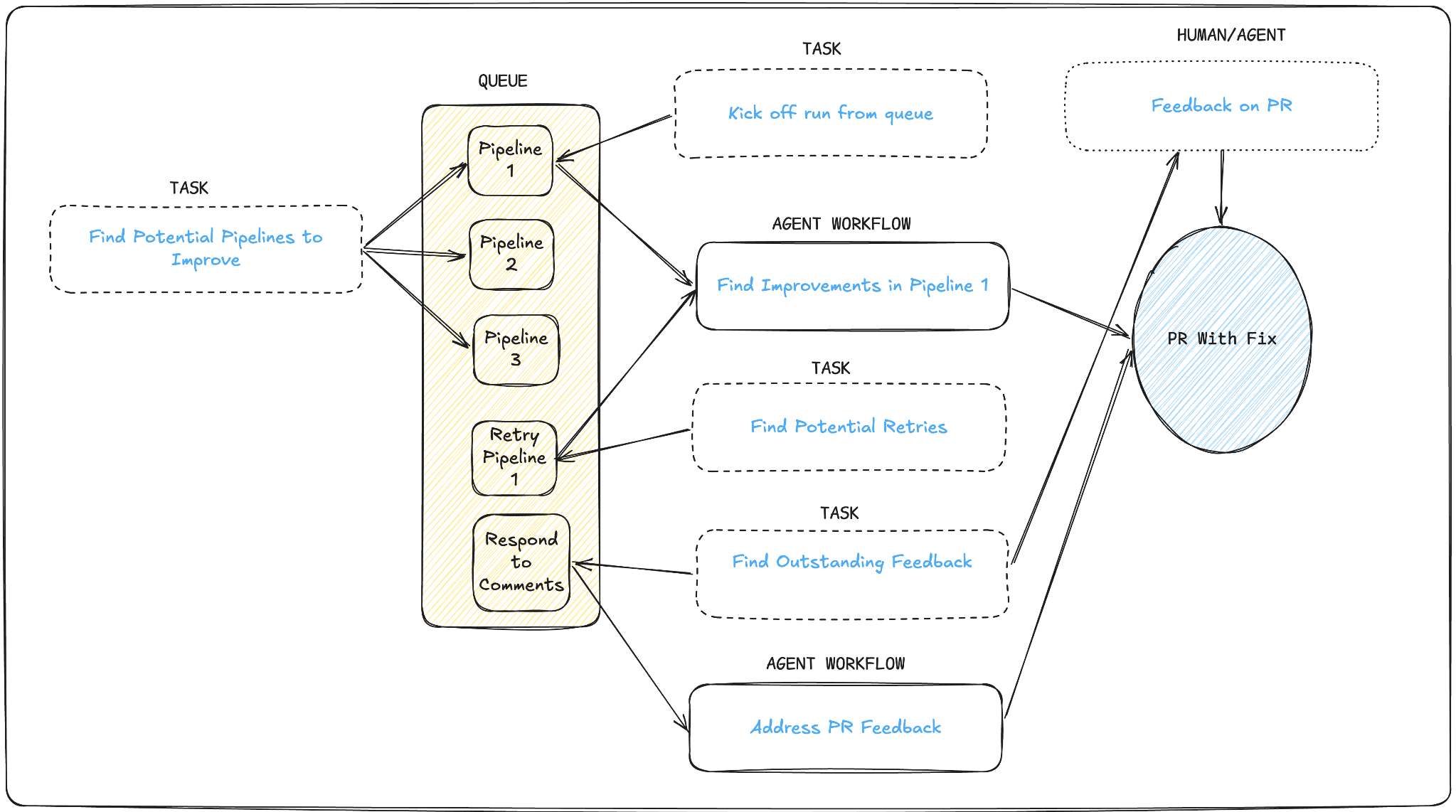
The task handles the clock. The agent handles the work. These workflows can be quite simple, or we can combine multiple simple workflows and human feedback to create more complex workflows.
The impact: Comprehensive investigations of failures
We've been running this in production, and, over the last five months across the managed pipelines our team owns, have seen:
- Near-complete triage coverage for monitored pipeline failures. Designed to investigate every failure, not just the loud ones.
- Under 16 minutes from incident detection to PR creation.
- 100s of PRs merged.
- 500+ pipelines improved.
- Hundreds of daily wasted credits saved by pipeline improvements.
That last number is an important one. Compute waste from underperforming pipelines accumulates invisibly. Most teams never surface it because it requires someone to proactively look, but our agents look constantly.
Autonomous data engineering
This work has become a direct inspiration for what our product team will bring to customers. Read more about our vision for autonomous data engineering here.
Forward-looking statements
This article contains forward-looking statements, including about our future product offerings, and are not commitments to deliver any product offerings. Actual results and offerings may differ and are subject to known and unknown risks and uncertainties. See our latest 10-Q for more information.
