Nov 3, 2026/6 min readAI & ML
Snowflake CoCo: Agentic Development on Data Without Limits
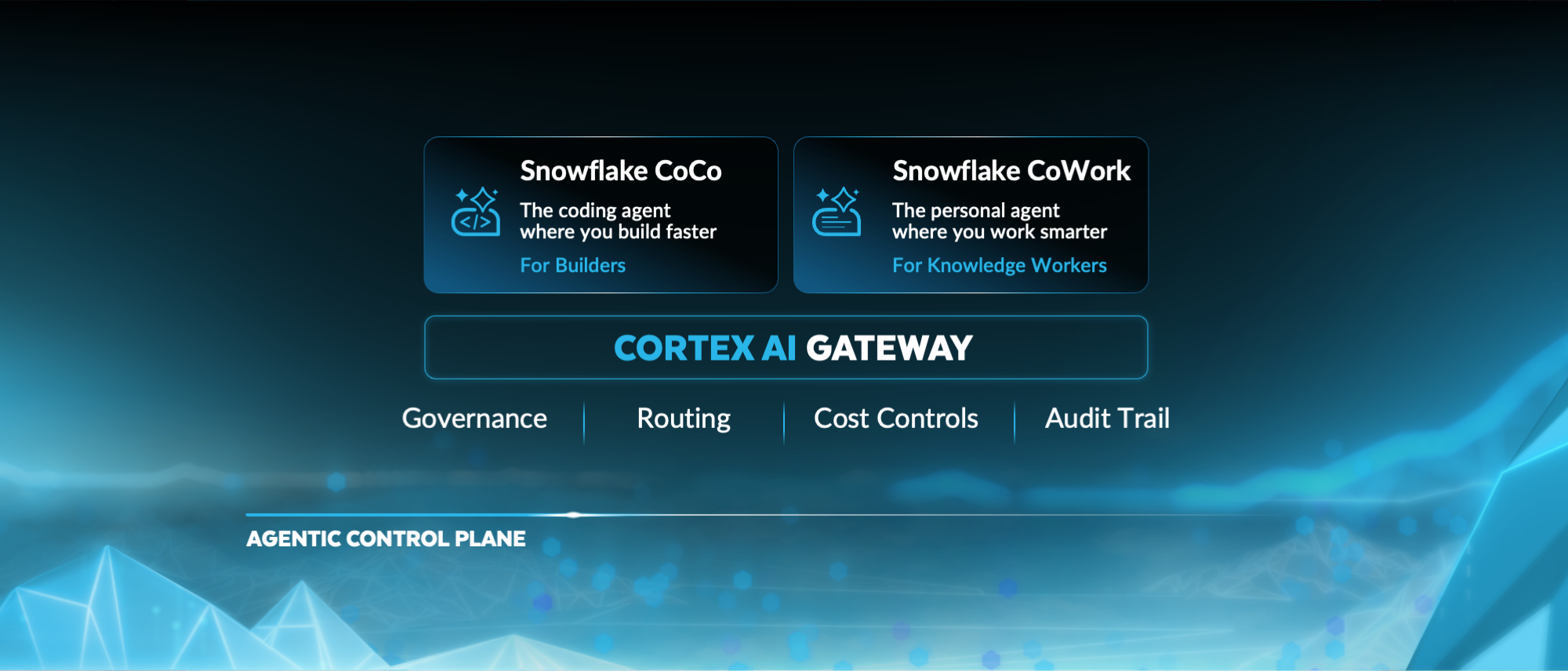
With the latest updates in Snowflake CoCo, teams can now hand off complex work to autonomous Cloud Agents that keep running even after users step away. Every session works with the organization's governed data, practices and tools, adhering to the controls already in place. And teams steer that work from wherever they are, across their workflows and devices. Data teams get more done, with the governance they already trust.
Delegate work to autonomous Cloud Agents
Your work doesn't have to stop when you do.
Cloud Agents are the Snowflake managed runtime behind CoCo in the Snowsight interface. They execute code in a secure sandbox and can now run long sessions on their own. CoCo mode is a new full-screen experience in Snowsight built for this work. Subagents help with multistep tasks, live preview shows an app or report while it's being built, and native Git integration lets CoCo clone, branch, commit and push across your repos, then open a pull request for your team to review.
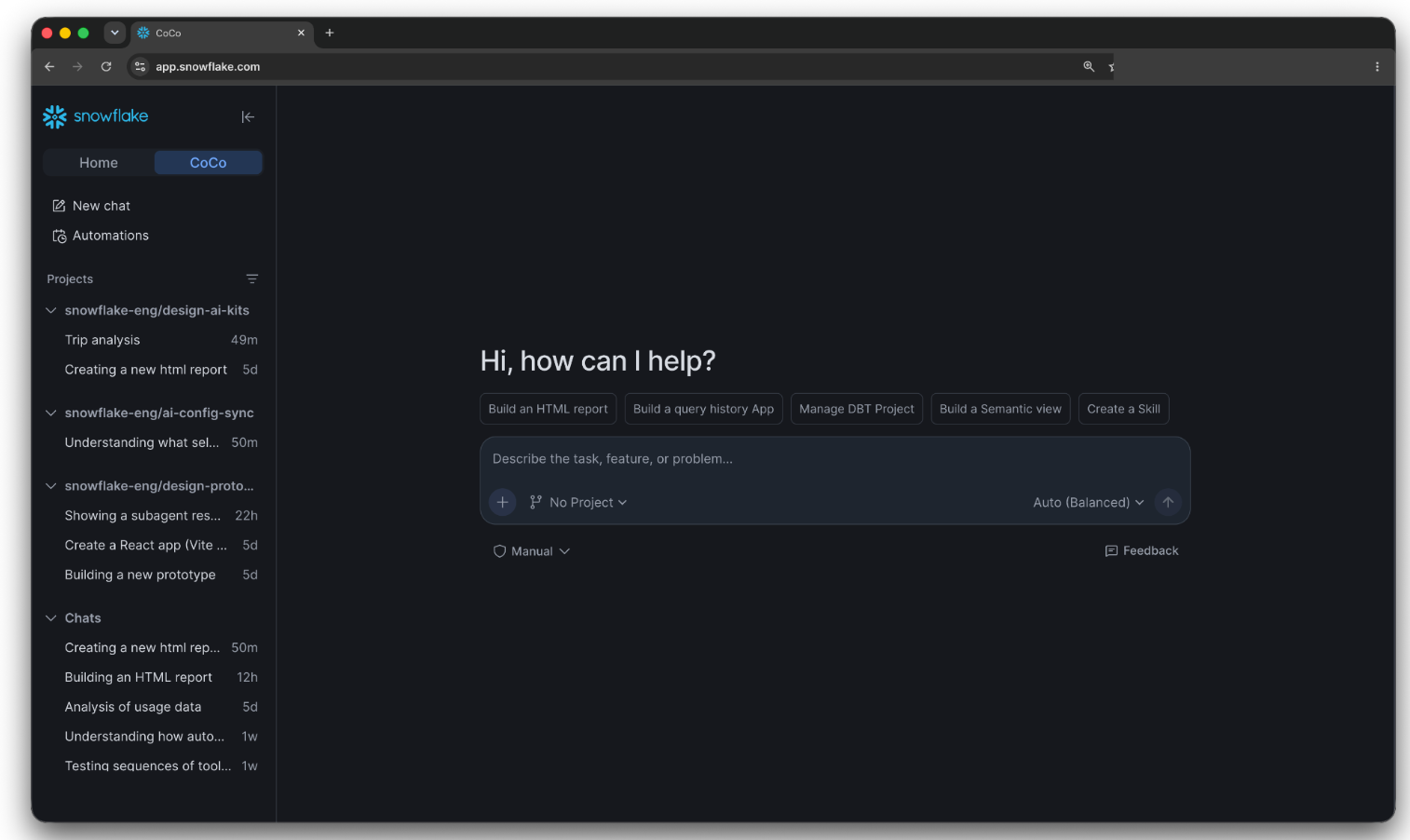
Figure 1: CoCo mode in Snowsight: A full-screen experience with full prowess of Cloud Agents.
Hand off the recurring autonomous work
Automations give CoCo a recurring job to run on its own inside Snowflake. Give CoCo the task once ("check last night's failed tasks, find the root cause of each and summarize what needs a fix"), and it runs on its own inside Snowflake, on a schedule or when an event or webhook starts it. It digs into the data, invokes the right skills, uses MCP connections, does the work and reports back. Each automation runs as the user who created it, so the grants and policies you already enforce apply to the agent too.
Every run leaves an audit trail of what CoCo checked, what it found and what it did, so you can hand off recurring work and trust the result.
CoCo comes equipped with your enterprise context and tools
An autonomous agent is only useful if it already knows your environment. CoCo uses your company's data, follows your team's processes and works with the MCP servers and tools you use, so you spend less time explaining and more time reviewing results.
CoCo connects to the rest of your stack. MCP connectors bring your other tools into CoCo, including custom ones. Admins manage them in one place with Cortex AI Gateway Tools (public preview). The same connections then work in your CoCo sessions and in automations. Developers get the integrations without setting up and securing each one themselves.
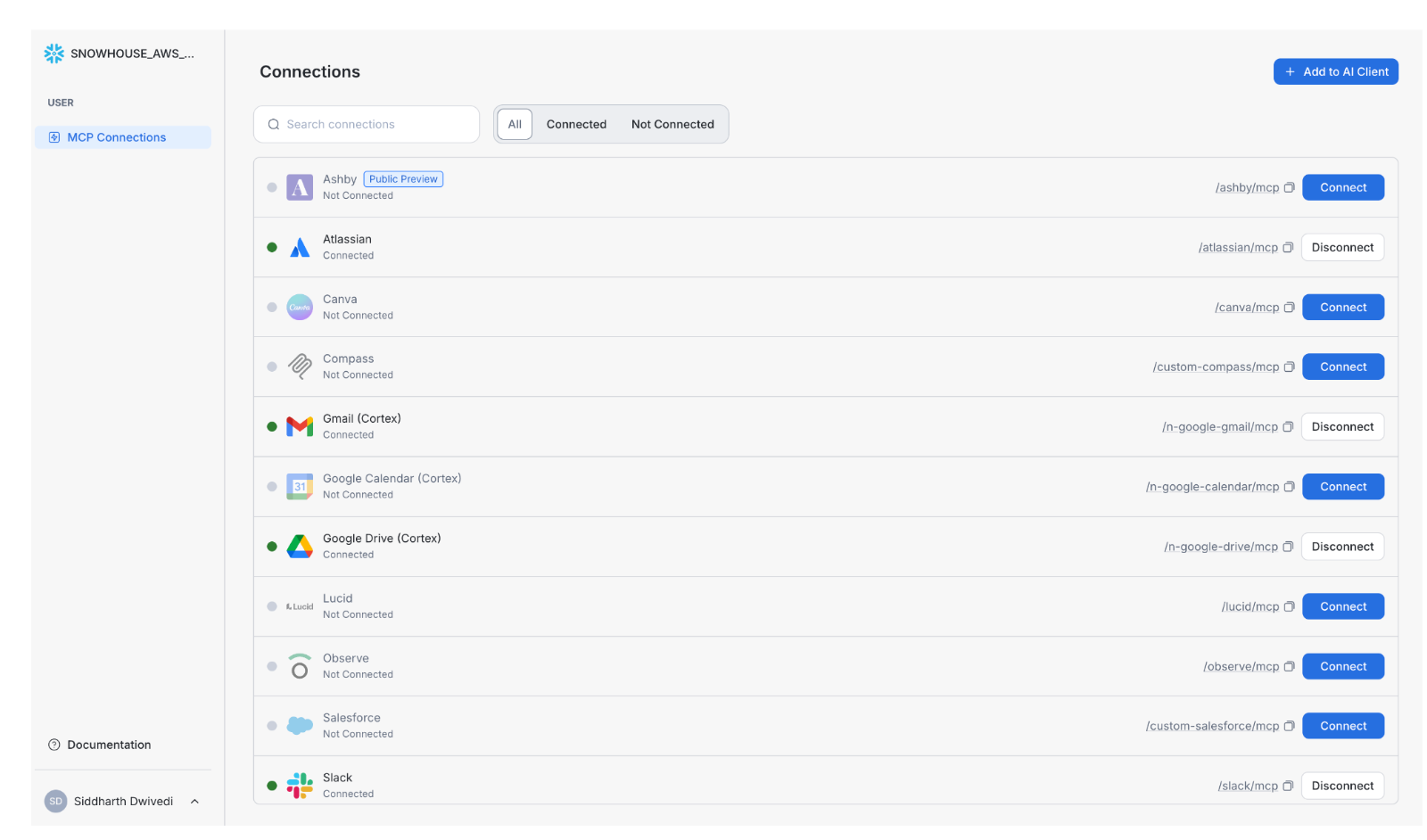
Figure 2: Cortex AI Gateway Tools allow users to easily connect to the approved business through the Model Context Protocol (MCP).
Shared workflows, governed like your data. Every team has someone who knows exactly how a pipeline review should go. With skills and plugin sharing, now generally available, that knowledge can be shared privately with specific roles through a link or published in the Snowsight catalog, where admins certify the versions that become the standard. As a result, developers start by using your team's best approach instead of rebuilding it, and they spend fewer tokens getting there.
Agent Profiles set up agents for your team. A profile defines an agent's default model, skills, tools and context. Every new session that uses it begins there. Your pipeline team might have one profile and your app developers another, each with the skills and tool access that fit their work. With Agent Profiles, standards stay consistent from one developer to the next, and sessions use fewer tokens because the context is already loaded.
CoCo remembers what you've already told it. Skills and profiles capture how your team works. Memory, now in public preview across Snowsight, CLI and CoCo Desktop, captures how you work. When you correct CoCo or make a decision, it can save that information while you work and bring it back in later sessions. Memories are scoped to the project they came from, so context from one project doesn't leak into another, and you spend less time repeating the same setup.
CoCo uses the right model to deliver trusted outcomes efficiently. Most teams pick one model and use it for everything. Choose a frontier model, and you overpay for routine work; choose a cheaper one, and the hard tasks fail. Automatic model tiers solve that without anyone picking models by hand. Auto-intelligent keeps every step on the most capable models your company has approved. Auto-efficient uses dynamic model routing, now in public preview, to match each task to the model that fits it, so routine steps run on lighter models and harder ones go to a more capable model. Admins set the default tier for the account, routing never leaves the approved models, and usage shows which model served each request.
CoCo runs wherever you work
Progress shouldn't have to wait for you to get back to your desk.
Build in Snowsight, CoCo Desktop or the CLI, all against the same account and governed data. CoCo in the Snowflake mobile app lets you start and steer cloud sessions, approve tool calls and plans and send follow-ups, so a session waiting on one approval doesn't sit idle while you're on the move. Snowflake in Slack brings CoCo into your team's channels, where people can ask a question, start a task or get answers that follow Snowflake permissions.
Build CoCo into the apps your team already uses, such as an internal data portal, a support workflow or an app built for business users. The Cortex Agent SDK, now generally available, gives you typed Python and TypeScript clients for running CoCo sessions and Cortex Agents from your own code. You can stream results to your users, run jobs in the background and manage threads and feedback. You choose the interface, and the agent work runs in Snowflake.
Install snowflake-cortex-agent-sdk from PyPI or @snowflake/cortex-agent-sdk from npm. The Python package includes both sync and async clients.
How to get started with new CoCo updates
Pick a project that's been sitting in your backlog. Package the steps as a skill and give the agent a profile with the tools it needs. Hand the project to CoCo, start a second session for something smaller and set up an automation to check the results each morning, then close your laptop and sign off. In the morning, approve the last step from your phone. By the time you get to your desk, you'll have an open pull request, a running preview and the first automation transcript to review. That's the project you didn't have hours for, moving while you were away.
Get started:
- Open CoCo in Snowsight to try the new CoCo mode.
- Set up your first automation with the CoCo automations documentation.
- Install the Cortex Agent SDK to build CoCo into your own apps.