

Expedition. Free, virtual, Nov 3–6.

Technical tracks for practitioners, outcomes for leaders.

Snowflake for Sales Teams

Reclaim capacity to sell, forecast with confidence and spot retention signals early enough to act, with a platform that unifies data across systems to provide a single, comprehensive view of every account.

Sales teams at leading companies choose Snowflake

Overview

Close the gap between the data you own and the deals you win

Reps spend hours assembling context for one call

Opportunity history sits in the CRM, contracts in ERP, adoption in product logs and escalations in the service desk. Sellers stitch it together by hand or walk in underprepared.

Enter every meeting with the complete account story

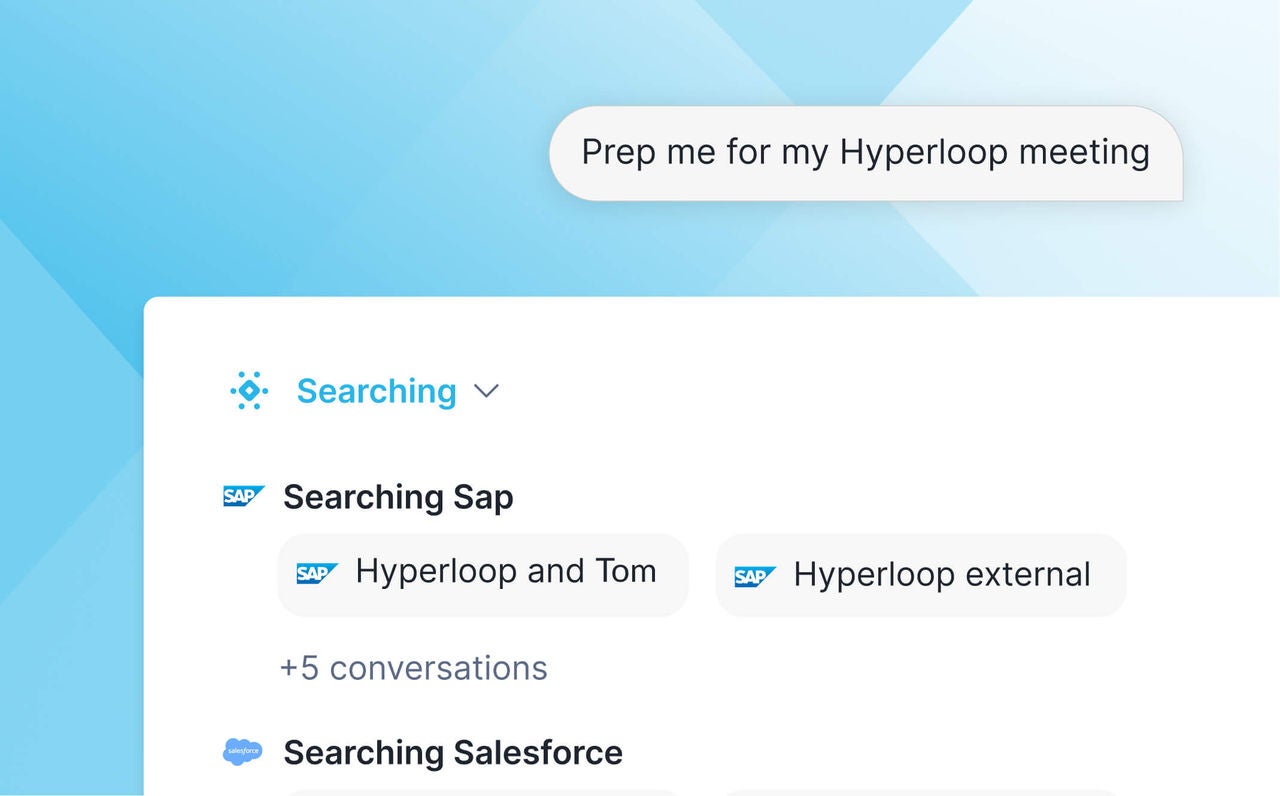
Reps can ask for history, risk and competitive signals in plain language because Snowflake joins all that data (including from third parties) into one place.

Forecasts rely on snapshots that are stale on arrival

Pipeline reviews run on manually exported spreadsheets. By the time leadership sees the number, deals have moved and the call is already a guess.

Call the quarter from live, governed pipeline data

Managers get forecasts that reflect where deals stand that day, built from predictive models that run directly on current opportunity, billing and usage data in Snowflake.

At-risk accounts surface after the renewal decision

Usage dips, support escalations and contract dates live in different systems. Customer success teams learn about churn risk when the customer announces it.

Spot renewal risk and expansion signals earlier

Machine learning on unified usage, service and contract data flags declining adoption and growth potential before the renewal conversation, so account teams plan the save or the upsell early.

Benefits

Give sales teams the full account picture

Growing faster with leaner teams means sellers have to cover more ground. When AI works from complete, governed account data, it can take on the research, monitoring and forecasting that used to cut into selling time.


Easy

Spend more time on the deals worth winning

Give sellers faster access to account intelligence with Snowflake CoWork, an AI agent that automates routine prep, frees capacity to cover more accounts and deepens customer relationships.

Connected

Act on growth and risk signals

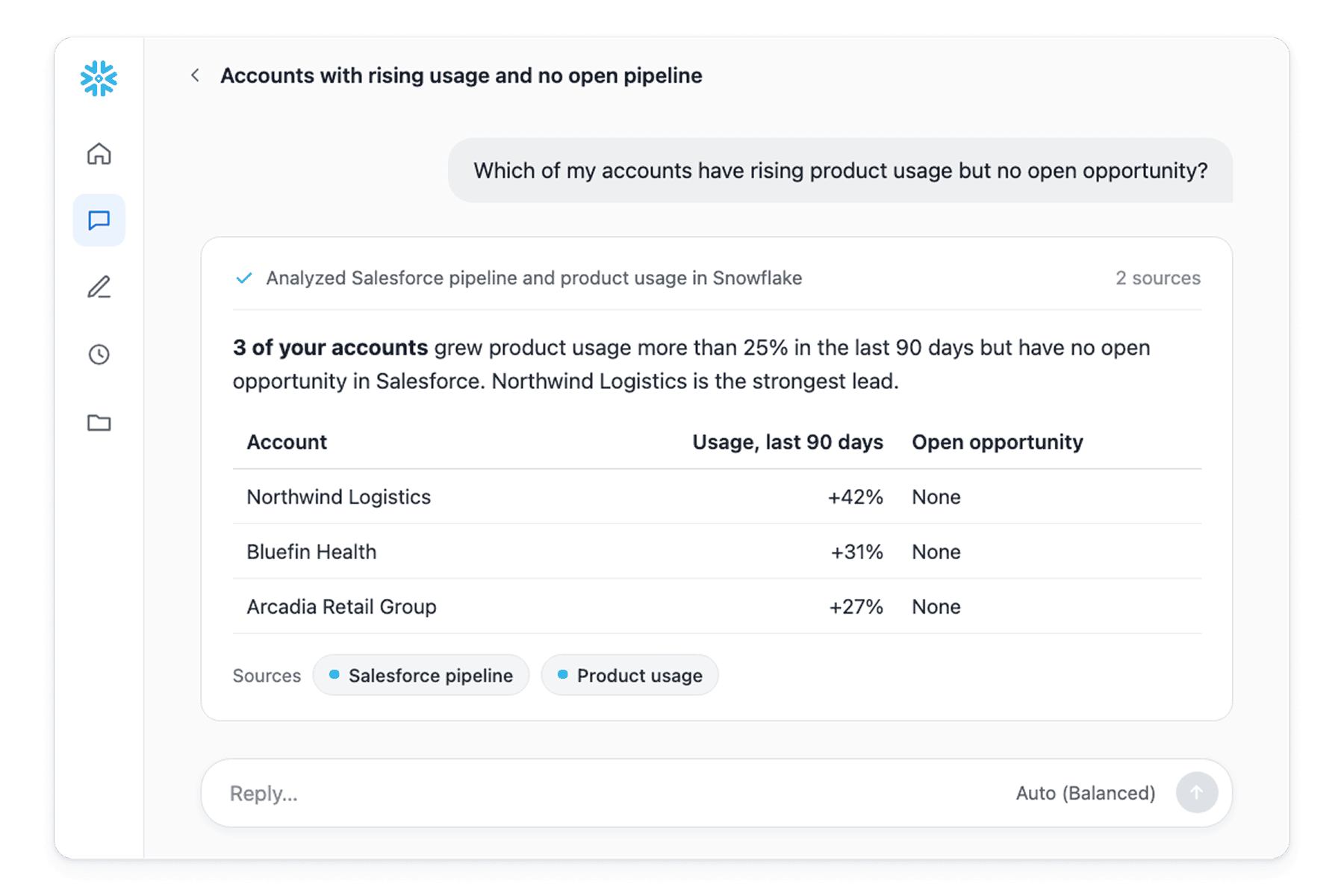
Catch churn risk, expansion potential and buying signals from product usage, service interactions and commercial history — early enough to intervene.

Trusted

Forecast with confidence to commit and deliver

Replace manually assembled pipeline snapshots with predictive forecasting grounded in unified revenue data so you can commit to a number.

SALES WORKFLOWS

Bring AI into the daily rhythm of selling

Prepare for customer calls

Generate account briefs and interaction summaries, then coordinate the follow-up.

Review pipeline health

Spot stalled opportunities and slipping close dates across regions from live data instead of weekly exports.

Forecast the quarter

Combine pipeline, bookings and consumption trends into predictive forecasts that managers can inspect deal by deal.

tools icon

Plan quota and territory

Model territory and quota scenarios on live revenue data and build the charts and summaries leaders need for planning reviews.

idea

Recommend the next best action

Rank which account, offer or conversation to pursue next, with the usage, contract and intent signals behind each recommendation shown to the seller.

Flag renewal risk

Surface accounts with falling usage or rising escalations ahead of renewal so customer success can intervene.

DEMO

See it in action: How to prepare for a customer meeting with Snowflake CoWork

Watch how a seller answers a customer request in minutes. Snowflake CoWork researches and summarizes the relevant offerings from the company knowledge base, then turns that research into an on-brand presentation outline.

Why Snowflake

Account intelligence that goes beyond any single application

UNIFIED ACCOUNT VIEW

See the whole customer, not just the CRM record

An account team preparing a quarterly business review needs bookings, billing, adoption and support history together. Snowflake connects to Salesforce, SAP and the rest of your data, so the team walks in with the complete customer story.

FAST TO VALUE

Use AI in the sales stack you already run

Rolling out AI shouldn’t start with months of moving data into another tool. Snowflake runs AI on the sales data you already connect to it, whether it’s pipeline or product usage, so teams spend less time on setup and more time selling.

TRUSTED ANSWERS

Give every team the same numbers, traced to the source

When sales, finance and RevOps share one definition of pipeline and bookings, debate about the data ends. Semantic views give AI shared business context, and every figure CoWork reports traces back to its source data with full lineage.

Get Started

Implement agentic salesworkflows faster

Resources for sales teams

Learn how sales teams are putting AI to work on their own customer data with the Snowflake AI Data Cloud.

Snowflake for Sales Teams

Frequently asked questions

Sales teams often work from account data siloed across CRM, ERP, billing, product usage and service systems. Snowflake for Sales Teams brings that data together in the Snowflake AI Data Cloud and applies AI across it, so sellers, managers and RevOps analysts work from a governed view of each account. Teams use it to prepare for customer calls, review pipeline health, forecast the quarter and spot renewal risk or expansion potential. Sellers reach it through Snowflake CoWork, which answers account questions in natural language and cites its sources.

Sales teams typically run on a CRM, an ERP and a set of service and engagement tools they plan to keep. Snowflake works alongside those systems, with supported zero-copy integrations for Salesforce Data 360 and SAP Business Data Cloud that reduce data movement and integration upkeep. Teams can add third-party intent and firmographic data from Snowflake Marketplace next to their own records. Through Model Context Protocol (MCP) connectors, CoWork can also post to Slack, work with files in Google Drive and update Salesforce records from the same conversation.

AI sales agents take on the research and preparation that pull sellers away from customers, such as building account briefs, summarizing recent interactions and drafting follow-up. On Snowflake, teams build these agents with Cortex Agents, which combine Cortex Analyst for pipeline and bookings data with Cortex Search for contracts, call notes and product documentation. Reps use the agents in Snowflake CoWork and decide what to act on. The agent prepares the work, and the seller owns the customer conversation.

Many sales forecasts still start from manually exported CRM snapshots that are out of date by the time leadership reviews them. On Snowflake, forecasts can draw on current opportunity, contract, billing and product usage data, and teams build predictive and scenario models with Snowflake ML. Semantic views keep definitions such as pipeline, bookings and forecast category consistent, so sales, finance and RevOps review the same numbers. Leaders can then use Cortex Analyst or CoWork to move from a top-line result to the deals behind it.

AI tools built into a single application often see only the data inside that application. Snowflake connects CRM, ERP, billing, product usage, service and third-party data in one governed platform, so agents work from the full account picture rather than one system's view. Teams can choose from a range of leading AI models through Snowflake Cortex AI and apply the same business definitions and access controls to every agent. Revenue teams get AI that reflects how their business defines pipeline, bookings and account health.

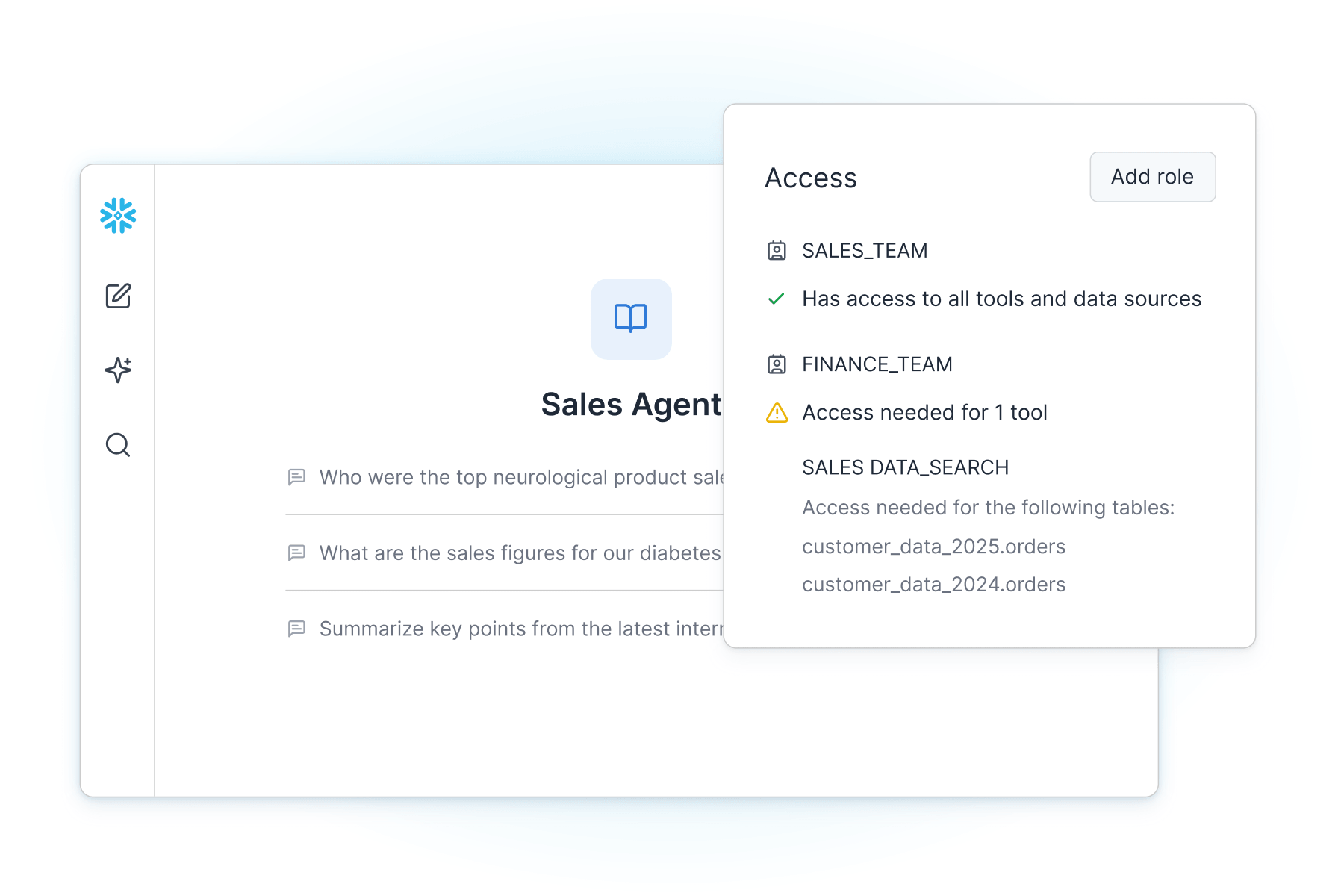
Account records hold contract values, pricing and personal information that only some roles should see. Snowflake CoWork and Cortex Agents inherit your existing Snowflake governance controls, including role-based access control, row access policies and dynamic data masking. Administrators can, for example, limit reps to their own territory while giving revenue leaders a view across regions. Answers in CoWork trace back to the source data and queries behind them, so teams can check where a number came from.

Where Data Does More