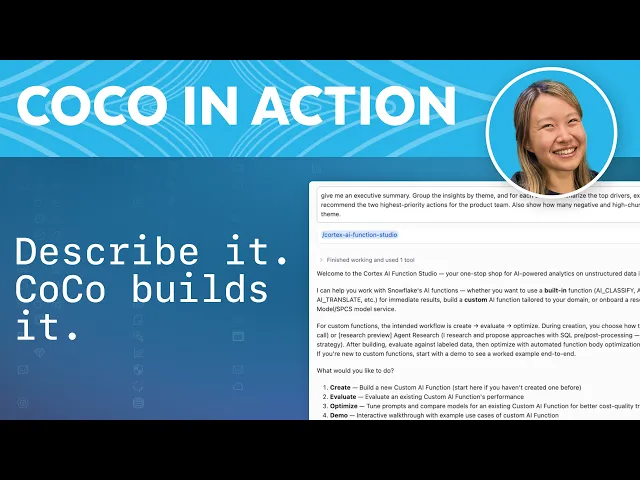
Build an Agentic AI Data Pipeline with Snowflake Cortex and CoCo
Video Overview
Priya, an analytics engineer, needs to find which customers are about to churn from thousands of survey responses filled with free text, phone recordings and personal data. Instead of writing code by hand, she describes what she needs in plain English and Snowflake CoCo plans and builds the entire pipeline.
Cortex AI Functions handle every enrichment step. AI_TRANSCRIBE converts voice recordings to text without the audio leaving Snowflake, CoCo picks the right function to score theme, feedback type, churn risk and sentiment, and AI_REDACT replaces names, emails and phone numbers with typed placeholders. CoCo then wraps the logic in a dynamic table that keeps itself current as new responses arrive.
The raw schema keeps all personal data, while the analytics table exposes only enriched, redacted rows. AI_AGG reads across every response and returns the churn drivers, why they matter and the top actions.
Video Transcript
How do you turn a table of raw support tickets into governed, queryable insight using agentic AI? Meet Priya. She's the analytics engineer. And every quarter, leadership asks for the same thing. Which customers are about to churn, and what should we do to fix that? The answer is buried in thousands of survey responses. Free text, phone recordings, personal data everywhere. It's too much to read, hard to analyze, and none of it is safe for a broader audience.
So let's fix that. In this video, instead of writing code by hand, we're going to set up a full data pipeline with agentic AI on Snowflake. We'll turn all of the survey results into a governed queryable data table using AI functions and Cortex Code, aka CoCo. Let's start where Priya starts. Priya has already ingested her data into Snowflake. Here, I'll just ask CoCo to show me the raw data. Here I see 73 responses across four channels. So two things jump out at me. The text is full of names, emails, and phone numbers, so that's PII we'll need to handle. I also see a lot of voice recordings. They came in by phone, so there are audio files but no text that we can search through.
First, we need to get information from the recordings. We need text that we can analyze, and I'm going to ask CoCo for help. And there's the text. AI Transcribe handled the calls, gave us the transcript, and the audio never left Snowflake.
Now here's the fun part. Priya needs five things from every response. Theme, feedback type, churn risk, sentiment, and a short summary. Instead of building that pipeline, I'll just describe it. And there it is. CoCo picked the right function for each job and ran the whole thing. We can see five columns of output from a single query.
Next, I'm going to look closely at the results and iterate with CoCo to make sure that the outputs match my expectation. Here, I'm happy with the results that I just reviewed. Happy customers are flagged as low risk, while the unhappy customers are flagged as high risk. I'm going to iterate with CoCo even further and dive deep into the performance themes. That's the workflow. I review, refine, and CoCo adjusts.
Before any of this reaches the analyst, the personal data needs to be redacted. I'm going to ask CoCo to help with this. AI Redact swaps every name, email, and phone number with a typed placeholder. It returns redacted text that you can share with a wider audience later.
Now we know that the logic works. Let's make the pipeline permanent and self-updating. And now we're done. CoCo wrapped the whole thing in a dynamic table, so Snowflake keeps it fresh on its own. Let's prove that it actually refreshes. I'll drop in a few brand new responses and watch them flow through. And there they are. We can see three new responses, fully enriched and redacted. Feedback comes in and the table keeps itself current.
Here's a part Priya's security team will love. Let me put the two tables side by side. Raw text and all the PII stay logged in the raw schema. The analytics table only ever show the enriched redacted rows. In production, you can also add role-based access on top for additional security.
Data is here to answer questions, and the executives want to know what's driving churn and what to do about it. Let's ask CoCo to help us. As you can see, AI_AGG reads across every response and handed back the drivers. Why they matter, the top actions, all of that above. The pipeline we built went from raw data all the way to actionable insights using only natural language.
The possibilities don't just stop here. You can also ask CoCo to build you a custom AI function for your specific need and evaluate the output using LLM. AI functions are production-ready and built for scale, able to handle from one record at a time up to millions of rows of data and beyond.
And that's the whole story. AI functions do the transcription, classification, sentiment, summarization, redaction, and aggregation. CoCo planned, built, tested, and shipped the entire pipeline from start to finish in plain English. And our analytics engineer, Priya, stayed in control the entire way. All of this happened inside of Snowflake. Ready to give it a try? Open CoCo, point at it at your own unstructured data, and just describe what you want. Tell us about your experience in the comments below.
Featured Speakers

Stacey HouSenior Product Manager, Snowflake
