
Jun 8, 2026/4 min readData Engineering
Deploy Python Pipelines with Snowflake CoCo in a Single Prompt

A typical day for a data engineer is not just about writing Python. It also means packaging dependencies, managing configuration, moving between tools and figuring out how to get a pipeline into production. That kind of context-switching and overhead slows teams down long before the actual data work is done.
Even once a pipeline is working locally, getting it into production can still take real effort. Developers still need to scaffold project files, navigate deployment commands and validate everything end to end before a stored procedure or UDF is ready to run.
This is also where most generic AI coding assistants can fall short. They can help write Python, but they often lack the deployment context needed to move from working code to a production-ready workflow. They are not built to guide the full path from local development to deployment: validating project structure; catching runtime issues; generating supporting files; and handling build, deployment and verification.
Snowpark, however, lets you run Python directly wherever your data lives; no egress, no separate clusters. It offers a compelling reason: 5.1x faster performance, 42% lower costs on average based on production use cases1 on one governed, secured platform.
Snowflake CoCo takes that a step further. With the snowpark-python skill, available today, developers can author Python code and move a local Python file to a deployed production-scale workflow with a single prompt.
Introducing the snowpark-python skill
Snowflake CoCo is a data-native AI coding agent, available in Snowsight as well as CLI, Desktop IDE and extensions. The snowpark-python skill is one of its key built-in capabilities. It covers three areas:
- Authoring: Write idiomatic Snowpark pipelines — DataFrames, UDFs and stored procedures — with Snowflake specific semantics baked in.
Sample prompt: "Help me write a Snowpark script to ingest this CSV, filter invalid transactions and return quarterly sales." - Deployment and CI/CD: Validate, scaffold, build and deploy stored procedures or UDFs in a single flow.
Sample prompt: "I have a Python pipeline in this directory. Deploy it to Snowpark using this connection and warehouse." - Observability: Debug slow UDFs and optimize pipeline performance.
Sample prompt: "My Python UDF is running slowly. Help me find the root cause."
The skill auto-activates when you mention Snowpark, UDFs, stored procedures or related keywords; or invoke it directly with snowpark-python. The skill also pauses at key decision points so you stay in control of what lands in production.
See it in action
The strength of the snowpark-python workflow is how seamless it is. The demo in the video below starts with a local file called sales_pipeline.py that reads staged CSV data, filters invalid records, computes monthly revenue by region and writes the results to a table.
From there, the prompt is simple. Just ask CoCo to deploy that pipeline to Snowpark using a specified connection and warehouse.
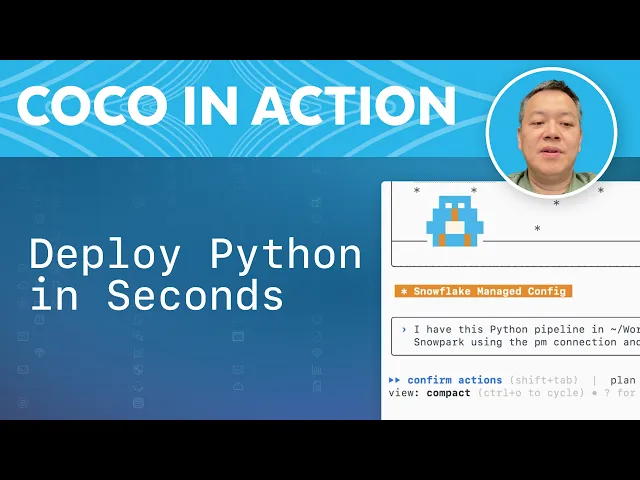
A local Snowpark pipeline, deployed to Snowflake in just two minutes from one prompt.
Figure 1: The full workflow where CoCo validates, scaffolds, builds, deploys and tests a Snowpark stored procedure from one conversational prompt.
Instead of bouncing between documentation, config files and CLI commands, the developer stays in one workflow while CoCo handles the steps needed to operationalize the pipeline at production scale.
What CoCo does behind the scenes
Setup validation
CoCo verifies that Python pipelines meet Snowpark requirements. It checks the project shape and identifies potential runtime issues, such as environment-variable dependencies, validating that the code will execute within Snowflake.
Project scaffolding
The tool then organizes the deployment structure. By selecting the Snowflake CLI route (ideal for CI/CD), it automatically generates necessary files, such as snowflake.yml, handler code and requirements.txt.
Deployment and verification
Finally, CoCo builds and deploys the stored procedure. It uploads artifacts and verifies the setup by running tests. In the demo, the procedure successfully processes 5,000 records, filters invalid transactions and aggregates monthly revenue by region in the target table.
That is a compelling promise: less setup friction, less tool switching and a faster path to getting Python pipelines running natively on Snowflake.
Get started now
The snowpark-python skill is bundled with CoCo; no setup required.
Try it:
"I have a Python pipeline in [your path]. Deploy it to Snowpark using [your connection] and [your warehouse]."
Get started with CoCo by referring to the documentation.
1 Based on customer production use cases and proof-of-concept exercises comparing the speed and cost for Snowpark between November 2022 and May 2026. Actual speed and cost improvements depend on specific customer environments and workload patterns.