Nov 19, 2026/6 min readProduct and Technology
Build and Run Apps on Your Snowflake Data with Serverless App Runtime


Your organization has no shortage of ideas for better apps and internal tools. A sales dashboard for Monday’s pipeline review. An approval tool that replaces a spreadsheet. An agentic app that helps your team triage, investigate and resolve issues.
With AI, building an app has become much easier. However, connecting it to your governed data, provisioning infrastructure, wiring up credentials and managing access controls can turn a useful idea into a much bigger project. Multiply that work across teams, and every new app brings another set of things to manage.
Snowflake App Runtime, generally available since September, flips that model by bringing apps to the data already in your Snowflake account. With Snowflake CoCo, you can describe what you want to build and get help creating and deploying it on Snowflake, with built-in sign-in and access to Snowflake’s governance controls.
Today, we’re taking App Runtime further with a suite of new features in public preview, giving you more ways to build and scale apps across your organization:
Serverless compute: Apps scale to zero when idle and resume in seconds when someone opens them.
App Runtime in Workspaces: Build, preview and deploy Next.js apps from your browser, with CoCo assistance. No need to set up a local development environment.
Python support: Bring frameworks such as FastAPI and Flask to serverless App Runtime, with dependencies installed through pip or uv.
“The moment our senior leaders saw App Runtime live, they were impressed. What really shifted our thinking was realizing we didn't need to stitch together separate tools for data, AI and a real web application anymore. Everything lives on one platform.”
Jason O'Rawe
Data Scientist, Whatnot
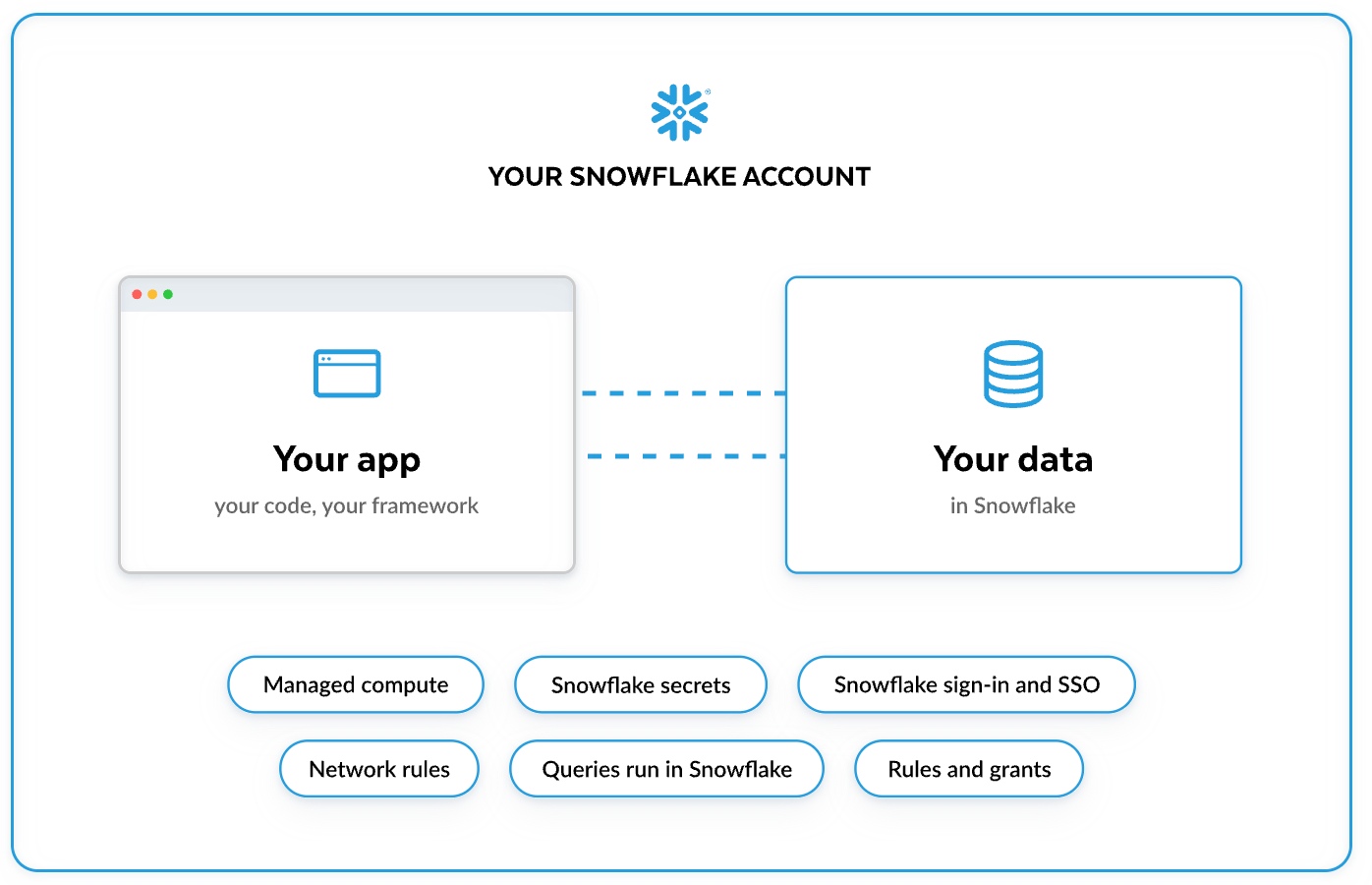
Scale to zero, resume in seconds with serverless compute
Internal apps don’t all follow the same schedule. A team might open a dashboard each morning, use an approval tool throughout the week, or run a reporting app only during month-end close. Those apps should be ready when people need them, but they shouldn’t have to keep compute running through every quiet hour.
Serverless compute suspends automatically when an app goes idle and is back up in seconds when someone uses it. You pay for compute while an app is running. When it sits idle, Snowflake suspends it, so you aren't paying to keep it running between uses. That makes serverless a natural fit for the growing collection of tools that serve different teams at different times.
Each serverless app currently runs as a single instance. We recommend testing your busiest apps under realistic load before you move them. Horizontal scaling for serverless apps, including having a minimum number of warm instances, is currently in private preview. Contact your Snowflake account team if you’d like to participate.
Serverless also supports custom URL prefixes, so your app's address starts with a name you choose instead of an autogenerated string. The address stays the same across redeploys, which makes apps easier to share, bookmark and link from other tools.
Build and deploy apps in Workspaces
App Runtime support in Snowflake Workspaces is in public preview today for Next.js apps, with no local environment to set up and no additional configuration. Just open a browser and start building. Describe the app you want to build in CoCo, watch it come to life in a live preview panel, and deploy from the same place.
With App Runtime in Workspaces, you can build and ship a production app entirely within your Snowflake account, from the first prompt to the live URL your users open. There's no compute to set up for preview and no separate tools to stitch together. Once deployed, the app runs under your account’s governance controls because it runs inside Snowflake.
→ Learn more about App Runtime in Workspaces.
Bring your Python tools to Snowflake
You shouldn’t have to switch languages to bring a useful app to your business data.
That’s why we’re also introducing support for the Python runtime on serverless App Runtime. Bring a framework such as FastAPI or Flask and deploy it to Snowflake using the same App Runtime workflow your teams have used for Node.js apps.
That opens another path for building internal tools: a Python API that serves business data, a Flask app for a team’s approval process, or an agentic workflow built with LangGraph.
Python apps run on Python 3.13, with dependencies installed through pip or uv. Built-in sign-in, Snowflake governance controls and custom URLs are available for Python apps as well.
Keep a growing app portfolio manageable
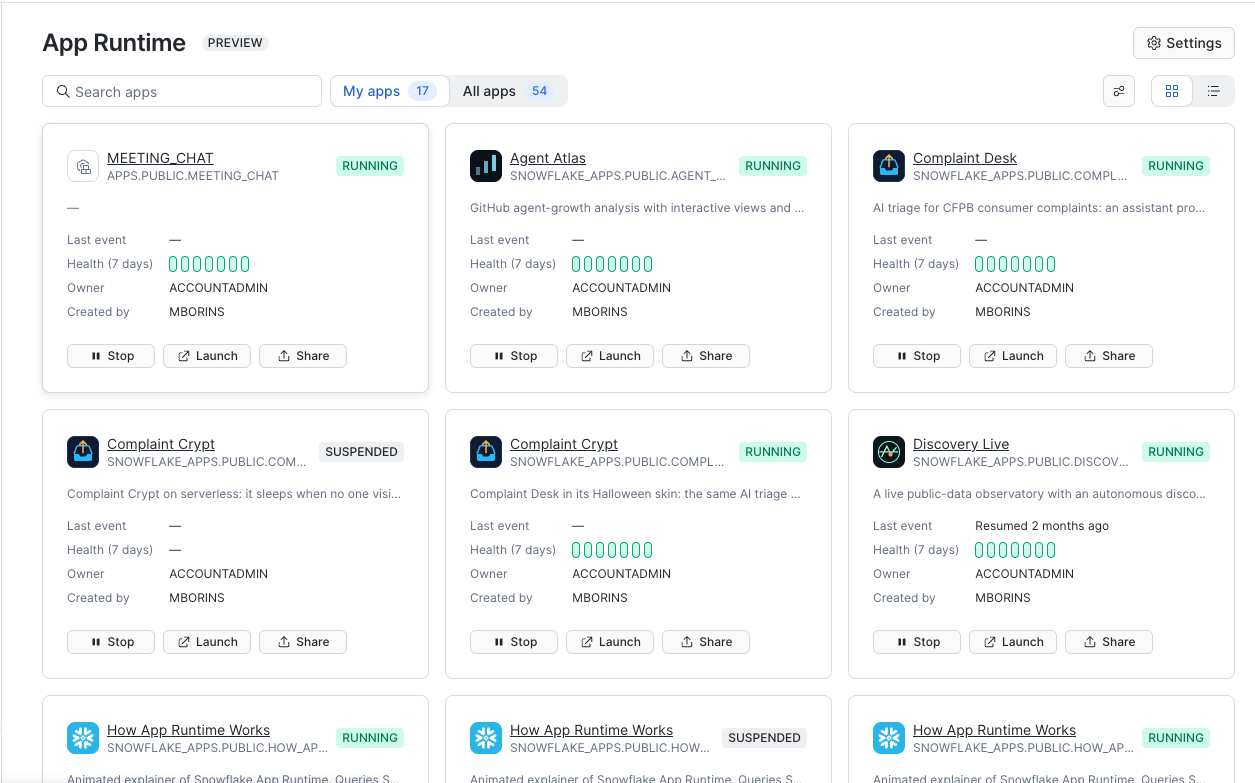
As more teams build apps, administrators need a clear view of what’s running. The new App Runtime admin page brings every app in your account into one place. Filter by status and compute type without writing a query.
For Node.js developers, the App Runtime SDK, @snowflake/sar-sdk on npm, provides a documented way to handle sign-in, owner’s and caller’s rights queries, and secrets. CoCo’s App Runtime templates use the SDK, and other coding agents can use it to follow the same documented patterns.
These capabilities complement the new building experience: more people can create apps, while developers and administrators have common tools to support them.
→ Manage and scale apps
From prototype to production with App Runtime
Think of one internal tool your team still runs through spreadsheets, manual handoffs or repeated requests for data. Start there: open Workspaces or CoCo Desktop, describe your idea, and take it from the first prompt to a live app in your Snowflake account.
With serverless compute, Workspaces integration and Python support, Snowflake App Runtime now gives you more ways to turn your team’s needs into production apps, built where your business data already lives.
How to get started with App Runtime
If you’re building your first App Runtime app, choose the path that fits how you prefer to work:
In your browser: Open Workspaces in Snowsight and select + Add new → Next.js App. Use CoCo to build, preview and deploy.
With CoCo CLI: Start with
$snowflake-apps.With CoCo Desktop: Start with
/snowflake-apps.With Snowflake CLI: Run
snow app setup, thensnow app deploy.With Python: Configure your Python project for serverless App Runtime and specify its install and run commands.
For a walkthrough, visit the App Runtime quickstart or the full documentation.
What will happen to managed compute?
Managed compute can suspend idle apps, but resuming takes 30 to 90 seconds, and the app isn't available while it comes back. That's why apps on managed compute run continuously by default, and why we've offered managed compute at a discount while we built serverless. When serverless becomes generally available, we plan to make it the default compute model for App Runtime and end the managed compute discount. We’ll share timing and details before anything changes. If you have questions, please contact your Snowflake account team.
Forward-looking statements: This article may contain forward-looking statements, including about future product offerings, and is not a commitment to deliver any product offerings. Actual results and offerings may differ. See our latest 10-Q for more information.