Jul 7, 2026/4 min readData Engineering
From SSIS to Snowflake: Modernizing Complex ETL Orchestration with Snowflake AIM


Navigating the complexity of legacy ETL migrations
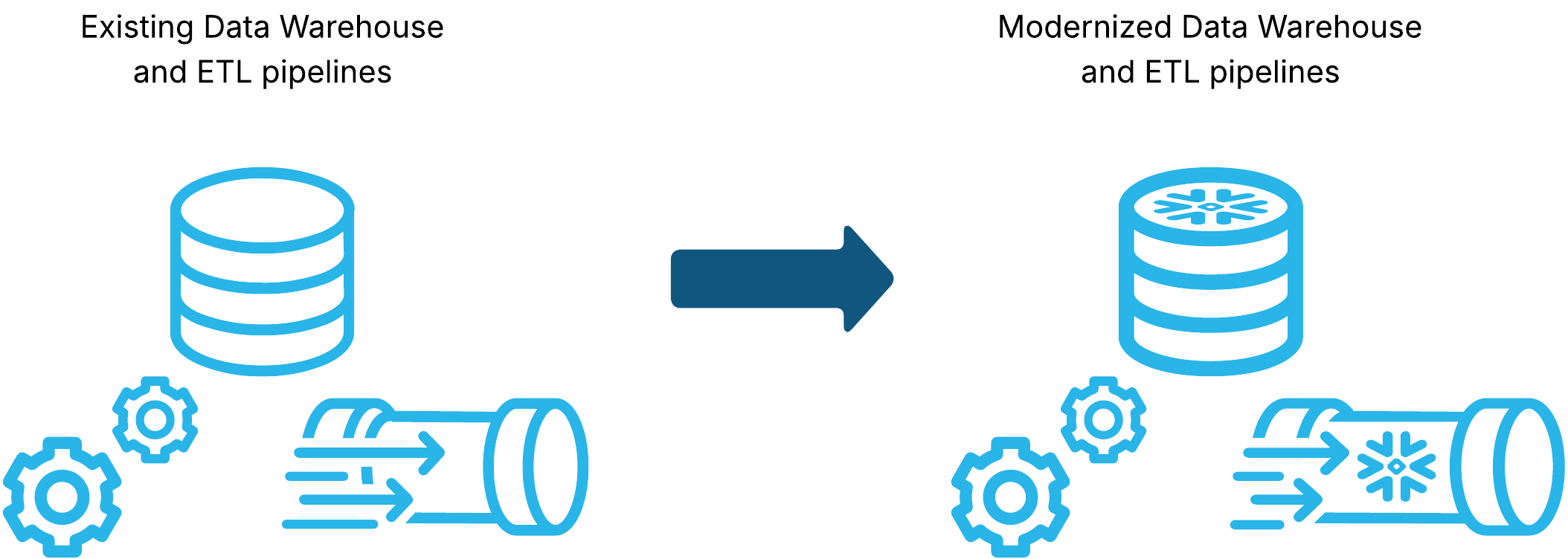
Migrating extract, transform, load (ETL) pipelines from a legacy data warehouse is one of the most complex steps in any migration journey. Beyond replicating the original behavior and functionality of your pipelines, you must also identify dependencies on other software components to ensure nothing is overlooked. Frequently, ETL pipelines reference specific data definition language (DDL) objects or invoke entirely separate pipelines. When migrating Microsoft SQL Server Integration Services (SSIS) to Snowflake, the challenge extends to preserving both functional equivalence and the complex interactions between SSIS packages managed via the ExecutePackageTask.
The ExecutePackageTask in SSIS is a control flow executable that calls other packages available in the same solution. It serves as a way to orchestrate and define the execution order for multiple interconnected packages, enabling modular and reusable package designs. Overcoming this requires in-depth planning to determine migration sequencing and specific conversion requirements. This analysis is time-consuming and labor-intensive when migrating real-world workloads involving hundreds, or even thousands of interconnected packages.
AI-assisted migrations with Snowflake AIM for interconnected packages
With the Snowflake AIM code conversion engine, each SSIS control flow is converted deterministically to Snowflake Task Graphs where each control flow executable is converted to a single task by default. If packages are referenced by an ExecutePackageTask executable, the original execution order is lost because when a Task Graph is invoked manually by another task through an EXECUTE TASK statement, the referenced graph executes asynchronously. To overcome this challenge, the packages referenced by others are converted by the deterministic conversion engine into Snowflake Scripting stored procedures.
Behind the scenes, the deterministic conversion engine of Snowflake AIM preprocesses the SSIS packages provided for conversion and builds an internal graph representation of the packages and their dependencies using the referenced package names in the ExecutePackageTask executables. With this graph, the engine identifies nodes referenced by others as reusable packages.
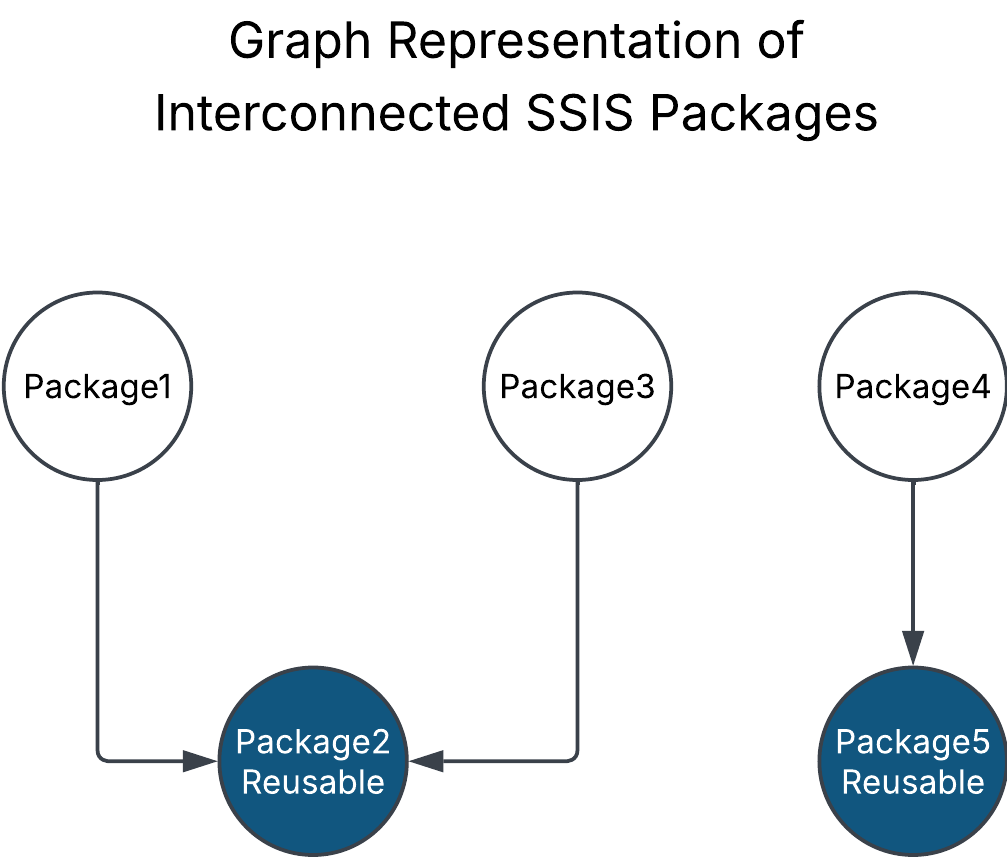
Image Description: Graph representation of interconnected SSIS packages.
Once the SSIS packages are preprocessed and categorized correctly, the conversion phase transforms the identified reusable packages into stored procedures, where each control flow executable is converted into a Snowflake Scripting statement, placed in a way that preserves the original execution order. Also, the ExecutePackageTask instances will be converted to a CALL statement with any necessary parameters in case the package is invoked with specific parameters.
CREATE OR REPLACE TASK public.caller_package
COMMENT = '...'
AS
SELECT
   1;

CREATE OR REPLACE TASK public.caller_package_packagetask1
WAREHOUSE=compute_wh
AFTER public.caller_package
AS
BEGIN
   CALL public.reusable_package();
END;
CREATE OR REPLACE PROCEDURE public.reusable_package (p_inherited_vars VARCHAR DEFAULT null)
RETURNS VARCHAR
LANGUAGE SQL
COMMENT = '...'
EXECUTE AS CALLER
AS
$$
BEGIN
INSERT INTO etl_results.etl_logs (name, execution_date)
VALUES ('start execution', CURRENT_TIMESTAMP());
EXECUTE DBT PROJECT public.create_employee_names ARGS='build --target dev';
EXECUTE DBT PROJECT public.aggregate_products ARGS='build --target dev';
INSERT INTO etl_results.etl_logs (name, execution_date)
VALUES ('end execution', CURRENT_TIMESTAMP());
END
$$;The ExecutePackageTask executable doesn't just invoke packages; it can also pass specific parameters for the referenced package to consume at runtime. The deterministic code conversion engine will also handle these complex cases: The called package will be generated with an argument that will contain the name of the parameters along with their values, and in the caller package the CALL statement will be generated with a VARCHAR value that contains the values that will be sent. The following SQL snippet shows an example of this pattern.
CREATE OR REPLACE TASK public.caller_package
AS
SELECT 1;

CREATE OR REPLACE TASK public.caller_package_task1
WAREHOUSE=DUMMY_WAREHOUSE
AFTER public.caller_package
AS
BEGIN
     LET inherited_vars VARCHAR := OBJECT_CONSTRUCT(
        'ParentParam1',
         public.GetControlVariableUDF('System_PackageName', 'caller_with_multiple_calls')
     ) :: VARCHAR;
     CALL public.child_package(:inherited_vars);
END;
Start your ETL modernization journey with Snowflake AIM
With the power of the Snowflake AIM Migration Agent, users looking to migrate their existing data warehouse and ETL pipelines to Snowflake can now accelerate their SSIS migrations to native Snowflake elements. The agent will identify the dependencies and references between each SSIS package and analyze if a package should be converted to a Snowflake Task Graph or to a stored procedure to preserve functional equivalence and execution order of the original pipelines. You can initiate your SQL Server and SSIS migration to Snowflake by entering this prompt in the CoCo CLI (Cortex Code Desktop):
Migrate my SQL Server data warehouse and SSIS packages to Snowflake.Get started
- Our end-to-end migration quickstart guide covers every phase — from initial source connection to final behavioral validation. View the guide →
- Ready to begin? Visit our documentation to get started and learn how to significantly reduce your migration timeline. View the documentation →
