Sep 24, 2026/4 min readData Engineering
Streamline Your ETL Migration: Automating Informatica PowerCenter Workflow Migration with Snowflake AIM


The challenges of migrating PowerCenter workflows
Platforms like Informatica PowerCenter have long served as the reliable backbone of enterprise extract, transform, load (ETL), managing complex dependencies across vast data pipelines. However, as we see more organizations shift their focus toward the scalability, performance and advanced analytics capabilities of the AI Data Cloud, a significant hurdle remains. The challenge of replatforming massive, interconnected workflow estates — along with the intricate business logic embedded within them — often becomes a critical bottleneck.
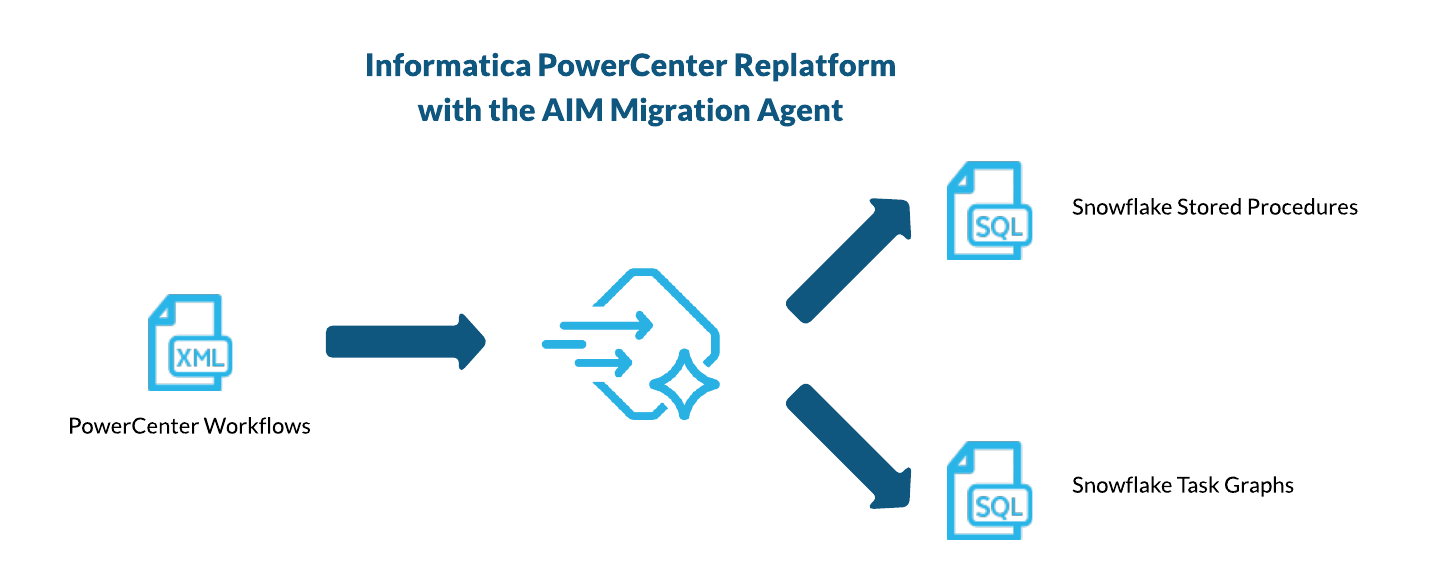
At Snowflake, we believe that efficiently moving this existing orchestration logic into Snowflake's cloud-native environment is no longer a luxury. We know that manually rewriting these pipelines is a recipe for errors, is incredibly time-consuming and drives up migration costs to unsustainable levels. To address this, we designed Snowflake AIM, our native migration product, to provide sophisticated ETL replatforming features specifically for these complex transitions.
Informatica PowerCenter workflow conversion with Snowflake AIM
We have expanded the capabilities of Snowflake AI Migration (AIM) to include the replatforming of Informatica PowerCenter into native Snowflake tasks and dbt projects, giving customers a Snowflake-native modernization path (alongside options such as Informatica IDMC). Snowflake AIM processes your PowerCenter XML files, including workflows and mappings, and transforms them directly into Snowflake SQL and dbt projects. By automating this transformation, we help preserve the detailed logic within your pipelines while being optimized for Snowflake's architecture. The following image illustrates a sample PowerCenter workflow with a start task, a session and a worklet that invokes two sessions sequentially.
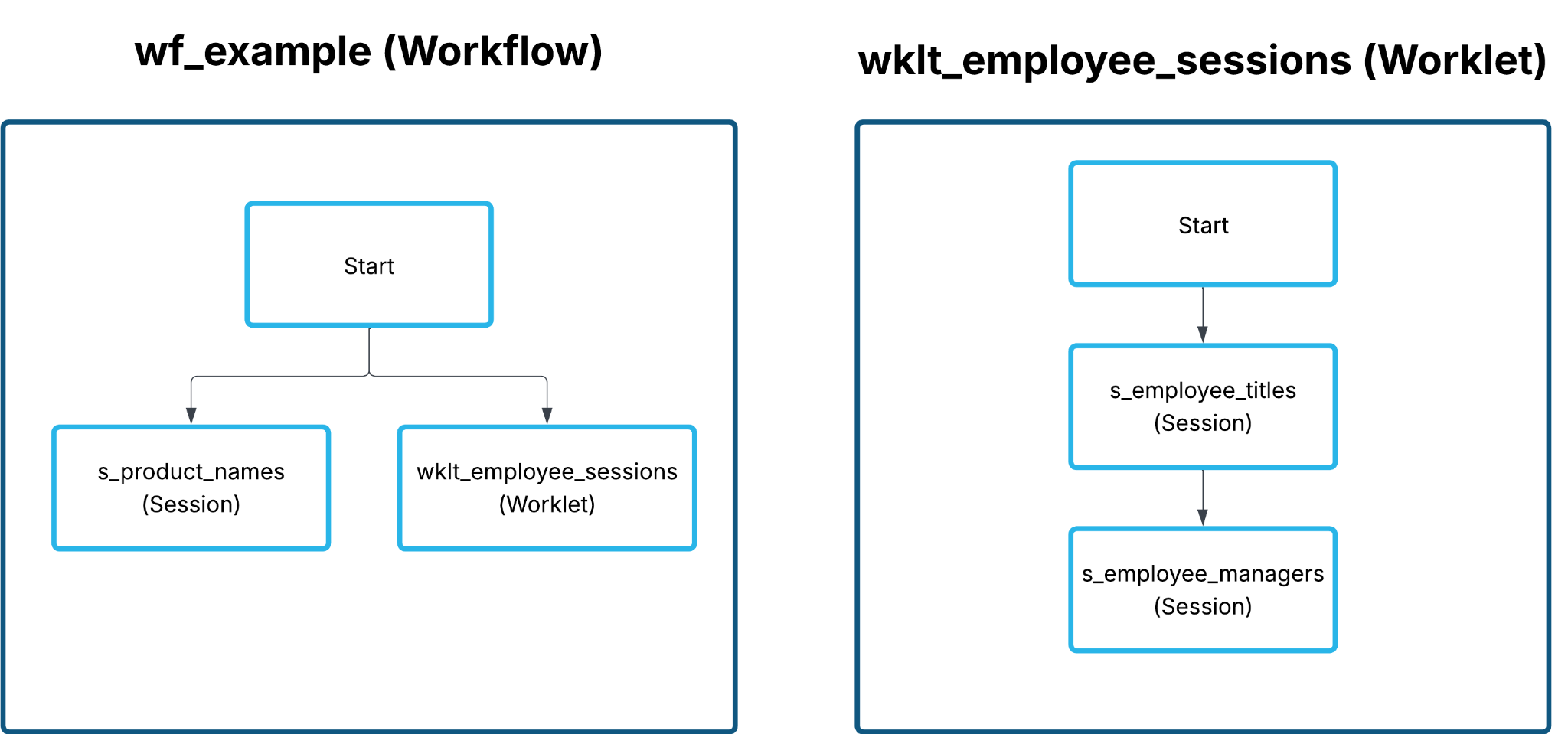
AIM will analyze the XML structure of your Informatica PowerCenter workflows along with their tasks using its internal deterministic conversion engine, and it will construct an internal directed acyclic graph (DAG) representation of your original workflow to generate the corresponding Snowflake task DDL statements in a single SQL file. These statements collectively form a Snowflake task graph that preserves the original execution order, as indicated by the generated AFTER clauses defining task predecessors. Furthermore, since the migration agent converts your PowerCenter mappings into dbt projects in Snowflake, the sessions are mapped to EXECUTE DBT PROJECT statements, allowing them to be invoked natively within the Snowflake platform.
CREATE OR REPLACE TASK public.etlfolder_wf_example
AS
BEGIN
    SELECT 1;
END;

CREATE OR REPLACE TASK public.etlfolder_wf_example_s_product_names
WAREHOUSE = COMPUTE_WH
AFTER public.etlfolder_wf_example
AS
BEGIN
  EXECUTE DBT PROJECT public.m_product_names ARGS='build --target dev';
END;

CREATE OR REPLACE TASK public.etlfolder_wf_example_wklt_employee_sessions
WAREHOUSE = COMPUTE_WH
AFTER public.etlfolder_wf_example
AS
BEGIN
  CALL public.etlfolder_wklt_employee_sessions();
END;
Another PowerCenter workflow task that can be automated by the tool is the worklets, which are reusable workflows that can be invoked across any workflow you have available. To preserve functional equivalence aspects in Snowflake, like reusability and execution order behavior, Snowflake AIM will convert the worklets to Snowflake Scripting stored procedures and their inner tasks as Snowflake SQL statements. These statements will be placed in a way that maintains the original DAG order. Finally, the invocations of worklets are converted to CALL statements referencing the declarations of the stored procedures.
CREATE OR REPLACE PROCEDURE public.etlfolder_wklt_employee_sessions(p_inherited_vars VARCHAR DEFAULT null)
RETURNS VARCHAR
LANGUAGE SQL
EXECUTE AS CALLER
AS
$$
   BEGIN
      EXECUTE DBT PROJECT public.m_employee_titles ARGS='build --target dev';
      EXECUTE DBT PROJECT public.m_employee_managers ARGS='build --target dev';
   END
$$;
If the agent cannot automatically convert a task, it still generates the task's DDL statement. However, it comments out the original XML code and includes an Error, Warning or Issue (EWI) message. This message indicates that the specific code block requires manual modification before deployment to Snowflake. This issue is also logged in the generated assessment reports, specifically ETL.Elements.csv and ETL.Issues.csv, to help users identify and address the gaps needed to successfully deploy their modernized code.
CREATE OR REPLACE TASK public.etlfolder_wf_example_command
WAREHOUSE=compute_wh
AFTER public.etlfolder_wf_example
AS
BEGIN
!!!RESOLVE EWI!!! /*** SSC-EWI-INF0003 - INFORMATICA POWERCENTER WORKFLOW ELEMENT Command CANNOT BE CONVERTED TO SNOWFLAKE SCRIPTING. ***/!!!
--<TASK NAME="command" TYPE="Command" REUSABLE="NO" DESCRIPTION="" VERSIONNUMBER="1">
-- ...
--</TASK>
 ;
END;
Accelerating your journey: Transitioning to native Snowflake
Migrating established, intricate ETL infrastructure is a significant challenge. However, by leveraging the intelligent automation capabilities of Snowflake AIM for ETL, organizations can significantly accelerate their journey to the AI Data Cloud. This capability not only helps preserve critical business logic but also supports benefits delivered by the AI Data Cloud, positioning enterprises to harness the full potential of AI-powered analytics.
To learn more about how AIM can streamline your migration and accelerate your time-to-value, you can explore our website and the official translation reference for Informatica PowerCenter conversion.