May 12, 2026/7 min readCore Platform
Cortex Code: Next Frontier in Security Management


Security teams face a growing challenge protecting the AI Data Cloud, fueled by a proliferation of human and machine identities, autonomous agents and controls that span identity, data and network layers. While traditional security workflows, such as SQL/DDL scripts and web-based admin consoles, remain essential as "sources of truth," they are not designed to handle the speed and ambiguity inherent in AI and agentic workloads.
Snowflake's native coding agent, Cortex Code (CoCo), is a solution that embodies the future of security experiences. CoCo is designed to be conversational, interactive and exploratory for diagnosing security issues. Its power lies in its ability to operationalize those insights into repeatable production workflows. CoCo enables security professionals to move beyond the manual effort of combining security logs, privilege graphs and policy tables. Instead, they simply describe their desired outcome (intent), and CoCo coordinates the essential underlying controls within the specified security boundary.
Closing the security posture gap
Building upon our previous blog, "Reduce Risk and Save Time: Scaling Trust with Agentic AI," which demonstrated how Cortex Code assists security teams in understanding, triaging and remediating Trust Center detections and security posture at scale, this post details the next evolution. We are using Cortex Code skills to expand this approach, enabling us to manage security experiences end-to-end. This involves going beyond simply reporting findings and tackling the complex "admin stuff" that often slows down security teams.
- Access troubleshooting and RBAC transparency
- Untangling "access denied" errors across complex role hierarchies
- Network security design and connectivity troubleshooting
- Designing and evolving network policies that keep up with SaaS sprawl and hybrid architectures
- Key and secret management, including Tri‑Secret Secure (TSS) and Bring Your Own Key (BYOK)
- Operating TSS and BYOK with clear insight into key status, provenance and lifecycle events
Cortex Code security skills integrate these journeys into a single, secure, AI-assisted workflow. Our goal is to make complex security administration feel less like struggling with a configuration matrix and more like a guided dialog with a specialized teammate.
Access Troubleshooter skill: Conversational RBAC debugging
The Access Troubleshooter skill in Cortex Code provides guided, conversational troubleshooting to help end users and administrators quickly resolve access control errors. It simplifies the access resolution process with targeted guidance that's aligned with least-privilege principles, reducing the time and effort spent on managing access.
Instead of parsing obscure SQL error messages or manually identifying the right set of privileges for accessing an object, you describe the failing query or the object you need access to and let Cortex Code:
- Explain which privileges are missing and can be granted to an existing role to make the statement work
- Check and recommend alternate roles that work
- Suggest least‑privilege roles that resolve the error while preserving access boundaries
1. Guided troubleshooting: Resolve access control errors yourself or get a detailed breakdown of missing privileges that you can share with your administrator while requesting access.
- "Help me troubleshoot an access control error I got while trying to run a SQL query"
- "I'm trying to create a table but getting the insufficient privileges error"
2. Privilege analysis: Get a detailed breakdown of privileges required to successfully run DDL or DML operations. Validate whether a specific role is authorized to run the DDL or DML operation or find the set of roles that are authorized.
- "What privileges does someone need to run this SQL query?"
- "Does Role A have access to our sales table?"
- "Which roles in our account can copy data from table A into table B?"
3. Least-privilege role configurations: Get suggestions on maintaining least privilege, with information on the minimum set of privileges that can be added to a role to unblock access. Refine the suggested set of privileges further to align with your controls.
- "What's the best way to unblock Jane Doe to successfully run the query? I couldn't find any existing role that works"
- "Help me narrow down the most suitable role for the data analytics team to query the finance schema"
Network Security skill: From IP sprawl to policy guardrails
The Network security skill enables users to design, evaluate and maintain Snowflake network policies and rules. It seamlessly integrates with features such as network access transparency views, Snowflake-managed network rules and malicious IP protection to transform raw logs and IP addresses into practical policy recommendations.
1. Generate and validate network policies from real traffic
Cortex Code inspects login history and network access views, such as INGRESS_NETWORK_ACCESS_HISTORY, to propose an allowlist. This proposed list is based on real-world usage patterns, automatically excluding sources identified as anomalous. Users can refine the allowlist by adjusting it based on region, subnet or environment. Before enforcing any policy changes, users can ask Cortex Code to simulate the impact, for instance, by asking, "Who would be blocked if we applied this policy?"
- "Recommend a network policy for this account based on the last 90 days of login history."
- "Recommend a network policy for user jdoe"
- "Evaluate what networks would be blocked by policy new_acme_accnt_nw_policy"
2. Migrate existing policies to Snowflake‑managed SaaS rules
Users can analyze their existing policy, identify IP ranges tied to supported SaaS providers, and recommend Snowflake‑managed rules so they get automatic updates as partner IP addresses change. CoCo then generates SQL/DDL to update the network policy, ready for review and execution.
- "Find IPs in this network policy that belong to third‑party SaaS apps and replace them with Snowflake‑managed network rules."
3. Troubleshoot connectivity issues
CoCo correlates login errors, network policy definitions and network access logs to explain what's blocking the connection and why, and then proposes narrow remediations. For example, it can suggest adjusting a specific user‑level or integration‑level policy rather than the account‑wide policy.
- "User jdoe can't connect from IP 10.1.1.7. Why?"
- "Connection to the internal stage is failing due to network policy. Why?"
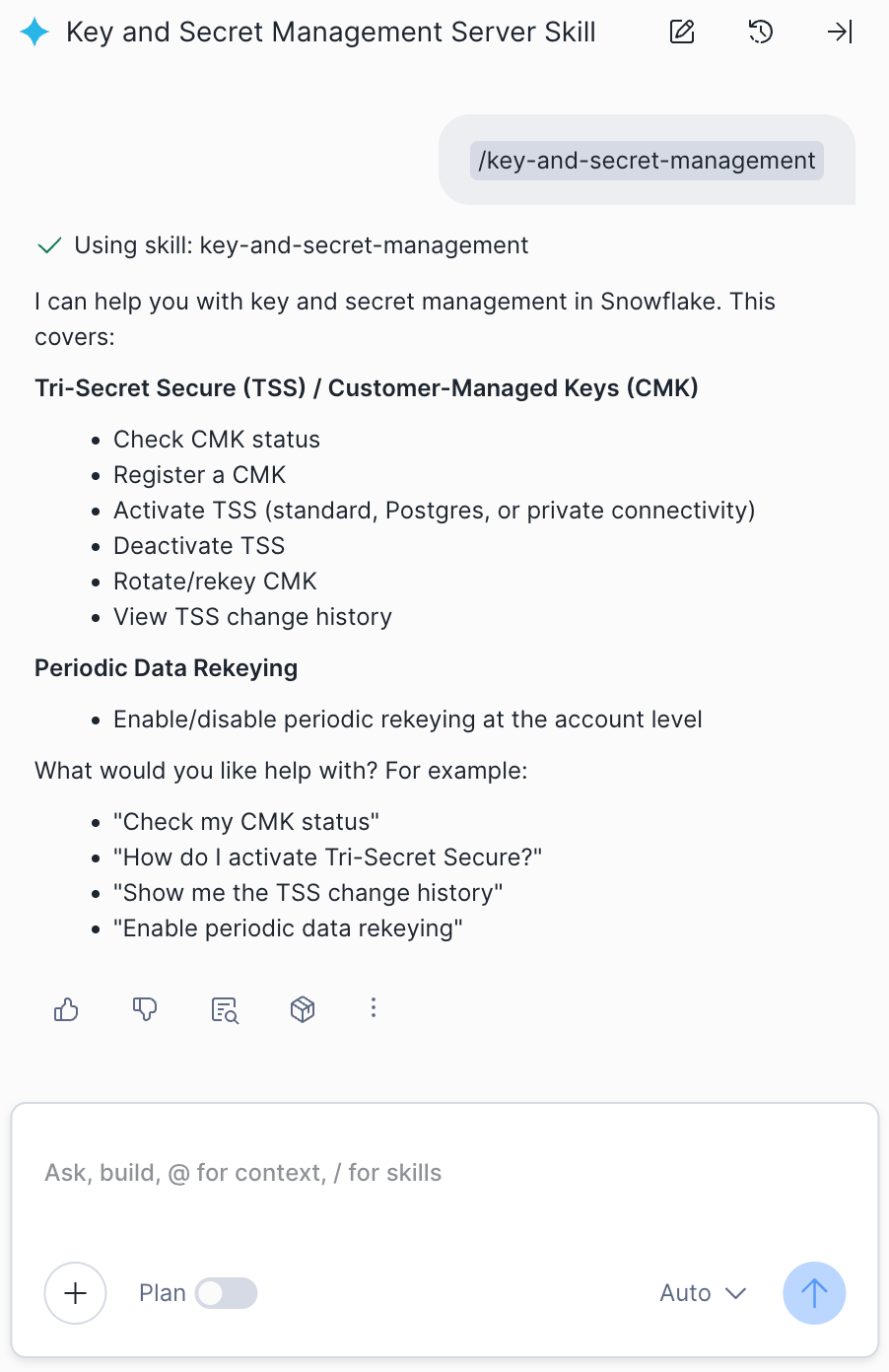
Key and secret management skill: Operating Tri-Secret Secure with confidence
Snowflake's encryption model offers comprehensive, continuous protection by ensuring data is encrypted both at rest and in transit to and from Snowflake. For customers seeking enhanced control, the model also supports Tri-Secret Secure (TSS) or Snowflake's Bring Your Own Key (BYOK) capability, providing an optional, added layer of security and compliance. The key and secret management skill in Cortex Code focuses on safe operations and transparency around those controls:
- Inspecting TSS status and configuration
- Exploring access and change history for key operations
- Safely activating, rotating or deactivating customer‑managed keys (CMKs) and coordinating downstream rekeying workflows
1. Check CMK / TSS status and posture
CoCo surfaces a concise status view, including regions, key hierarchy and misconfigurations that could impact resilience or compliance.
- Questions like:
- "Is TSS fully enabled for this account?"
- "Which CMKs are active, and what objects are protected by them?"
2. Explore key changes and access history
For audits and investigations, this feature queries relevant account usage views to determine who performed actions related to CMK (Customer Managed Key) activation, rotation or deactivation, capturing details on the change, the user and the time it occurred.
- "Show me recent TSS operations and who initiated them"
3. Change and activate a new CMK, step by step
Cortex Code guides you through the following steps:
- Key activation: Register or activate the new customer master key (CMK).
- Validation: Confirm reachability and necessary permissions.
- Reference update: Update key references across relevant accounts and regions.
- Monitoring: Track rekeying progress and report any failures.
The skill emphasizes human‑in‑the‑loop controls and clear rollback paths.
- "Rotate to a new CMK and ensure all data is protected before decommissioning the old one."
Try it out today
The easiest way to experience these skills is to start from a real security question you have. Let Cortex Code do the heavy lifting, i.e., surfacing the right skill, mapping to the right Snowflake primitives and keeping you in control at every step. These skills are also available via Cortex Code CLI (generally available) and Cortex Code Desktop (preview).