Application Framework: Getting started with the Data Quality Manager
Hartland Brown
Overview
This application allows you to manage and run different Data Quality checks:
- Run native snowflake DMFs (or a few included custom ones) as a Job that can be triggered manually, or apply DMFs directly to a table
- View the results of these jobs
- Be alerted when a job has not met the expectations you set with a threshold
Solution Architecture: Data Quality Manager App Architecture
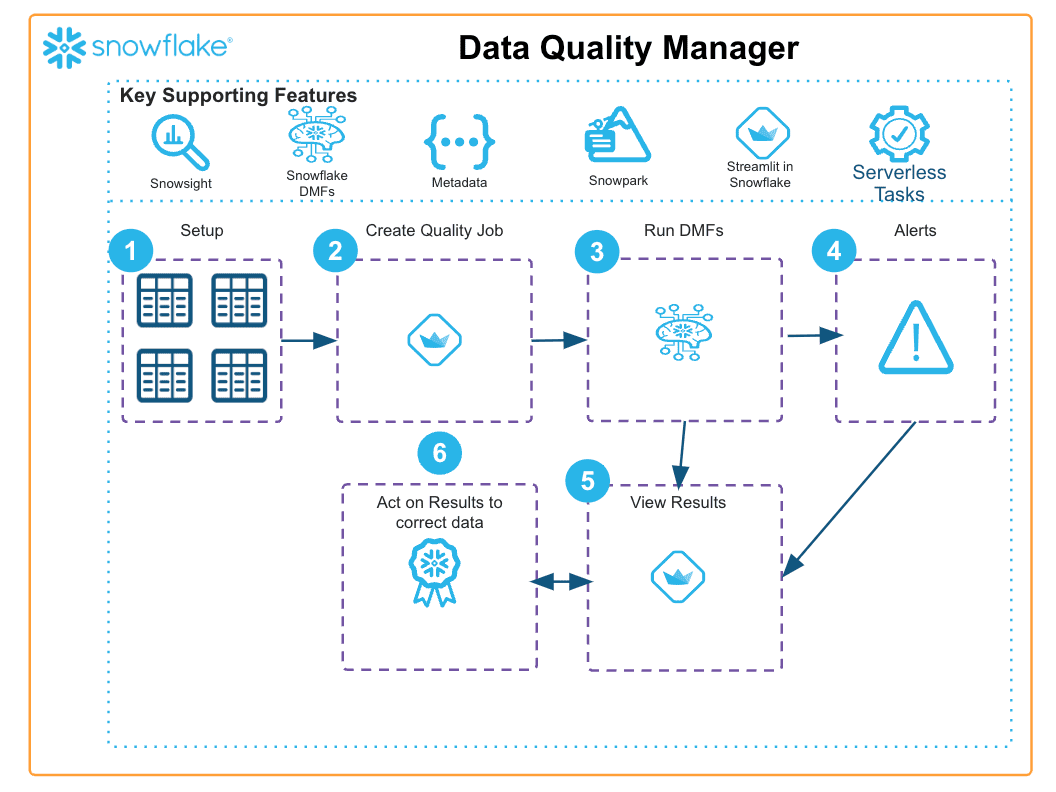
- For this solution, Streamlit is used to present native and local DMF functions to the user, the user can specify the specs of this job
- When the specs have been saved, a serverless task is generated that allows the specs to be retrieved and acted upon, the results are then saved for analysis
- If the user specifies a threshold, this will trigger an alert on the main page that the user can view and comment on
- If the job is scheduled directly on a table with a native DMF, the user can view all results of the event table.
Get Started
Updated Apr 28, 2026
This content is provided as is, and is not maintained on an ongoing basis. It may be out of date with current Snowflake instances
