Getting Started with Snowflake CoWork and Cortex Knowledge Extensions
Overview
Snowflake CoWork is an Enterprise Intelligence Agent that provides every user with the ability to answer complex questions in natural language, and puts insights at every user’s fingertips. With a single question, you can get comprehensive insights across your business data. It moves beyond the “what” to the critical “why” with an always-available thought partner at their fingertips that can facilitate deep research and suggest solutions to previously difficult and time-consuming business problems.
Snowflake CoWork removes the barriers to insights, enabling users to understand the cross-sections of their data and test assumptions with a shared understanding of the data needed to make impactful business decisions.
What is Snowflake CoWork?
Ask complex questions of all your data, analyze and get insights instantly with Snowflake CoWork as your always-on thought partner.
- Deep analysis, quick action: Go beyond the “what” to quickly understand the critical “why,” accelerating action with AI agents that use natural language to analyze and reason across all your data, including third-party sources and market intelligence.
- Verified, trusted answers: Trace every answer to its source. Codify "golden" questions for verified answers.
- Enterprise-ready: Maintain peace of mind knowing that Snowflake CoWork scales with your enterprise data and application complexity — all within Snowflake’s secure perimeter and with the same robust governance policies.
What are Cortex Knowledge Extensions?
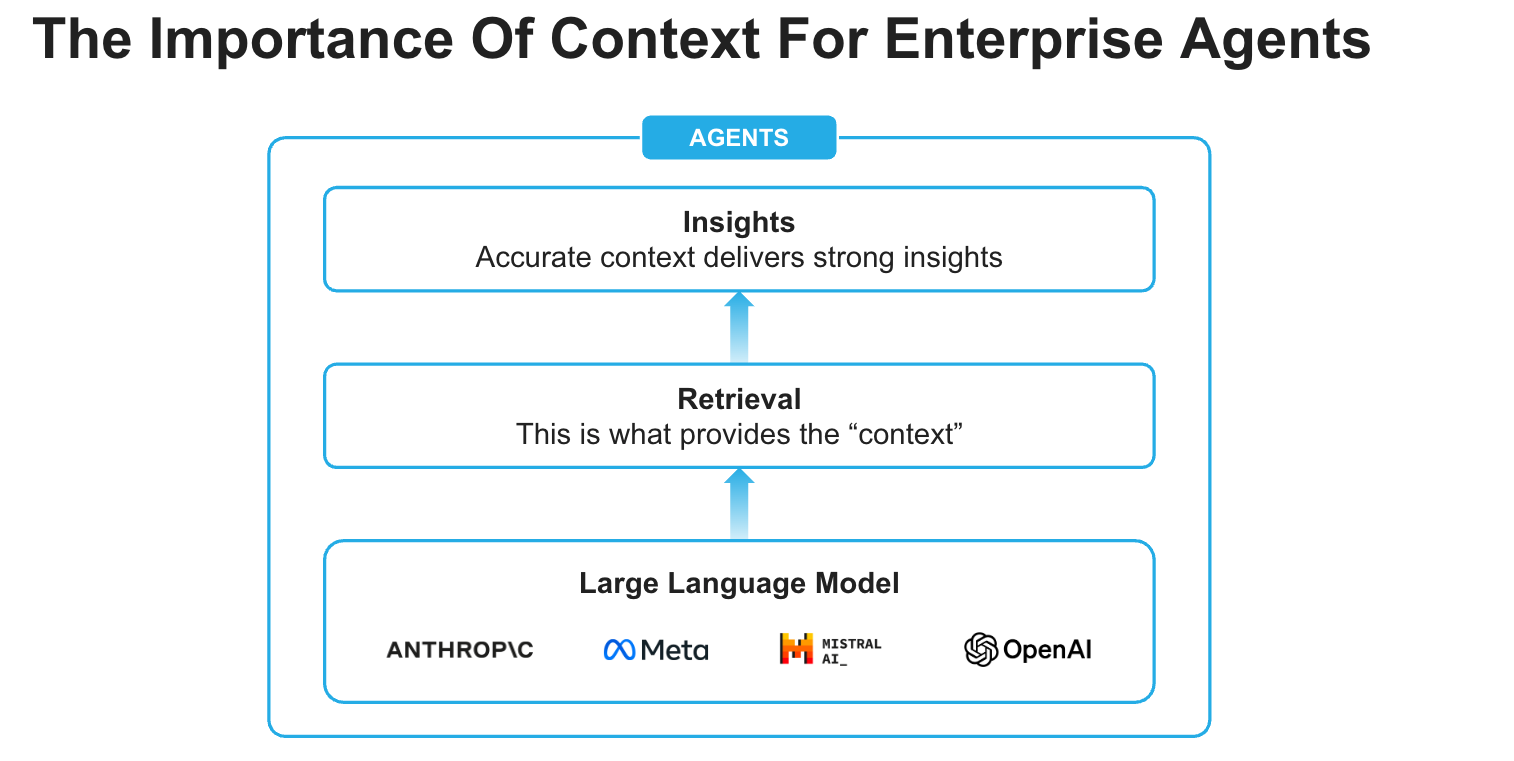
Cortex Knowledge Extensions (CKEs) allow publishers to bring their documents (news articles, market research reports, books, articles, etc.) directly to customers in their generative AI applications. They are Snowflake Cortex Search Services that can be shared on the Snowflake Marketplace or through private listings. They enable a retrieval-augmented generation (RAG) architecture to integrate licensed and proprietary content into Cortex AI applications.

Prerequisites
- Git installed.
Download the Git repository. This is how you get the necessary source code and data to complete this quickstart.
- Access to a Snowflake account with the ACCOUNTADMIN role.
What You Will Learn
How to acquire external knowledge sources from the Snowflake Marketplace and create the building blocks (agents) for Snowflake CoWork that can respond to questions by reasoning over data from Cortex Knowledge Extensions.
What You Will Build
An Enterprise Intelligence Agent - Snowflake CoWork - that can respond to questions by reasoning over data from Cortex Knowledge Extensions.
Setup
Create database, schema, and role
-
Clone GitHub repository.
-
In Snowsight, create a SQL Worksheet and open setup.sql to execute all statements in order from top to bottom.
NOTE: Switch your user role in Snowsight to SNOWFLAKE_INTELLIGENCE_ADMIN.
Cortex Knowledge Extension
- In Snowsight, on the left hand navigation menu, select Marketplace
- In Snowflake Marketplace, search for Snowflake Documentation
- Click on Snowflake Documentation
- On the top right, click on Get and follow instructions while keeping the default values
Create Agent
An agent is an intelligent entity within Snowflake CoWork that acts on behalf of the user. Agents are configured with specific tools and orchestration logic to answer questions and perform tasks on top of your data.
Note that you can create multiple agents for various use cases and/or business teams in your organization.
- In Snowsight, on the left hand navigation menu, select AI & ML >> Agents
- On the top right, click on Create agent
- Select Create this agent for Snowflake CoWork
- Schema: SNOWFLAKE_INTELLIGENCE.AGENTS
- Agent object name: Snowflake_Documentation
- Display name: Snowflake_Documentation
- Select the newly created Snowflake_Documentation agent and click on Edit on the top right corner and make the following updates.
Add Instructions
Add the following starter questions under Example questions:
- How do I create a new Snowflake account and set up my first database?
- What are virtual warehouses in Snowflake, and how do I properly size them?
- Can you explain zero-copy cloning and how to clone a database or table?
Add Tools
Tools are the capabilities an agent can use to accomplish a task. Think of them as the agent's skillset and note that you can add one or more of each of the following tools.
-
Tools
-
Cortex Search Services
- Click on + Add
- Database and Schema: SNOWFLAKE_DOCUMENTATION.SHARED
- Search service: SNOWFLAKE_DOCUMENTATION.SHARED.CKE_SNOWFLAKE_DOCS_SERVICE
- ID column: SOURCE_URL
- Title column: DOCUMENT_TITLE
- Name: Snowflake_Documentation
- Click on + Add
-
Custom tools
- Click on + Add
- Resource type: procedure
- Database & Schema: SNOWFLAKE_INTELLIGENCE.TOOLS
- Custom tool identifier: SNOWFLAKE_INTELLIGENCE.TOOLS.SEND_EMAIL()
- Name: Send_Email
- Warehouse: COMPUTE_WH
- Parameter: body
- Description: If body is not provided, summarize the last question and use that as content for the email.
- Parameter: recipient_email
- Description: If the email is not provided, send it to YOUR_EMAIL_ADDRESS_GOES_HERE.
NOTE: For the recipient_email parameter in the Send_Email custom tool, make sure to replace YOUR_EMAIL_ADDRESS_GOES_HERE with your actual email address.
- Parameter: subject
- Description: If the subject is not provided, use "Snowflake CoWork".
- Click on + Add
-
-
Orchestration instructions: Whenever you can answer visually with a chart, always choose to generate a chart even if the user didn't specify to.
NOTE: On the top right corner, click on Save to save the newly updated Snowflake_Documentation agent.
- Access: SNOWFLAKE_INTELLIGENCE_ADMIN
NOTE: On the top right corner, click on Save to save the newly updated Snowflake_Documentation agent.
Snowflake CoWork
PREREQUISITE: Successful completion of steps outlined under Setup.
Your Agent is now deployed and connected to the external documentation! Open Snowflake CoWork and make sure you're signed into the right account. If you're not sure, click on your name in the bottom left >> Sign out and sign back in. Also note that your role should be set to SNOWFLAKE_INTELLIGENCE_ADMIN and your agent should be set to Snowflake_Documentation.
Now, let's ask the following questions.
Q1. How do I create a new Snowflake account and set up my first database?
Q2. What are virtual warehouses in Snowflake, and how do I properly size them?
Q3. Can you explain zero-copy cloning and how to clone a database or table?
Q4. Send a summary email
NOTE: The Agent will use the Send_Email custom tool to summarize the answer and send the content to the verified email address configured in the tool. Check your inbox to see the summary email that would have been sent to the email address set in AI & ML >> Agents >> Snowflake_Documentation >> Custom tools >> Send_Email >> recipient_email >> Description.
Conclusion And Resources
Congratulations! You've successfully built an enterprise intelligence agent - Snowflake CoWork - that can respond to questions by reasoning over the data from Cortex Knowledge Extensions. You have expanded your application’s reach beyond your organization’s internal data.
What You Learned
You've learned how to create the fundamental building blocks for Snowflake CoWork that can reason effectively over the data from Cortex Knowledge Extensions.
Related Resources
This content is provided as is, and is not maintained on an ongoing basis. It may be out of date with current Snowflake instances
