Build AI Apps with Structured Output using Pydantic, Langchain, Streamlit and Snowflake Cortex
Overview
In this quickstart, you'll learn how to use Pydantic with LangChain and Snowflake Cortex to generate type-safe, validated structured output from LLM responses. This enables reliable data extraction from natural language inputs.
What You'll Learn
- Why structured output matters for LLM applications
- How to define Pydantic schemas for LLM output
- How to use PydanticOutputParser with LangChain
- How to build reliable data extraction pipelines
What You'll Build
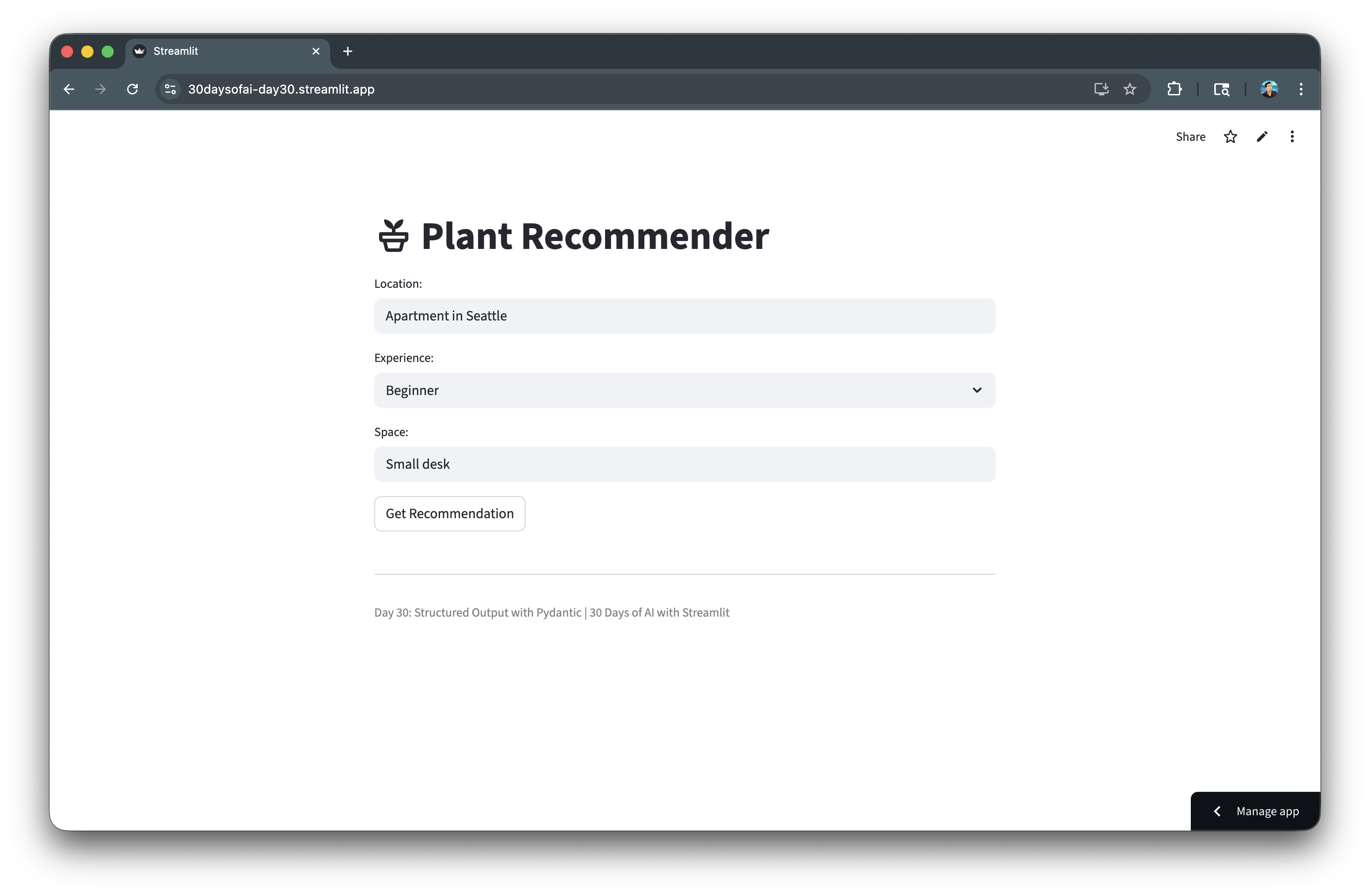
A Plant Recommender application that uses Pydantic to generate structured, type-safe plant recommendations from natural language inputs.
Prerequisites
- Access to a Snowflake account
- Basic knowledge of Python and Streamlit
langchain-snowflakeandpydanticpackages installed
Getting Started
Clone or download the code from the 30daysofai GitHub repository:
git clone https://github.com/streamlit/30DaysOfAI.git
cd 30DaysOfAI/app
The app code for this quickstart:
Why Structured Output?
Raw LLM responses are unstructured text. Structured output solves key challenges.
The Problem
response = llm.invoke("Recommend a plant for my desk")
# Returns: "I'd recommend a Snake Plant! It's great for low light..."
# How do you extract: name, water needs, light needs programmatically?
The Solution
result = chain.invoke({"space": "desk"})
# Returns: PlantRecommendation(name="Snake Plant", water="Low", light="Low", ...)
print(result.name)     # "Snake Plant"
print(result.water)    # "Low"
print(result.light)    # "Low"
Structured output gives you direct access to individual fields via dot notation, enabling programmatic use of LLM responses in your application logic.
Benefits
| Unstructured | Structured |
|---|---|
| Unpredictable format | Guaranteed schema |
| Manual parsing needed | Automatic parsing |
| Runtime errors | Type validation |
| Hard to use in code | Programmatically accessible |
Define Pydantic Schemas
Pydantic models define the expected output structure.
Basic Schema
Define a simple Pydantic model with field descriptions:
from pydantic import BaseModel, Field

class PlantRecommendation(BaseModel):
    name: str = Field(description="Plant name")
    care_tips: str = Field(description="Brief care instructions")
Pydantic's BaseModel defines the expected structure. Field() with descriptions helps the LLM understand what each field should contain.
Schema with Constraints
Use Literal types to constrain values to specific options:
from pydantic import BaseModel, Field
from typing import Literal

class PlantRecommendation(BaseModel):
    name: str = Field(description="Plant name")
    water: Literal["Low", "Medium", "High"] = Field(description="Water requirement")
    light: Literal["Low", "Medium", "High"] = Field(description="Light requirement")
    difficulty: Literal["Beginner", "Intermediate", "Expert"] = Field(description="Care difficulty")
    care_tips: str = Field(description="Brief care instructions")
Literal types constrain values to specific options. This ensures the LLM outputs only valid categories like "Low", "Medium", or "High".
Advanced Schema
Add lists, numeric constraints, and optional fields for complex extraction:
from typing import List, Optional

class ProductReview(BaseModel):
    product_name: str
    rating: int = Field(ge=1, le=5, description="Rating from 1-5")
    pros: List[str] = Field(description="Positive aspects")
    cons: List[str] = Field(description="Negative aspects")
    summary: str = Field(max_length=200)
    recommended: bool
    price_value: Optional[Literal["Poor", "Fair", "Good", "Excellent"]] = None
Advanced schemas can include lists, numeric constraints (ge, le), string length limits, and optional fields for flexible data extraction.
Create the Parser
PydanticOutputParser generates format instructions for the LLM.
Setup Parser
Create a parser that generates format instructions for the LLM:
from langchain_core.output_parsers import PydanticOutputParser

parser = PydanticOutputParser(pydantic_object=PlantRecommendation)
PydanticOutputParser takes your schema and generates instructions for the LLM to produce JSON matching your Pydantic model.
Get Format Instructions
Retrieve the JSON schema that tells the LLM how to format its response:
instructions = parser.get_format_instructions()
print(instructions)
# Outputs JSON schema that tells LLM how to format response
get_format_instructions() returns a string describing the expected JSON format. This is passed to the LLM so it knows exactly what structure to output.
Parse LLM Output
Validate and convert the LLM's JSON output into a typed Pydantic object:
raw_output = '{"name": "Snake Plant", "water": "Low", ...}'
result = parser.parse(raw_output)
# result is now a PlantRecommendation instance
The parser validates the LLM's JSON output against your schema and returns a typed Pydantic object with direct attribute access.
Build the Chain
Combine template, LLM, and parser into a pipeline.
Create Template with Format Instructions
Include a placeholder for parser instructions in the prompt template:
from langchain_core.prompts import ChatPromptTemplate

template = ChatPromptTemplate.from_messages([
    ("system", "You are a plant expert. {format_instructions}"),
    ("human", "Recommend a plant for: {location}, {experience} experience, {space} space")
])
The template includes {format_instructions} placeholder where parser instructions will be injected. This tells the LLM how to structure its response.
Build Complete Chain
Combine template, LLM, and parser into a pipeline using the pipe operator:
import streamlit as st
from langchain_snowflake import ChatSnowflake

try:
    from snowflake.snowpark.context import get_active_session
    session = get_active_session()
except:
    from snowflake.snowpark import Session
    session = Session.builder.configs(st.secrets["connections"]["snowflake"]).create()

llm = ChatSnowflake(model="claude-3-5-sonnet", session=session)

chain = template | llm | parser
The chain pipes template → LLM → parser. The template formats the prompt, the LLM generates JSON, and the parser validates and converts it to a Pydantic object.
Execute Chain
Invoke the chain with variables and receive a typed Pydantic object:
result = chain.invoke({
    "location": "Seattle apartment",
    "experience": "Beginner",
    "space": "Small desk",
    "format_instructions": parser.get_format_instructions()
})

print(result.name)        # "Pothos"
print(result.water)       # "Low"
print(result.difficulty)  # "Beginner"
Pass format_instructions from the parser to fill the template placeholder. The result is a fully typed PlantRecommendation object with validated fields.
Build Plant Recommender App
Create the complete Streamlit application.
Full Application Code
Build the complete Plant Recommender with metrics display and JSON preview:
import streamlit as st
from langchain_core.prompts import ChatPromptTemplate
from langchain_core.output_parsers import PydanticOutputParser
from langchain_snowflake import ChatSnowflake
from pydantic import BaseModel, Field
from typing import Literal

try:
    from snowflake.snowpark.context import get_active_session
    session = get_active_session()
except:
    from snowflake.snowpark import Session
    session = Session.builder.configs(st.secrets["connections"]["snowflake"]).create()

class PlantRecommendation(BaseModel):
    name: str = Field(description="Plant name")
    water: Literal["Low", "Medium", "High"] = Field(description="Water requirement")
    light: Literal["Low", "Medium", "High"] = Field(description="Light requirement")
    difficulty: Literal["Beginner", "Intermediate", "Expert"] = Field(description="Care difficulty level")
    care_tips: str = Field(description="Brief care instructions")

parser = PydanticOutputParser(pydantic_object=PlantRecommendation)

template = ChatPromptTemplate.from_messages([
    ("system", "You are a plant expert. {format_instructions}"),
    ("human", "Recommend a plant for: {location}, {experience} experience, {space} space")
])

llm = ChatSnowflake(model="claude-3-5-sonnet", session=session)
chain = template | llm | parser

st.title(":material/potted_plant: Plant Recommender")
location = st.text_input("Location:", "Apartment in Seattle")
experience = st.selectbox("Experience:", ["Beginner", "Intermediate", "Expert"])
space = st.text_input("Space:", "Small desk")

if st.button("Get Recommendation"):
    result = chain.invoke({
        "location": location,
        "experience": experience,
        "space": space,
        "format_instructions": parser.get_format_instructions()
    })

    st.subheader(f":material/eco: {result.name}")

    col1, col2, col3 = st.columns(3)
    col1.metric("Water", result.water)
    col2.metric("Light", result.light)
    col3.metric("Difficulty", result.difficulty)
    st.info(f"**Care:** {result.care_tips}")

    with st.expander(":material/description: See raw JSON response"):
        st.json(result.model_dump())

st.divider()
st.caption("Day 30: Structured Output with Pydantic | 30 Days of AI with Streamlit")
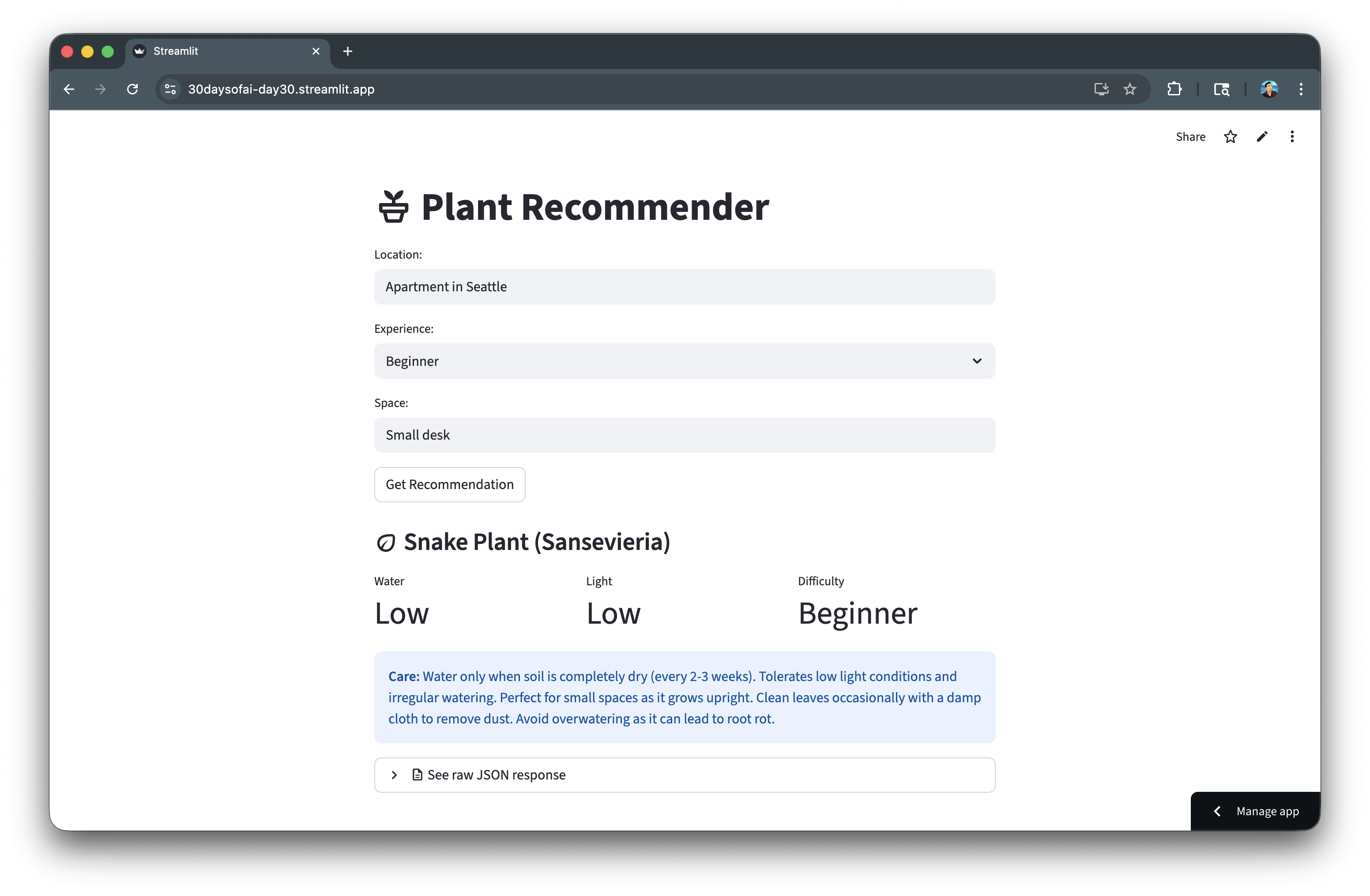
The app uses st.columns() to display metrics cleanly and model_dump() to show the raw JSON for debugging. Each result field is accessed via dot notation.
Handle Errors
Robust error handling for production applications.
Parser Errors
Catch parsing failures when the LLM response doesn't match the schema:
from langchain_core.exceptions import OutputParserException

try:
    result = chain.invoke(inputs)
    st.success(f"Recommendation: {result.name}")
except OutputParserException as e:
    st.error("Could not parse LLM response into expected format")
    st.info("The model's response didn't match the schema. Try rephrasing.")
except Exception as e:
    st.error(f"Error: {str(e)}")
Validation Errors
Handle Pydantic validation errors with detailed field-level feedback:
from pydantic import ValidationError

try:
    result = chain.invoke(inputs)
except ValidationError as e:
    st.error("Invalid data in response")
    for error in e.errors():
        st.warning(f"Field '{error['loc'][0]}': {error['msg']}")
Pydantic's ValidationError provides detailed error information including which field failed and why, helping users understand what went wrong.
Complete Error Handling
Implement layered exception handling for production applications:
if st.button("Get Recommendation"):
    try:
        with st.spinner("Finding the perfect plant..."):
            result = chain.invoke({
                "location": location,
                "experience": experience,
                "space": space,
                "format_instructions": parser.get_format_instructions()
            })

        st.subheader(f":material/eco: {result.name}")
        col1, col2, col3 = st.columns(3)
        col1.metric("Water", result.water)
        col2.metric("Light", result.light)
        col3.metric("Difficulty", result.difficulty)
        st.info(f"**Care Tips:** {result.care_tips}")

    except OutputParserException:
        st.error("The AI response couldn't be parsed. Please try again.")
    except ValidationError as e:
        st.error("Invalid response format")
        st.json(e.errors())
    except Exception as e:
        st.error(f"An error occurred: {str(e)}")
        st.info("Check your connection and try again.")
Layered exception handling catches parsing errors, validation failures, and general exceptions separately, providing targeted feedback for each failure type.
Best Practices
Schema Design
- Use clear descriptions: Field descriptions help the LLM understand expectations
- Use Literal types: Constrain values to specific options when possible
- Start simple: Begin with basic schemas, add complexity gradually
- Use Optional for nullable: Mark truly optional fields explicitly
Chain Design
- Include format_instructions: Always pass parser instructions to the template
- Use system messages: Put formatting instructions in system role
- Validate outputs: Even with schemas, verify results make sense
- Log for debugging: During development, log prompts and raw responses
Production Tips
Add logging for debugging and monitoring in production environments:
import logging

logging.basicConfig(level=logging.INFO)
logger = logging.getLogger(__name__)

def get_recommendation(location, experience, space):
    inputs = {
        "location": location,
        "experience": experience,
        "space": space,
        "format_instructions": parser.get_format_instructions()
    }

    logger.info(f"Requesting recommendation: {inputs}")

    try:
        result = chain.invoke(inputs)
        logger.info(f"Got result: {result.model_dump()}")
        return result
    except Exception as e:
        logger.error(f"Failed: {e}")
        raise
Here's the app with the generated recommendation:
Deploy the App
Save the code above as streamlit_app.py and deploy using one of these options:
- Local: Run
streamlit run streamlit_app.pyin your terminal - Streamlit Community Cloud: Deploy your app from a GitHub repository
- Streamlit in Snowflake (SiS): Create a Streamlit app directly in Snowsight
Conclusion And Resources
Congratulations! You've learned how to use Pydantic with LangChain and Snowflake Cortex to generate type-safe, validated structured output. This technique enables reliable data extraction from LLM responses for production applications.
What You Learned
- Why structured output matters for LLM applications
- How to define Pydantic schemas for LLM output
- How to use
PydanticOutputParserwith LangChain - How to build reliable data extraction pipelines with error handling
Related Resources
Documentation:
Source Material
This quickstart was adapted from Day 30 (Structured output with Pydantic) of the 30 Days of AI challenge.
Learn more:
This content is provided as is, and is not maintained on an ongoing basis. It may be out of date with current Snowflake instances
