Feb 19, 2016/3 min readPlatform
Snowflake Query Result Sets Available to Users via History

As promised in the previous post from Kent Graziano, here is a deeper dive into one of the top 10 cool features from Snowflake:
#10 Result sets available via History
There are a lot of times when you want to make a small change to your large query, and want to be able to see the effect of a change quickly without rerunning the previous query. This is hard in most systems because you have to rerun the previous query, using up resources and time. Our solution allows users to view the result sets from queries that were executed previously, via history. One benefit users get is that if they had already executed a complex query that took some amount of time to execute, the user doesn’t have to run the query again to access the previous results. They can just go back to the history, and access the result set. This is also beneficial when working on a development project using the data warehouse. Developers can use the result set history to compare the effects of changes to the query or to the data set, without running the previous queries again.
How to access the Result Set History
Once you execute a query, the result set will persist in the history of the user for 24 hours. This even includes queries executed through interfaces outside the Snowflake UI, like BI tools, JDBC, ODBC, etc.
To get to these results, you can go to the History page in the Snowflake web UI:
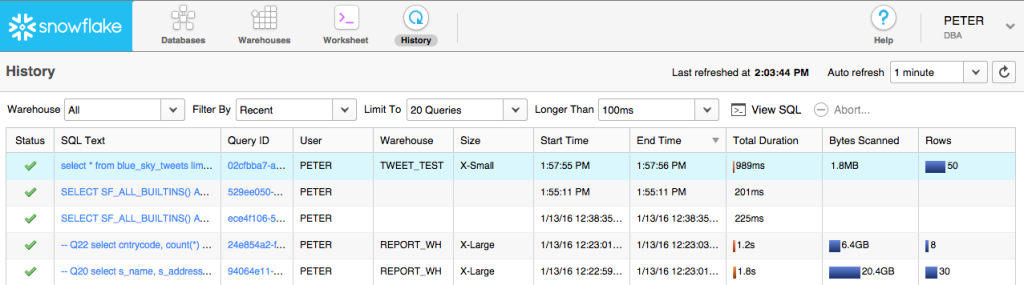
Find the query you want to recall then click on the hyper-linked Query Id. This will then let you see the details about the query plus the data it pulled.
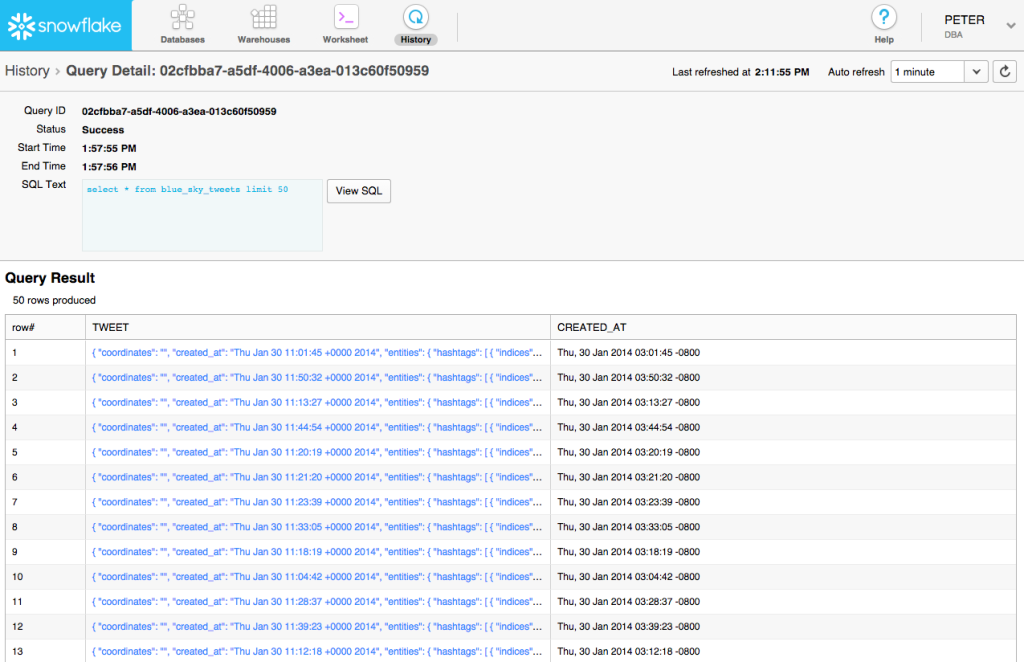
Easy!
How does it work?
Every time a query is run in Snowflake, the query is assigned an ID. This ID along with the resulting data set is typically stored in the same place as the Metadata repository. All data is encrypted at rest and in transit. This is performed as a simultaneous operation to sending the result back to the user. In case of a large resultant data set, the results may be stored in S3. Because of the elasticity of S3 storage, this approach allows Snowflake to retain any size result set. For a query, that was run successfully, the result is kept for 24 hours, after which the results are cleaned up based on a FIFO method.
What does this mean for the user?
It may seem like a minor addition to some but it is very convenient to pull up a resultset from a previous query without having to execute the query a second time. This saves time and processing (and therefore saves $$$), another way in which Snowflake provides significant value over traditional data warehouse solutions, slashing costs, and eliminating complexity.
P.S. Keep an eye on this blog site, our Snowflake Twitter feed (@SnowflakeDB), (@kentgraziano), and (@cloudsommelier) for more Top 10 Cool Things About Snowflake.
- Kent Graziano and Saqib Mustafa
