May 6, 2024/4 min readProduct and Technology
Better See and Control Your Snowflake Spend with the Cost Management Interface, Now Generally Available

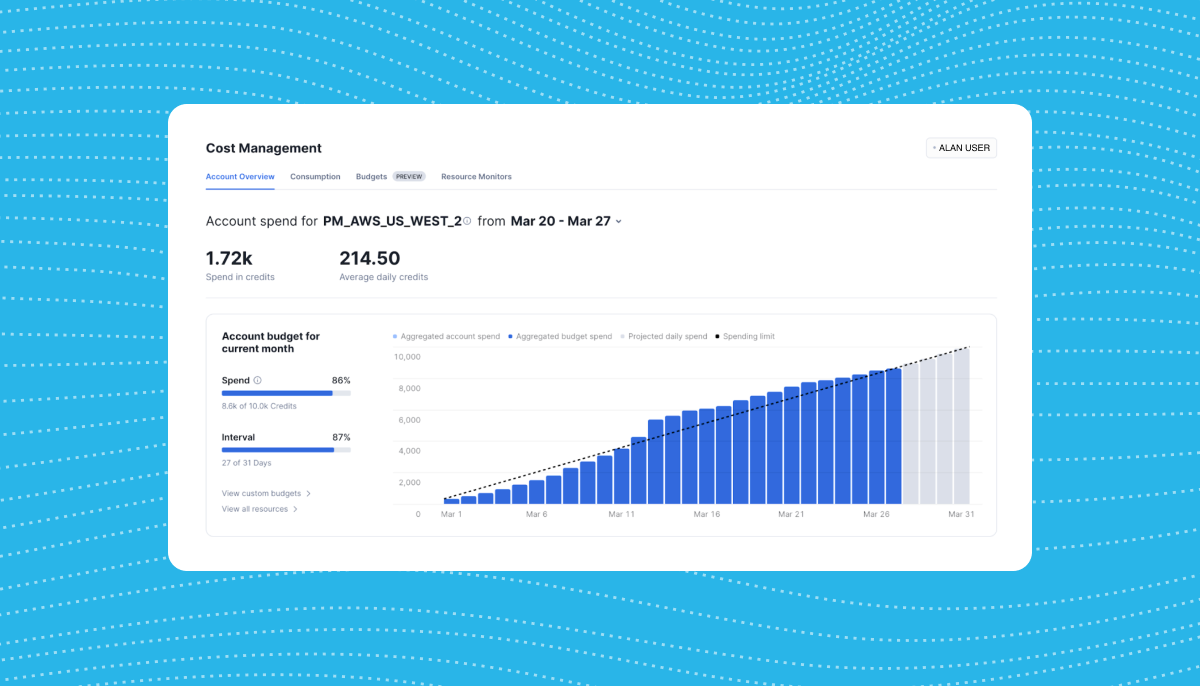
Snowflake is dedicated to providing customers with intuitive solutions that streamline their operations and drive success. As part of our ongoing commitment to helping customers in this way, we're introducing updates to the Cost Management Interface to make managing Snowflake spend easier at an organization level and accessible to more roles.
Snowsight: Your Centralized Console for Cost Management
The Cost Management Interface in Snowsight (Snowflake’s web interface) is the centralized console for cost stewards and platform administrators. From monitoring expenditures to identifying cost optimization opportunities, the Cost Management Interface offers a comprehensive suite of insights and tools to help you take control of your finances.
Gaining Visibility into Your Spend at Multiple Levels
Cost management and visibility is needed at varying levels, from an entire organizational view down to individual teams. Our latest enhancements provide visibility into your spend at both the organization and account levels, ensuring you have the insights needed to make informed decisions and seek proactive measures. Here's what you can expect:
Public preview of Organization Overview experience
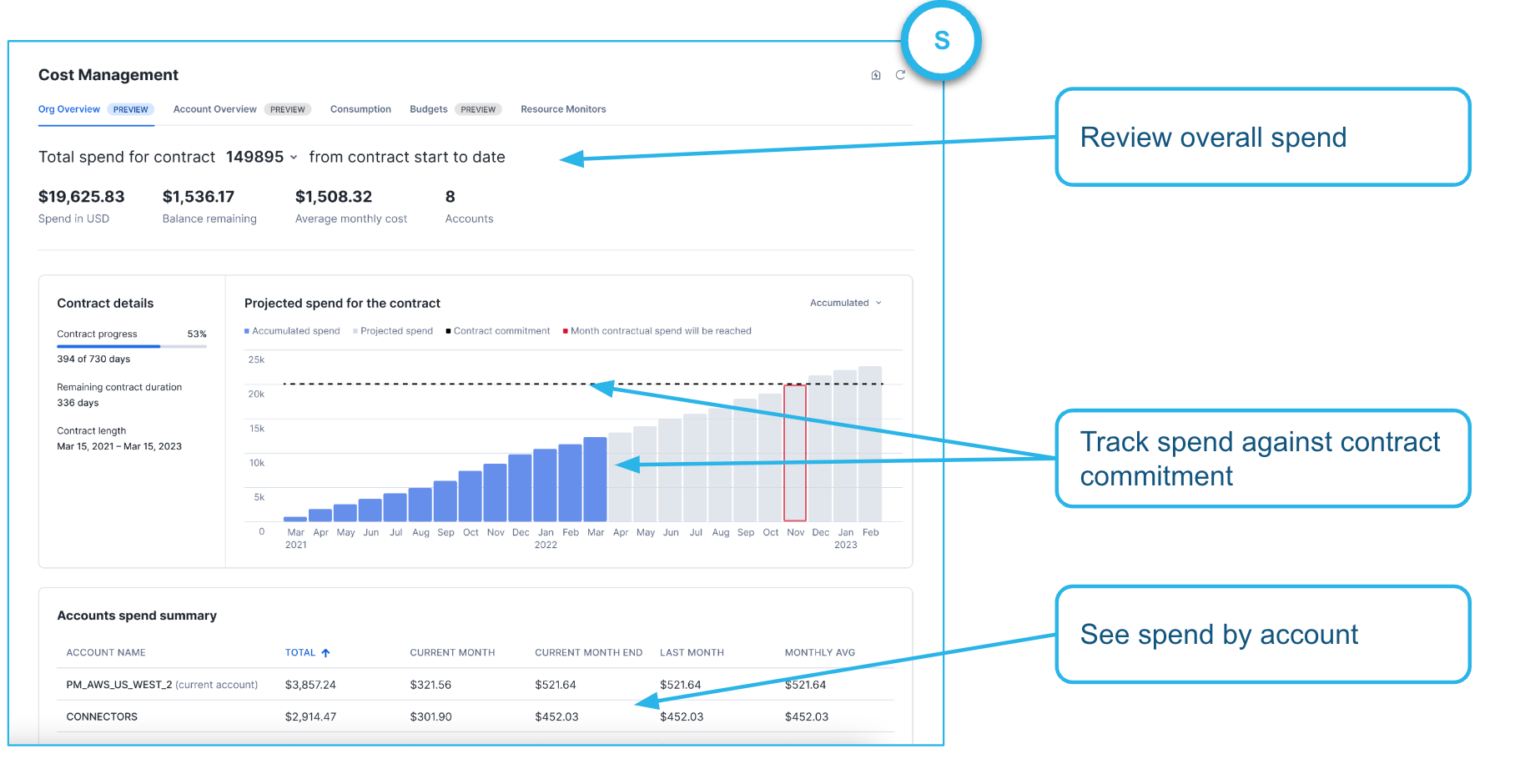
We’re introducing the Organization Overview experience to give you a holistic view of spend across multiple accounts. With this intuitive interface, you can quickly access vital information, including:
- Spend summary: Instant access to essential spend KPIs, such as total spend in USD, remaining balance, average monthly cost and total number of accounts.
- Contract overview: Detailed insights into contract consumption and forecast, including accumulated actual spend vs. forecasted spend, contract progress details and contract length.
- Account spend summary: A breakdown of top accounts by spend, with statistics on accumulated spend for the time period, current month spend, last month spend and monthly average.
General availability of Account Overview experience
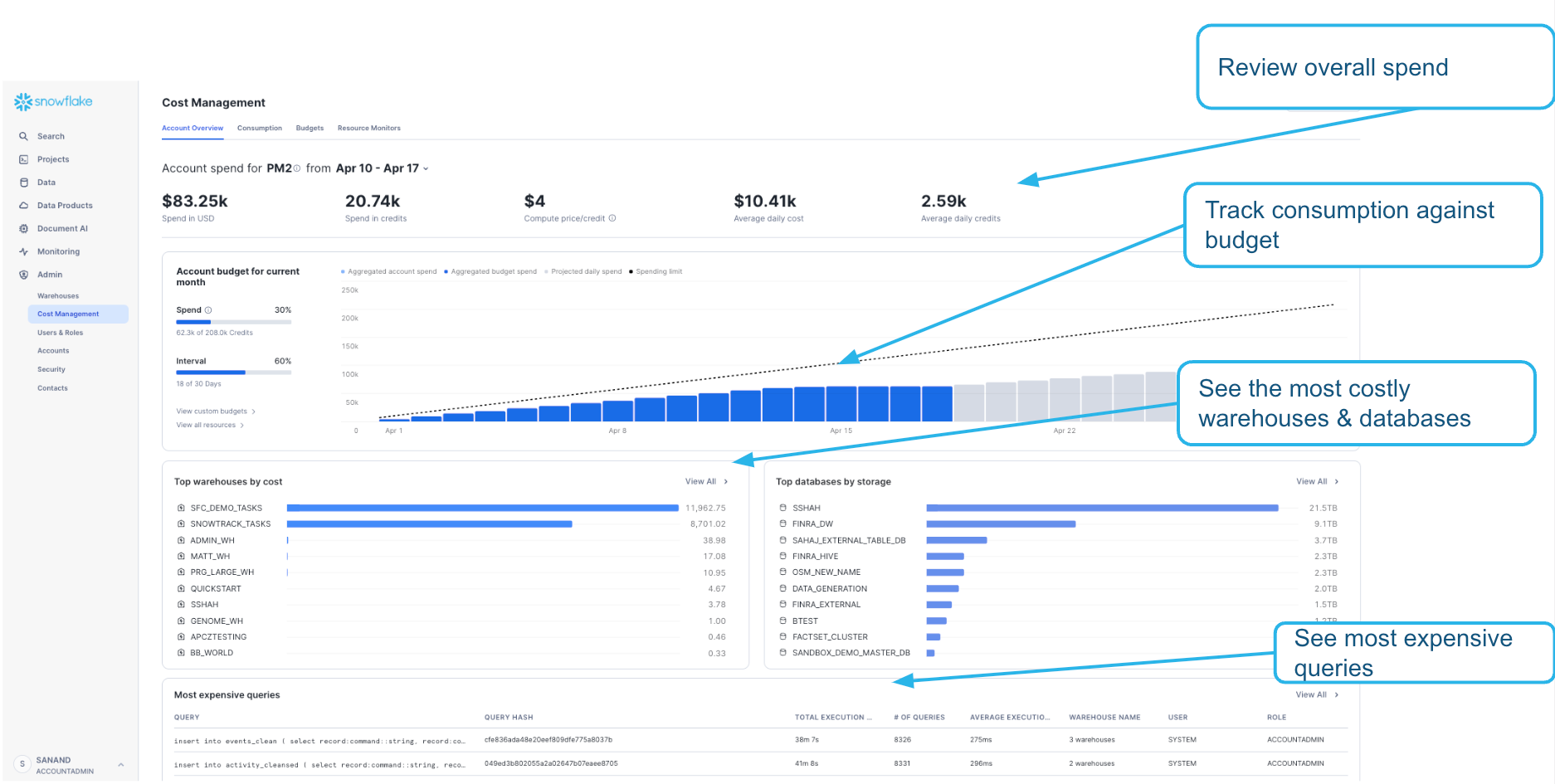
We're thrilled to announce the general availability (GA) of the Account Overview experience, providing comprehensive insights into account-level spending.
With new key features, users can now:
- Monitor account spend: Get an overview of your account spend and track it against set budgets.
- Forecast spend: Predict future expenditures against budget allocations, ensuring financial plans remain on track.
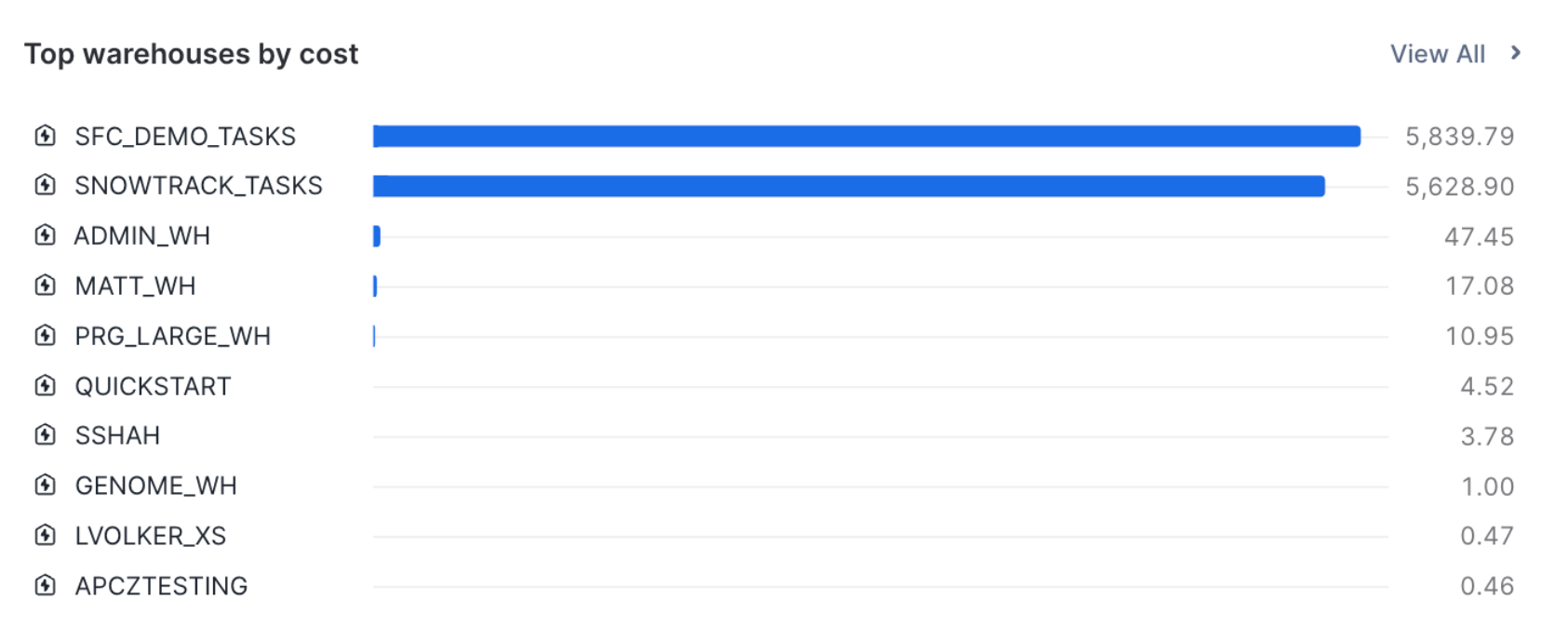
- Identify top areas by spend: Pinpoint top areas of expenditure, including warehouses, queries and databases by storage.
- Optimize spend: Use Cost Insights (GA soon) to identify opportunities for cost optimization, maximizing every dollar spent.
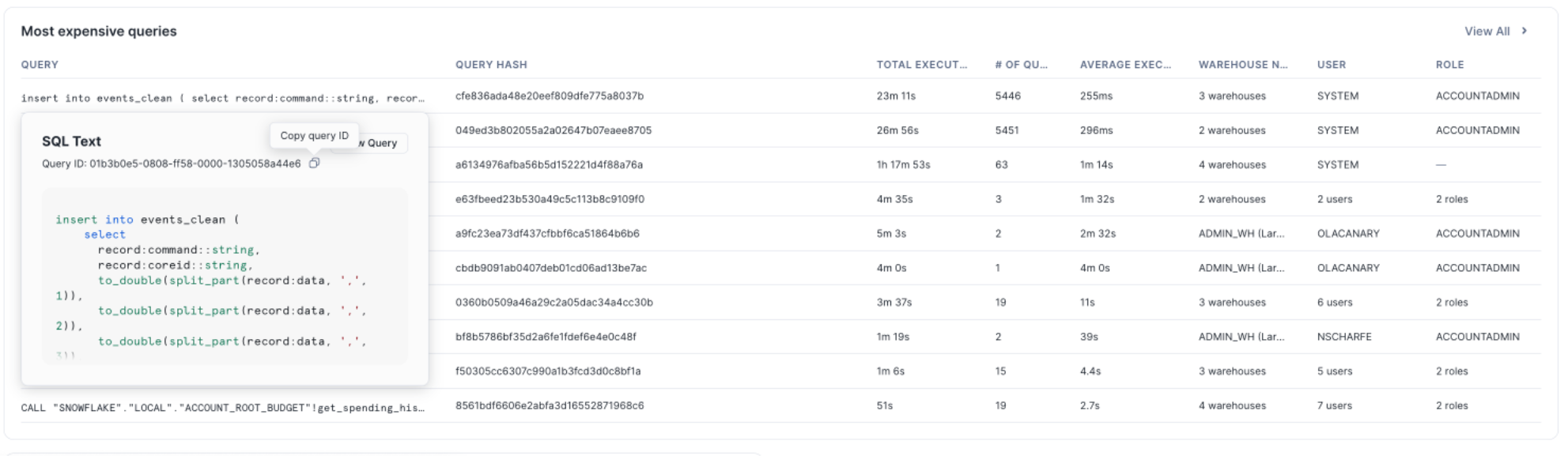
Inclusive access for all
Recognizing that account administration is a privileged role, we're pleased to announce that the GA of Account Overview extends access to more privileges. Users with varying levels of responsibility can now benefit from our financial management capabilities. In addition to the SQL interface, budgets are also accessible to anyone with budget_admin or budget_viewer privileges in the UI. For details on minimum access privileges required, please refer to our documentation here.
Take cost controls with Budgets
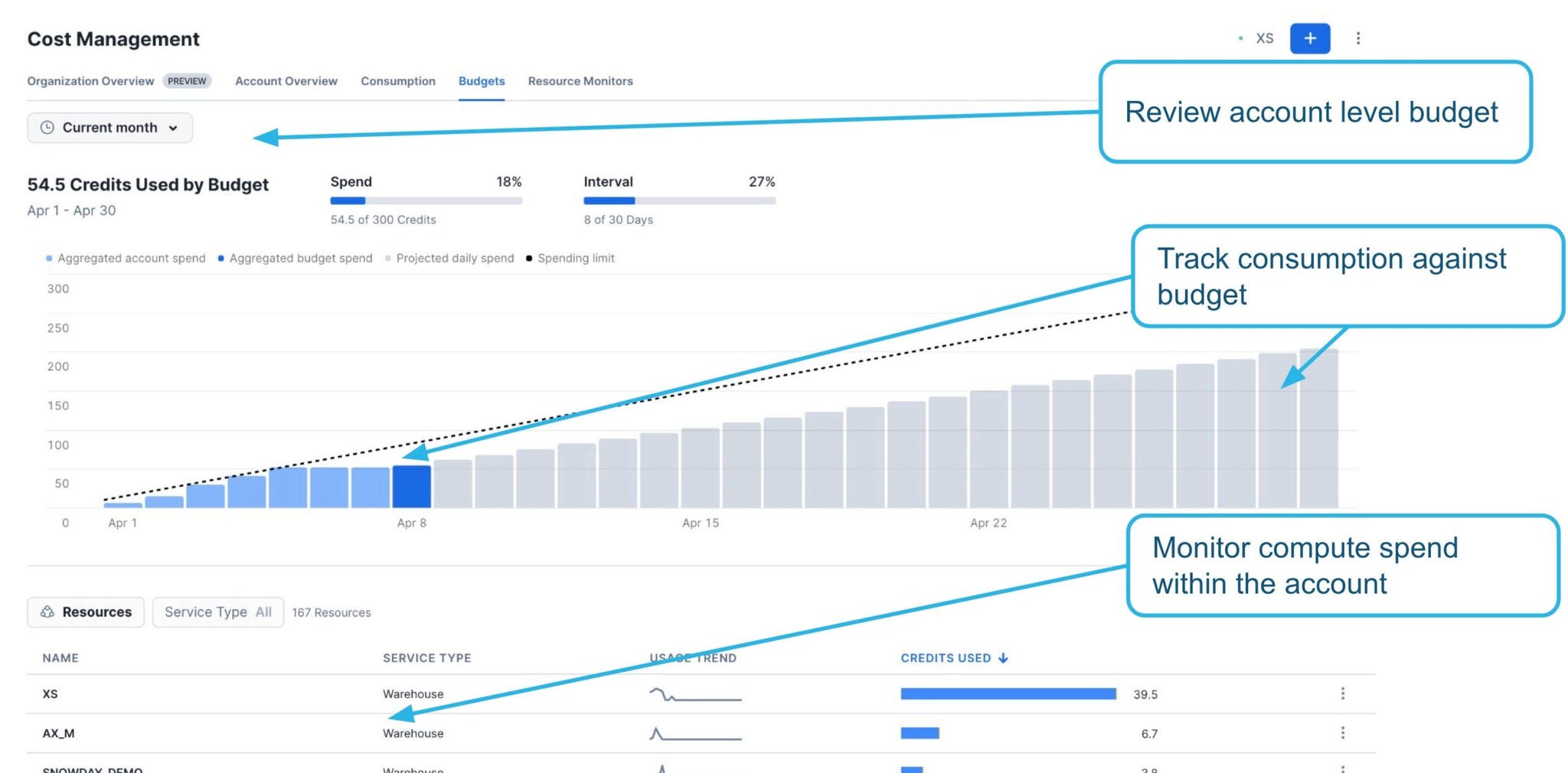
We are excited to also announce the Budgets feature in GA. As part of our public preview of Budgets, we received tremendous feedback, excitement and participation from customers. To recap, the Budgets feature is a cost control that monitors Snowflake compute credits across warehouses and serverless features (auto-clustering, replication, search optimization, etc.) within a Snowflake account.
You can set up a budget for the entire account, which will monitor all of the compute resources within the account for the month against the spending limit set for that account, as seen below.
Or, you can create a budget for a group of resources (Snowflake objects) within your account, representing either a business unit, department or application, and track its spend against the spending limit allocated for that month.
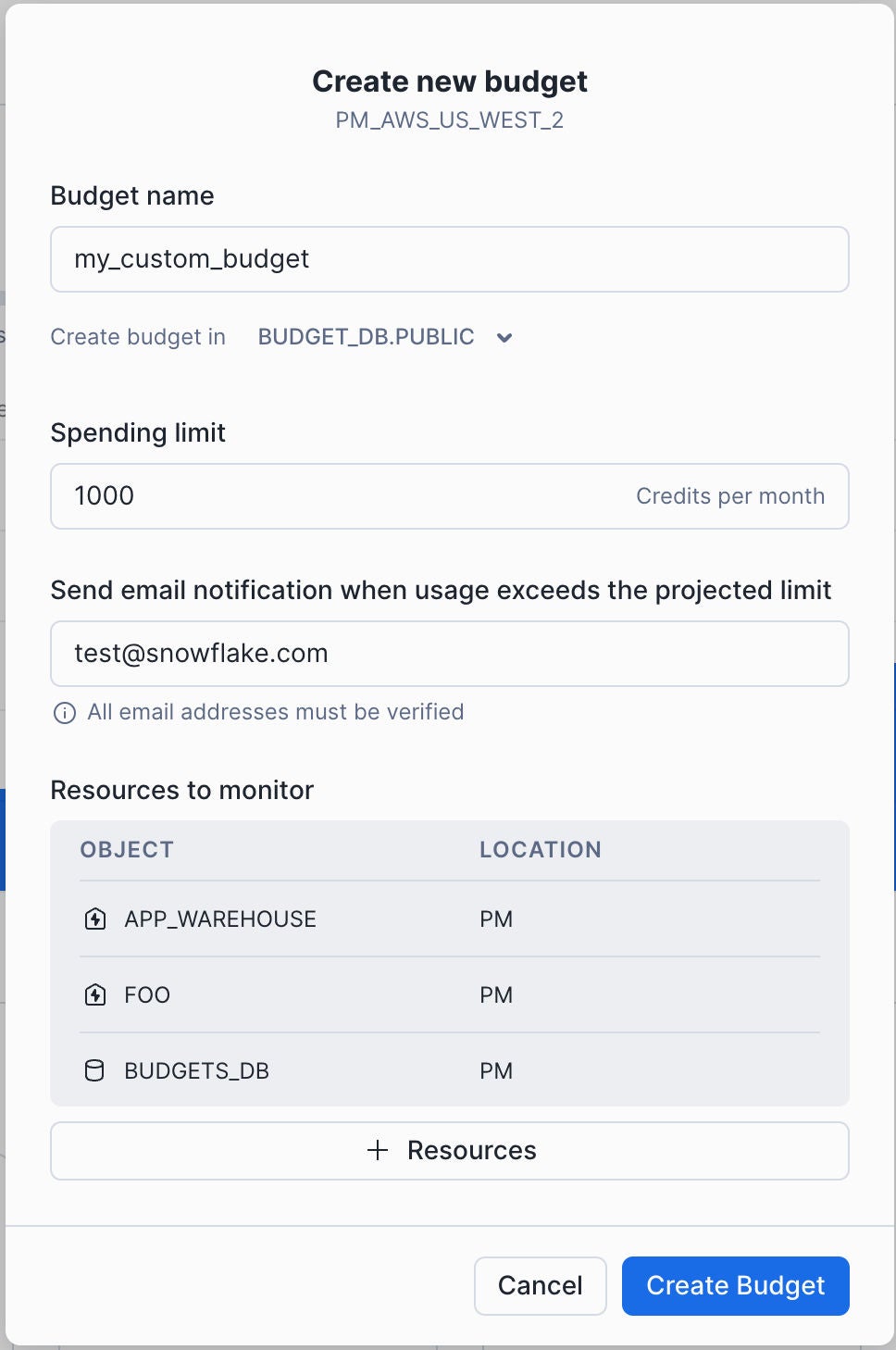
Customers like Anvilogic are already using Snowflake Budgets to achieve their goals:
“Security teams use Anvilogic to analyze hundreds of terabytes of security data daily in Snowflake. Custom Budgets help us ensure that Data Cloud expenses are predictable, avoiding surprises while balancing cost and performance. All of which supports the shift from restrictive legacy pricing models to embracing consumption-based pricing for security operations.” —Serban Tanasa, Principal Engineer, Anvilogic
Based on the feedback we received during public preview, Budgets in GA will offer additional capabilities, as compared to our public preview release, including:
- Removing account admin restrictions from Snowsight to manage budgets. Budgets will now be accessible to anyone with budget_admin or budget_viewer privileges. Learn more about what privilege you need.
- Improved email notifications that detail the accounts that sent the notification, with the ability to log in to that account.
We are excited to see how customers use the new cost management features and look forward to bringing new capabilities to manage, control and optimize Snowflake spend for our customers.
To get started, watch this demo on Snowflake’s cost management and spend visibility, or dive into this video on how to understand, control and optimize spend in Snowflake more effectively.
For general best practices, check out the Definitive Guide to Managing Spend in Snowflake for a detailed overview of how to use the platform efficiently, consume sustainably and deliver maximum business value.